



 Shopping Cart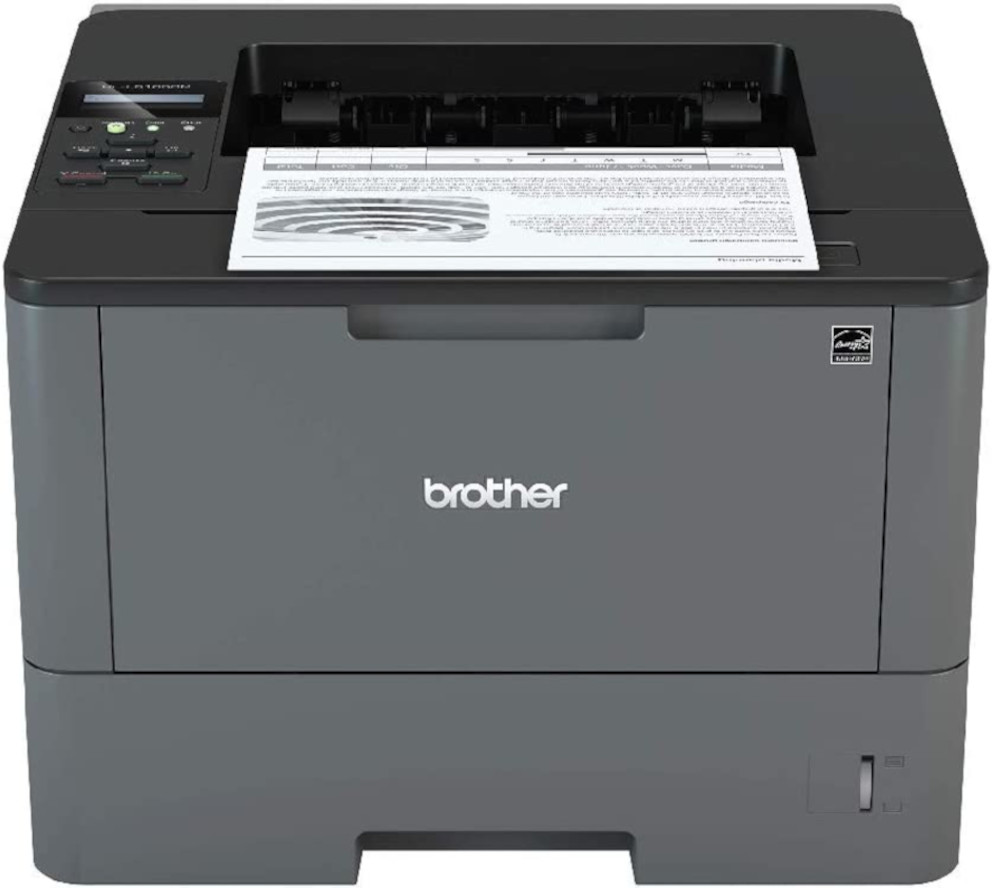

*** ALL TONERS AND SUPPLIES ARE IN STOCK AT DISCOUNTED PRICING , CALL +18882983095.
All reconditioned printers do not include supplies - toners , drums (Imaging Units) (where applicable) , printer cables , manuals , consumables, trays (where applicable). Power cables are included. Drivers can be downloaded from the manufacturers website. Please verify that drivers available are compatible with your software on the manufacturers site.
Images are for illustration purposes only and do not necessarily reflect the actual product.Product Details
Specifications
Accessories
Reviews
Product Details
Main Features
- Black and white prints
- Two-sided printing
- Print speed: up to 42 pages per minute
- Maximum Resolution: 1200 x 1200 dpi
- 250 sheet paper tray
- 50 sheet multipurpose tray
- USB 2.0 Connectivity
- 256 MB Memory
- Advanced security features
Specifications
General Specifications
| Model Number | HL-L5100DN | |
| Print Speed | 42 ppm | |
| CPU Speed | 800 MHz | |
| First Page Out | 7.2 sec | |
| Print Resolution | 1200 x 1200 dpi | |
| Print Technology | Black and White Laser | |
| Security Functions | Seure Function Lock,
|
|
| Security Protocols (wired) |
|
|
| Duplex Printing Capability | Yes | |
| Media Type | Plain, Envelopes (#10), Bond, Envelopes, Labels, Recycled Paper, Colored Paper, Letterhead | |
| Multi-Purpose Tray Capacity | 50 | |
| Output Paper Capacity | 150 sheets |
Accessories

Reviews


Most printers have a paper-out detector. On most dot matrix printers it is a photo diode. If form-fed paper is not aligned correctly (usually on the left side) the diode won't see it.
Save memory on your PC by choosing the Custom option when you install your printer, and picking just the software you want to install.
Store your laser printer in a properly ventilated area where temperature and humidity do not change frequently. Avoid areas with heavy dust buildup.
MY ACCOUNT
INFO & POLICIES
SHOP EASY
PAYMENT OPTIONS



