



 Shopping Cart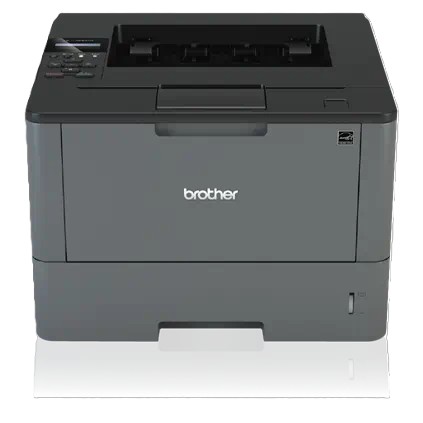



*** ALL TONERS AND SUPPLIES ARE IN STOCK AT DISCOUNTED PRICING , CALL +18882983095.
Printers do not include supplies - toners , drums (Imaging Units) (where applicable) , printer cables , manuals , consumables , trays (where applicable). Power cables are included. Drivers can be downloaded from the manufacturers website. Please verify that drivers available are compatible with your software on the manufacturers site.
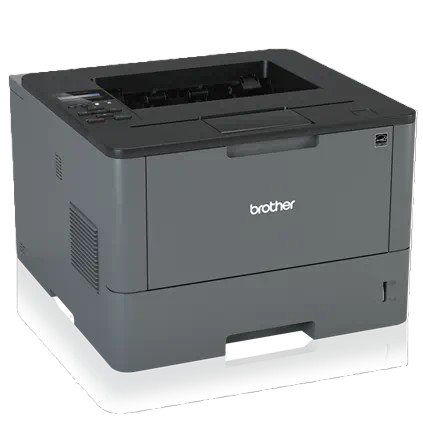
Images are for illustration purposes only and do not necessarily reflect the actual product.Product Details
Specifications
Accessories
Reviews
Product Details
Main Features
- Black & white laser printer
- Print speed: up to 40 pages per minute
- Automatic two-sided printing
- Maximum Resolution: 1200 × 1200 dpi
- 250 sheet main paper tray + 50 sheet multipurpose tray
- Expandable paper capacity with optional trays
- USB 2.0 Connectivity
- 128 MB memory
- Compact LCD display for basic controls
Specifications
General Specifications
| Printer Type | Monochrome laser |
| Function | Print only |
| Print Technology | Electrophotographic laser |
| Max Paper Size | A4 |
| Memory | 128 MB |
| Processor | 800 MHz |
| Display | 1-line LCD (16 characters) |
| Connectivity | Hi-Speed USB 2.0, Parallel (optional cable) |
| Duplex Printing | Automatic |
| Print Speed | Up to 40 ppm (A4) |
| Duplex Speed | Up to 20 ipm |
| First Page Out | < 7.2 seconds |
| Print Resolution | Up to 1200 × 1200 dpi |
| Monthly Volume | Up to ~3,500 pages |
| Paper Input | 250-sheet tray + 50-sheet MP tray |
| Paper Output | 150 sheets (face-down) |
| Weight | ~10.7 kg |
| Dimensions | 373 × 388 × 255 mm |
| Power Consumption (Printing) | ~640 W |
| Power Consumption (Sleep) | ~12 W |
Accessories

Reviews


Printer not working? The printer memory could be full and not getting prints or the prints may be stuck in the print queue. Turn-off the printer, wait a few seconds and turn it back on.
Don't be in a rush with your printer as you can easily damage a printer, or even get hurt, if you do not follow the instructions in the user manual.
Save memory on your PC by choosing the Custom option when you install your printer, and picking just the software you want to install.
MY ACCOUNT
INFO & POLICIES
SHOP EASY
PAYMENT OPTIONS



