



 Shopping Cart



*** ALL TONERS AND SUPPLIES ARE IN STOCK AT DISCOUNTED PRICING , CALL +18882983095.
All reconditioned printers do not include supplies - toners , drums (Imaging Units) (where applicable) , printer cables , manuals , consumables, trays (where applicable). Power cables are included. Drivers can be downloaded from the manufacturers website. Please verify that drivers available are compatible with your software on the manufacturers site.
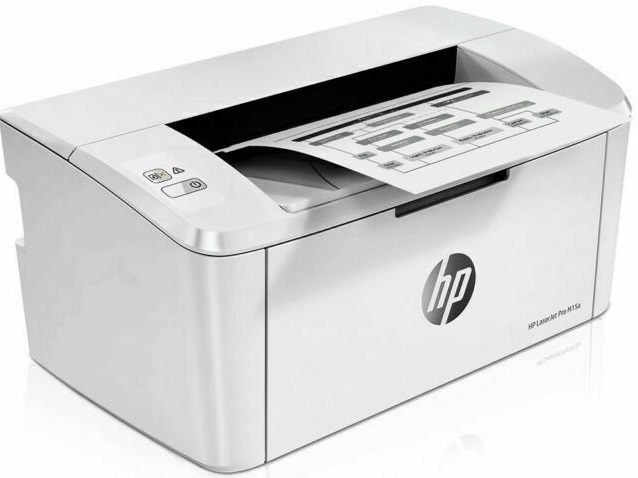
Images are for illustration purposes only and do not necessarily reflect the actual product.Product Details
Specifications
Accessories
Reviews
Product Details
Main Features
- Black and white output
- Print Speed: 19 pages per minute
- Laser printer
- Upto A4 size
- USB port
- Media Capacity: 150 sheets
- Resolution: 600 x 600 dpi
- Compact size
Specifications
General Specifications
Product Key Features
-
Black Print Speed19 ppm
-
Memory8 MB
-
Input TypeMonochrome
-
Supported Scanning SizesA4 (210 x 297 mm), A6 (105 x 148 mm), A5 (148 x 210 mm)
-
FeaturesPortable
-
TechnologyLaser
-
TypeMonochrome Printer
-
ConnectivityCable, USB 2.0, USB 3.0
-
Scanning Resolution600x600 DPI
-
Product LineHP LaserJet Pro
-
Supported Paper SizeA4 (210 x 297 mm), A6 (105 x 148 mm), A5 (148 x 210 mm)
-
Maximum Resolution600 x 600 DPI
-
Output TypeBlack & White
Dimensions
-
Item Height6.3in.
-
Item Width13.6in.
Accessories

Reviews


Set your printer for the proper paper type and weight. Fine art papers are heavier than ordinary inkjet or bond papers so set the printer to thicker paper settings.
When power is applied, you should hear the print mechanism initialize and most printers have at least one light which will be illuminated when it is on.
If your print settings are too dark, it could be detrimental to the life of the cartridge in the long run. It’s important that the density control of the machine be properly set to prevent the machine from pulling too much toner into itself.
MY ACCOUNT
INFO & POLICIES
SHOP EASY
PAYMENT OPTIONS



