



 Shopping Cart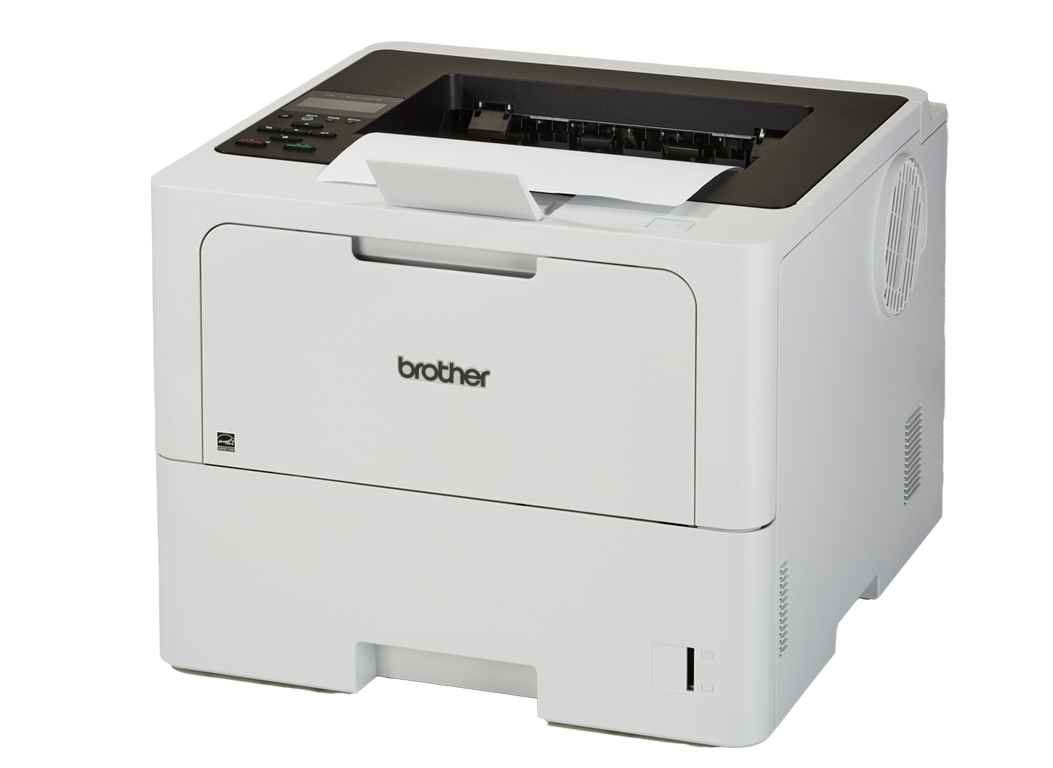

*** ALL TONERS AND SUPPLIES ARE IN STOCK AT DISCOUNTED PRICING , CALL +18882983095.
All reconditioned printers do not include supplies - toners , drums (Imaging Units) (where applicable) , printer cables , manuals , consumables, trays (where applicable). Power cables are included. Drivers can be downloaded from the manufacturers website. Please verify that drivers available are compatible with your software on the manufacturers site.
Images are for illustration purposes only and do not necessarily reflect the actual product.Product Details
Specifications
Accessories
Reviews
Product Details
Main Features
- Black-and-white prints
- Print speed: Up to 50 pages per minute
- Maximum Resolution: 1200 × 1200 dpi
- 520 sheet main tray
- 100 sheet multipurpose tray
- Expandable: Up to 1,660 sheets with optional extra trays
- Automatic two-sided printing
- USB, Ethernet Connectivity
Specifications
General Specifications
| Printer type | Monochrome laser |
| Print technology | Black & white laser |
| Print speed (A4) | Up to 50 ppm |
| First page out time | ~6.7 sec |
| Print resolution | Up to 1200 × 1200 dpi |
| Automatic duplex | Yes (2-sided printing) |
| Memory | 256 MB |
| Display | 1-line LCD |
| Paper input (standard) | 520 sheets (main) + 100 sheets (multipurpose tray) |
| Paper output capacity | ~150 sheets |
| Optional paper trays | Yes (optional extra trays supported) |
| Supported paper sizes | A4, Letter, Legal, A5, A6, B5, envelopes, custom sizes via MPT |
| Connectivity | USB 2.0, Ethernet, Dual-band Wi-Fi (2.4/5 GHz), Wi-Fi Direct |
| Mobile print support | AirPrint, Mopria, Brother Mobile Connect |
| Recommended monthly volume | ~8,000 pages |
| Maximum duty cycle | Up to ~125,000 pages/month |
| Security features | Secure Print, Secure Function Lock, network security protocols |
| Operating systems | Windows, macOS, Linux, ChromeOS |
Accessories

Reviews




Fed up of re-sorting your printouts? For those inkjets that don't have a reverse print feature in the driver, some programs offer printing in reverse order.
Misplaced your printer manual? You can usually find a replacement manual online at the manufacturer's website.
If you are not getting the results you expect, don't give up on your printer until you manually set the driver for the paper that you are using.
MY ACCOUNT
INFO & POLICIES
SHOP EASY
PAYMENT OPTIONS



