



 Shopping Cart
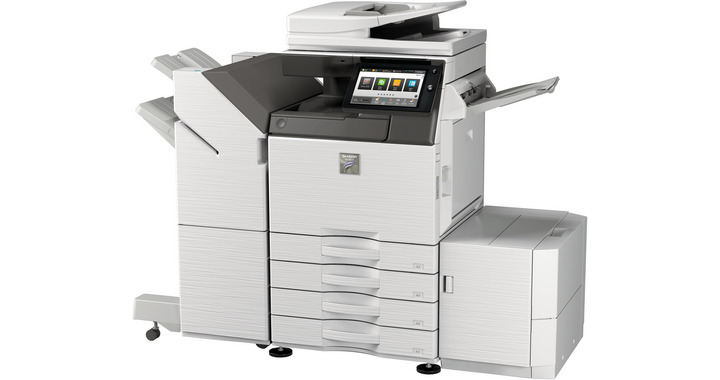
 Sharp MX-M3070 Black and White Multifunction Printer
*Images may show options not included in price.

Product Details
Specifications
Accessories
Reviews
Product Details
Main Features
- Black and White Multifunction Printer
- 30 ppm print speed
- Copy, print, scan, fax and file options
- 6300-sheet maximum paper capacity
- 500 GB hard disk drive
- Short warm up time
- Prints MS Office files direct from USB
- Built-in 150-sheet Duplex Single Pass Feeder
- Supports media up to A3W
- Professional finishing options
Specifications
General Specifications:
| Engine speed B/W ppm (A4) | 30 |
| Engine speed B/W ppm (A3) | 15 |
| Paper size: Min.-Max. | A5 - A3W |
| Paper weight (g/m2) | 60 - 300 |
| Paper capacity:Std (sheets) | 650 |
| Paper capacity: Max. (sheets) | 6300 |
| Warm Up Time (sec.) | 14 |
| Memory general min/max (MB) | 5120 |
| Harddisk | STD |
| Harddisk capacity (GB) | 500 |
| Duplex | STD |
| Power requirements - rated local AC voltage (Hz) | 200 - 240V, 50 / 60Hz |
| Power consumption (kW) | 1.84 |
| Dimensions (mm) | 616 x 660 x 838 |
| Weight (kg) | 72 |
 Download Manufacturer Specifications
Accessories

Reviews


Media settings on your printer determine how much ink will be used. Thinly coated glossy films require less ink, while plain paper soaks in more.
Fed up of re-sorting your printouts? For those inkjets that don't have a reverse print feature in the driver, some programs offer printing in reverse order.
Use a lightly dampened cloth to clean the outside of your laser printer. To clean the inside, use a dry, lint-free cloth to make sure that no liquid enters the inner parts of the printer.
MY ACCOUNT
INFO & POLICIES
SHOP EASY
PAYMENT OPTIONS



* Images are for illustration purposes only.