



 Shopping Cart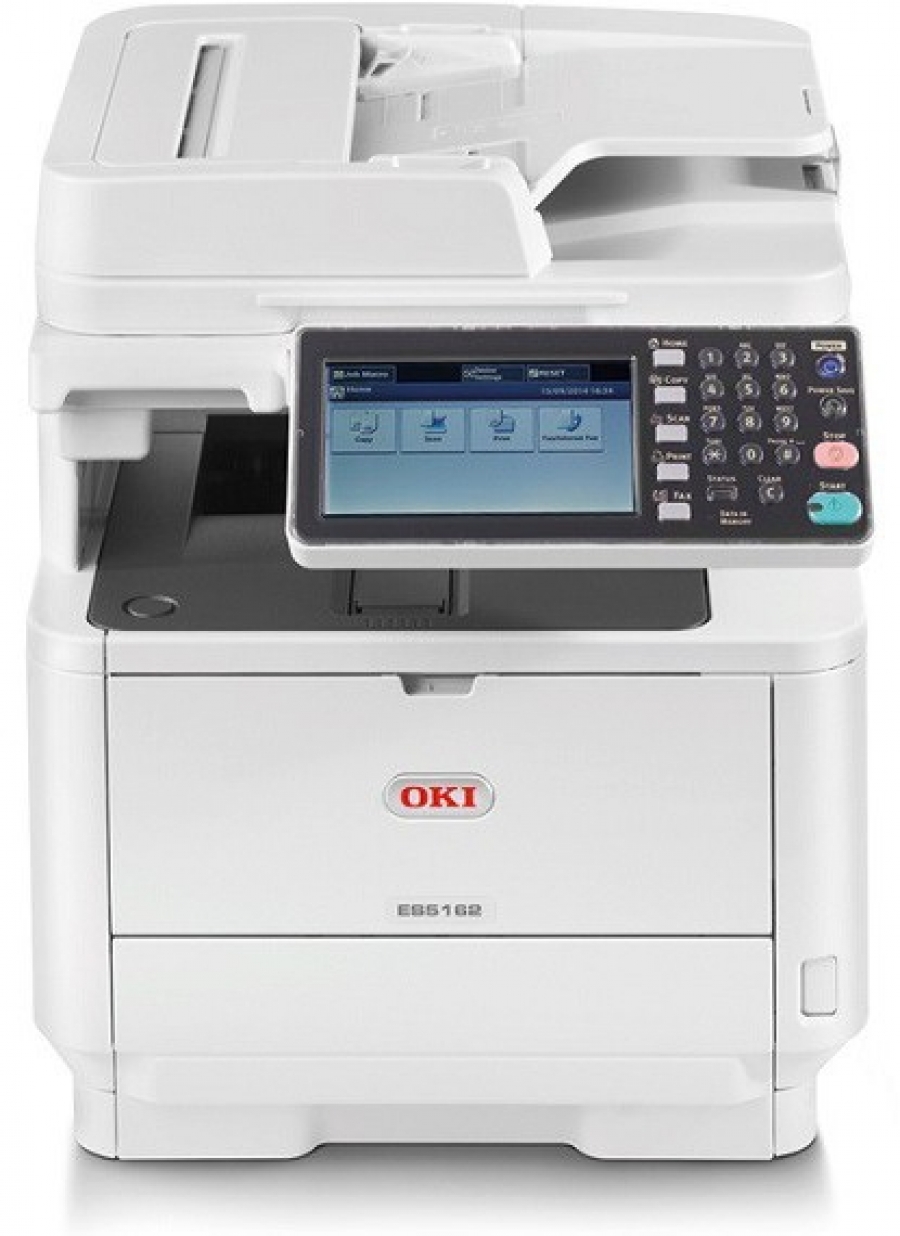




*** ALL TONERS AND SUPPLIES ARE IN STOCK AT DISCOUNTED PRICING , CALL +18882983095..
Printers do not include supplies - toners , drums (Imaging Units) (where applicable) , printer cables , manuals , consumables , trays (where applicable). Power cables are included. Drivers can be downloaded at www.hp.com. Please verify that drivers available are compatible with your software on HP’s site.
Images are for illustration purposes only and do not necessarily reflect the actual product.Product Details
Specifications
Accessories
Reviews
Product Details
Main Features
- Print, copy, scan and fax
- Print/Copy speed up to 47 ppm
- First page out in as fast as 5 seconds
- Duplex (2-sided) printing standard
- 7" color, tilting touchscreen display
- 8.5" x 14" (legal-size) flatbed platen
- Encrypted Secure Print function for protected printing – ensures document confidentiality
- ID Card Copy for simple copying of doublesided ID cards on a single sheet
- 3 GB memory
- 667 MHz CPU processor
- Color scanning with send-to functionality
- 50-sheet duplex reversing automatic document feeder (RADF) – scans both sides
- Maximum paper capcity of 1,160 sheets (with optional 530-sheet 2nd paper tray
- ENERGY STAR® compliant
- Compatible with mobile printing apps such as AirPrint™ , Google Cloud Print™ and the OKI Mobile Print app for Android®
Specifications
 Download Manufacturer Specifications
Accessories

Reviews


Are your printer nozzles getting clogged? Try adding a humidifier to the room where you keep your printer.
After installing a printer, go to the Windows dialog box and check the settings, so you won't be surprised by what happens the first time you print.
Printing photos? Make sure that they are of print quality - meaning 300dpi. Anything lower than this will appear pixelated and lower than photo quality.
MY ACCOUNT
INFO & POLICIES
SHOP EASY
PAYMENT OPTIONS



