



 Shopping Cart
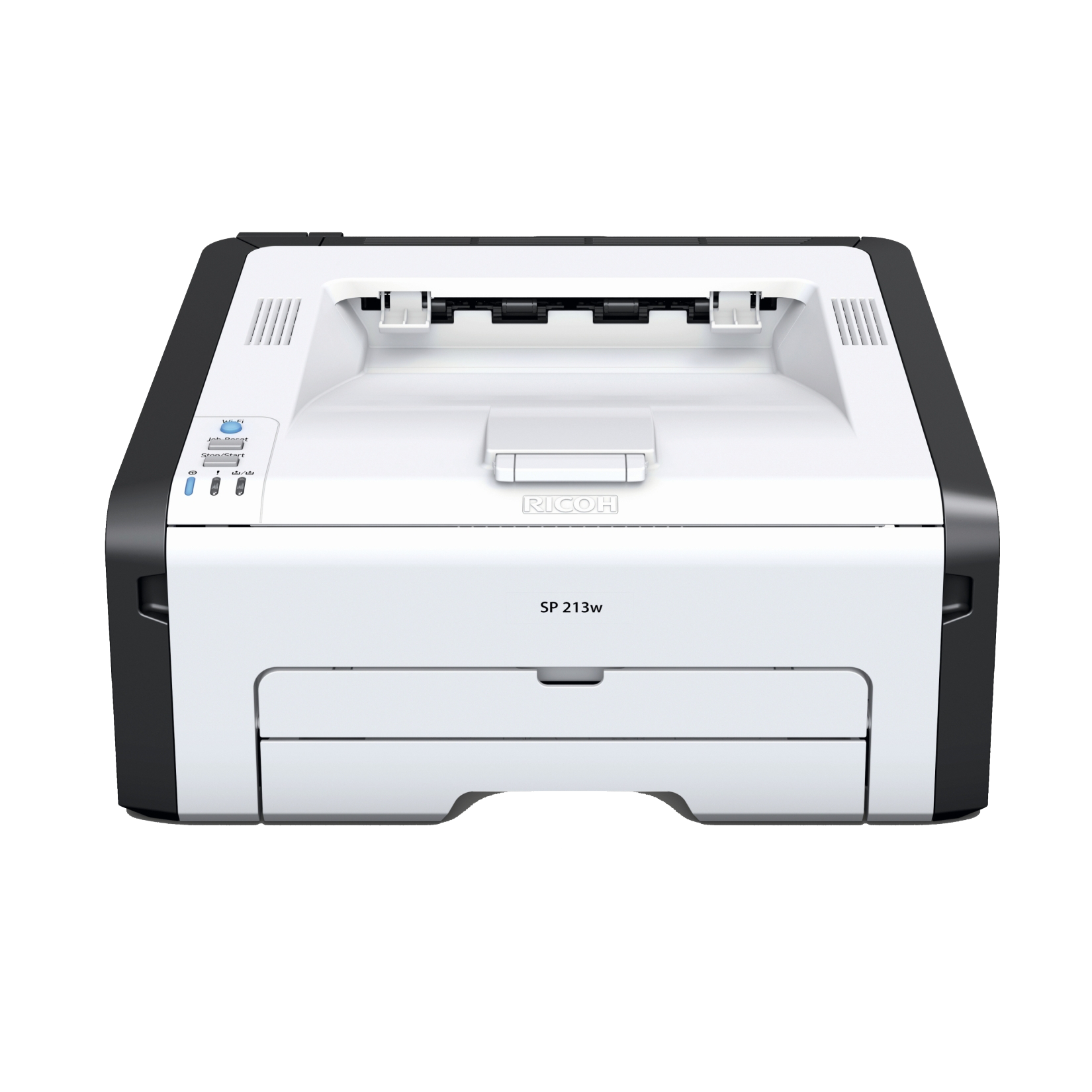
 Ricoh Aficio SP 213SFNW Laser Multifunction Printer

Product Details
Specifications
Accessories
Reviews
Product Details
Main Features
- Print, copy, scan and fax
- Black and white output
- Print Speed: 22 pages per minute
- Max Media Size: A4
- Standard Media Capacity: 150 sheets
- USB port
- Wi-Fi connectivity
- Scan to email, folder or network
Specifications
General Specifications
| Functions | Print, scan, copy, fax |
| Performance | |
|---|---|
| Printing Technology | Laser, electrophotographic printing using all-in-one print cartridges |
| Maximum Resolution | 1200 x 600 dpi |
| Print Speed | 23 ppm letter |
| First Print Out Speed | 10 sec or less |
| Print Color | Monochrome |
| Compatible Toner Cartridges | SP 201HA All-In-One Print Cartridge (~2,600 pages) SP 201LA All-In-One Print Cartridge (~1,500 pages) |
| Duplex Printing | Manual |
| Print Features | Collate, dithering, do not print blank pages, layout/N-up, manual duplex, reduce/enlarge, rotate 180°, toner saving, watermarks |
| Scanner | |
|---|---|
| Type | Flatbed, ADF |
| Sensor | Contact Image Sensor (CIS) |
| Optical Resolution | Flatbed: 600 x 600 dpi ADF: 600 x 300 dpi |
| Bit Depth | Color: 8-bit Black & White: 1-bit |
| Grayscale | 256 levels |
| Scan Speed | Color: 9.9 ipm Black & White: 29.7 ipm |
| Maximum Scan Area | Flatbed: 8.5 x 11.7" (21.6 x 29.7 cm) ADF: 8.5 x 14.0" (21.6 x 35.6 cm) |
| Supported File Formats | TIFF, JPEG, PDF |
| Drivers | TWAIN, WIA |
| Scanner Features | Scan to email/folder/FTP (1 recipient per TX), scan to USB |
| Copier | |
|---|---|
| Copy Speed | 23 cpm |
| First Copy-Out Time | 32 sec or less |
| Copy Resolution | 600 x 600 dpi |
| Number of Copies | 1-99 |
| Reduction/Enlargement | 25-400% in 1% increments |
| Copy Features | ID card copy |
| Fax | |
|---|---|
| Modem Speed | 33.6 Kbps |
| Transmission Speed | 3 sec per page |
| Compression | MH, MR, MMR |
| Fax Resolution | Standard: 200 x 100 dpi (8 x 3.85 lines/mm) Detail: 200 x 200 dpi (8 x 7.7 lines/mm) |
| Dialing Options | Direct fax number entry, eight One Touch dials, 100 speed dials |
| Memory | 100 pages |
| Address Database Size | Up to 100 destinations |
| Fax Features | Software: LAN fax driver, 1000 entry address book |
| Media Handling | |
|---|---|
| Paper Handling | Input tray Bypass tray Automatic document feeder Output tray Rear exit |
| Paper Types | Thin, thick, plain, and recycles |
| Paper Sizes | Tray: 5.5 x 8.5" to 8.5 x 14" (14.0 x 21.6 cm to 21.6 x 35.6 cm), A6-B5 Automatic Document Feeder: 5.5 x 5.5" to 8.5 x 14" (14.0 x 14.0 cm to 21.6 x 35.6 cm) |
| Media Weight | Tray: 14-34 lb bond (52-130 gsm) Automatic Document Feeder: 14-28 lb bond (52-105 gsm) |
| Paper Capacity | Input Tray: 150 sheets Bypass Tray: 1 sheet Automatic Document Feeder: 35 sheets Output Tray: 50 sheets Rear Exit: 1 sheet |
| Connectivity | |
|---|---|
| Interface | USB 2.0 10/100Base-TX Ethernet IEEE 802.11 b/g/n Wi-Fi |
| USB Device Interface | 1 x USB 2.0 host |
| OS Compatibility | Windows XP, Vista, 7, 8, 8.1, Server 2003, Server 2003 R2, Server 2008, Server 2008 R2, Server 2012, Server 2012 R2 |
| Memory | 128 MB |
| Printer Language | PCL 6 |
| Fonts | 80 PCL fonts |
| Network Protocols | TCP/IP |
| Management | Web Image Monitor, Smart Organizing Monitor |
| General Attributes | |
|---|---|
| Control Panel | 4-line LCD Alphanumeric keypad 8 One Touch keys |
| Warm-Up Time | 27 sec or less |
| Power Requirements | 120 VAC, 60 Hz |
| Power Consumption | Operating: 381 W Standby: 61.3 W Sleep: 4.2 W |
| Dimensions | 15.8 x 14.2 x 11.5" (40.2 x 36.0 x 29.3 cm) |
| Weight | 24.4 lb (11.1 kg) |
| Packaging Info | |
|---|---|
| Package Weight | 29.0 lb |
| Box Dimensions (LxWxH) | 20.0 x 19.0 x 15.0" |
Accessories

Reviews


Most printers have a paper-out detector. On most dot matrix printers it is a photo diode. If form-fed paper is not aligned correctly (usually on the left side) the diode won't see it.
Is your printer feeding in the whole paper stack rather than just one piece at a time? Fan the paper before putting it in the tray to help separate the sheets. Also, store your paper in a cool, dry place as humidity can contribute to this problem.
Don't be in a rush with your printer as you can easily damage a printer, or even get hurt, if you do not follow the instructions in the user manual.
MY ACCOUNT
INFO & POLICIES
SHOP EASY
PAYMENT OPTIONS



* Images are for illustration purposes only.