



 Shopping Cart
 Epson WorkForce DS-60000 Color Document Scanner
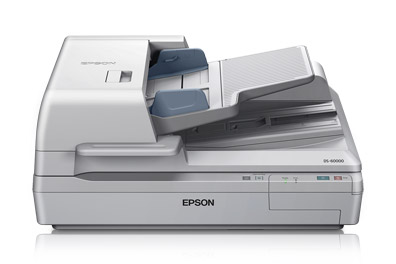


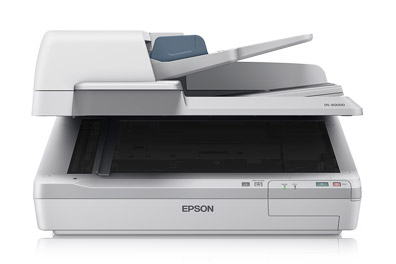
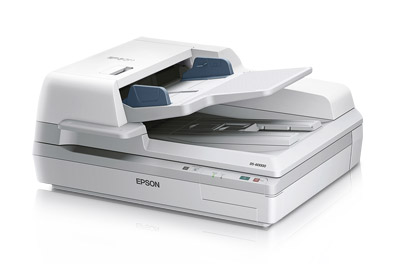
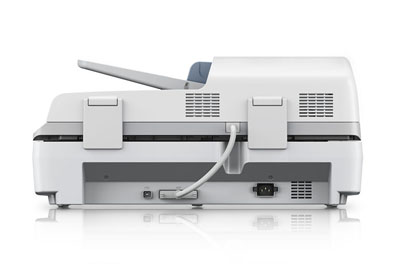
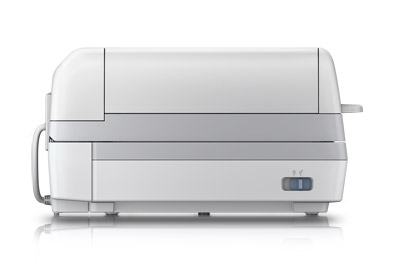
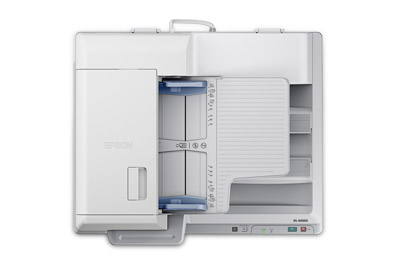


Images are for illustration purposes only and do not necessarily reflect the actual product.
Product Details
Specifications
Accessories
Reviews
Product Details
Main Features
- Speed: 40 ppm
- A3 Scanner
- Double Feed Detection
- Network compatible
- Optional Network Interface Panel - so can be shared with a few users
- Eco friendly
- Fast, reliable
- Suitable for medium to large businesses
- 200 page A3 Automatic Document Feeder
- Duplex scanning in one pass
- Scan to email, scan to Microsoft SharePoint® and others
- Epson ReadyScan LED technology, reduces warm up time, absence of mercury, lowers power consumption
- ENERGY STAR qualification
.
Specifications
General Specifications
| Scan Specifications | |
| Scanner Type | Flatbed color image scanner |
| Optical Sensor | 600 dpi color CCD 4 line sensor (RGB & Black) |
| Optical Resolution | 600 dpi |
| Color Bit Depth |
|
| Maximum Scan Area | 11.7" x 100" with ADF, Flatbed 11.7" x 17" |
| Light Source | ReadyScan® |
| Scanning Speed | 200 dpi
|
|
Automatic Document Feeder |
|
| Type | Sheet fed 1-pass duplex scanning; Hinge: Free stop, 15 mm max lift Paper Supply: Face up load, face down eject |
| Capacity | 200 pages (75 g/m2) |
| Document Sizes | A4, Letter, Legal, B5, A5, Max. Size: 11.7" x 100" (ADF) 11.7" x 17" flatbed, Min. Size: 2.7" x 4.7" (ADF) |
| Paper Weight | 35 g/m2 — 128 g/m2 less than 4" x 6": 60 g/m2 – 190 g/m2 |
|
Features |
|
| Software |
|
|
Connectivity |
|
| Scanner Interface | Hi-Speed 2.0 |
| Operating Systems |
|
|
General |
|
| Reliability |
|
| Operating Temperature | 41° to 95° F (5° to 35° C) |
| Operating Humidity | Operating
|
| Rated Voltage | AC 100V – 120V / 220V – 240V |
| Frequency | 50 – 60 Hz |
| Power Consumptions |
|
| Dimensions | 25.2" x 18.5" x 11.3" (W x D x H) |
| Weight | 59.2 lb |
| Notes | Based on 200 dpi, letter size in black-and-white or color With Document Capture Pro installed on the connected Windows PC |
 Download Manufacturer Specifications
Accessories

Reviews


Work out the resolution you should scan your photos at by matching it to the resolution you will be printing in.
When selecting a scanner it is worth considering how the scanner interfaces with your computer. The interface does not affect the image quality, but it does affect the scanning speed.
A glass lens as opposed to a plastic lens will make a scanner more expensive.
MY ACCOUNT
INFO & POLICIES
SHOP EASY
PAYMENT OPTIONS



* Images are for illustration purposes only.