



 Shopping Cart
 Epson Workforce DS-7500 Color Document Scanner
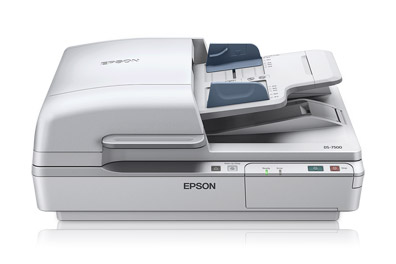


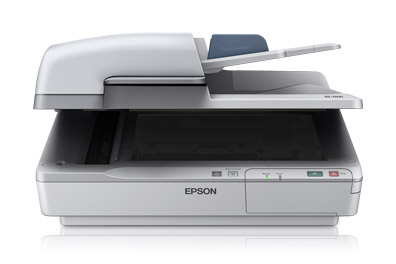
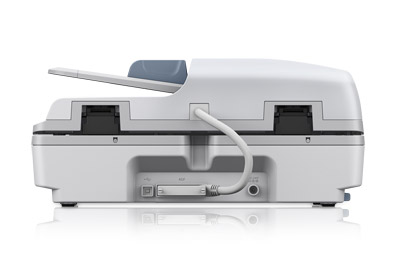
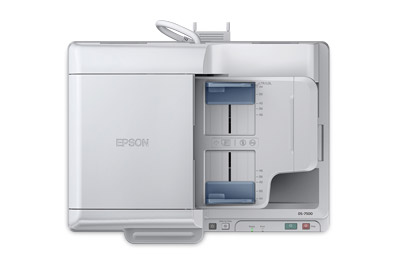

Images are for illustration purposes only and do not necessarily reflect the actual product.
Product Details
Specifications
Accessories
Reviews
Product Details
Main Features
- Scan two sided in a single scan
- Media size: 4" x 6" and up to 8.5" x 40" via the automatic document feeder or 8.5" x 11.7" via the flatbed scanner bed
- 4 line CCD
- Vivid color, crisp, sharp text
- Speed: 40 ppm
- 100 sheet automatic document feeder
- Auto duplex scanning
- Double feed detector
- Optional networking module
- Scan to SharePoint®, Evernote®, Google Docs and more
- Save scanned documents as PDF, PDF-A or jpeg files, and more
- Software: Includes Epson® Scan, Document Capture Pro and ABBYY® FineReader® Sprint OCR
- One-touch scanning
Specifications
General Specifications
| Scan Specifications | |
| Scanner Type | Flatbed color image scanner with ADF |
| Optical Sensor | 1200 dpi 4 line color line sensor (RGB & Black) |
| Optical Resolution |
|
| Hardware Resolution |
|
| Color Bit Depth | 48-bits per pixel internal / 24-bit external |
| Grayscale Bit Depth | 16-bits per pixel internal / 8-bit external |
| Maximum Scan Area |
|
| Light Source | Ready Scan LED |
| Scanning Speed1 | 200 dpi
|
|
Automatic Document Feeder |
|
| Type | Sheet fed 1-pass , duplex scanning |
| Capacity | 100 pages (80 g/m2) |
| Document Sizes |
|
| Paper Weight | Thickness 50 – 128 g/m2 |
|
Features |
|
| Software |
|
|
Connectivity |
|
| Scanner Interface |
|
| Operating Systems |
|
|
General |
|
| Reliability |
|
| Operating Temperature | 41° to 95° F (5° to 35° C) |
| Operating Humidity | Operating
|
| Rated Voltage | AC 100 – 120V or 220 – 240V |
| Frequency | 50 – 60 Hz |
| Power Consumption |
|
| Dimensions | 19.4" x 14.1" x 8.5" (W x D x H) |
| Weight | 22.5 lb |
| Notes | 1 Scan speed based on letter-size paper; 300 dpi from when page scan begins. 2 With Document Capture Pro installed on the connected PC (Windows only). |
Accessories

Reviews


You should not look for a scanner on the basis of price alone, especially if you are doing important work and image quality is important to you.
When selecting a scanner it is worth considering how the scanner interfaces with your computer. The interface does not affect the image quality, but it does affect the scanning speed.
To get the best scan possible, make sure your scanner settings are set correctly for that particular image type e.g. colour or b/w.
MY ACCOUNT
INFO & POLICIES
SHOP EASY
PAYMENT OPTIONS



* Images are for illustration purposes only.