



 Shopping Cart
 Epson WorkForce DS-60000 Color Document Scanner

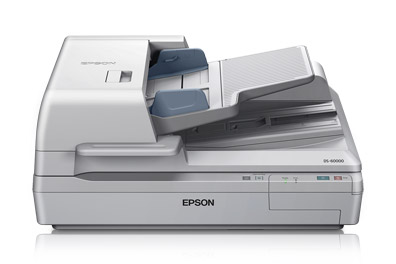


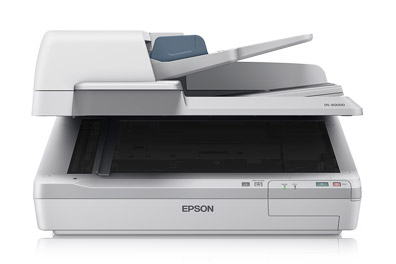
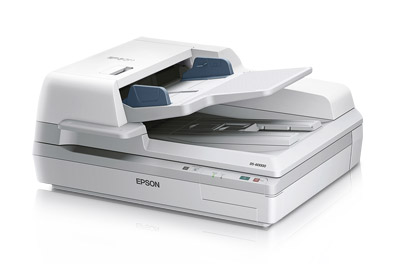
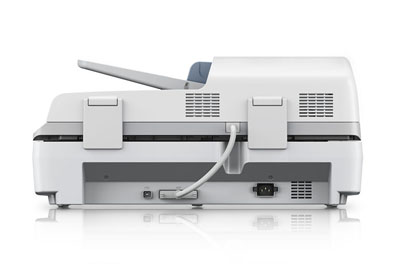
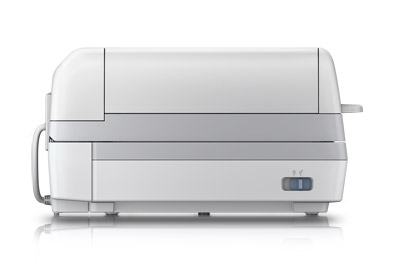
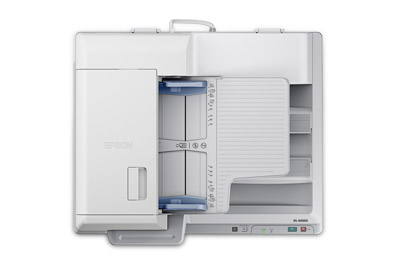


Images are for illustration purposes only and do not necessarily reflect the actual product.
Product Details
Specifications
Accessories
Reviews
Product Details
Main Features
- Speed: 40 ppm
- A3 Scanner
- Double Feed Detection
- Network compatible
- Optional Network Interface Panel - so can be shared with a few users
- Eco friendly
- Fast, reliable
- Suitable for medium to large businesses
- 200 page A3 Automatic Document Feeder
- Duplex scanning in one pass
- Scan to email, scan to Microsoft SharePoint® and others
- Epson ReadyScan LED technology, reduces warm up time, absence of mercury, lowers power consumption
- ENERGY STAR qualification
.
Specifications
General Specifications
| Scan Specifications | |
| Scanner Type | Flatbed color image scanner |
| Optical Sensor | 600 dpi color CCD 4 line sensor (RGB & Black) |
| Optical Resolution | 600 dpi |
| Color Bit Depth |
|
| Maximum Scan Area | 11.7" x 100" with ADF, Flatbed 11.7" x 17" |
| Light Source | ReadyScan® |
| Scanning Speed | 200 dpi
|
|
Automatic Document Feeder |
|
| Type | Sheet fed 1-pass duplex scanning; Hinge: Free stop, 15 mm max lift Paper Supply: Face up load, face down eject |
| Capacity | 200 pages (75 g/m2) |
| Document Sizes | A4, Letter, Legal, B5, A5, Max. Size: 11.7" x 100" (ADF) 11.7" x 17" flatbed, Min. Size: 2.7" x 4.7" (ADF) |
| Paper Weight | 35 g/m2 — 128 g/m2 less than 4" x 6": 60 g/m2 – 190 g/m2 |
|
Features |
|
| Software |
|
|
Connectivity |
|
| Scanner Interface | Hi-Speed 2.0 |
| Operating Systems |
|
|
General |
|
| Reliability |
|
| Operating Temperature | 41° to 95° F (5° to 35° C) |
| Operating Humidity | Operating
|
| Rated Voltage | AC 100V – 120V / 220V – 240V |
| Frequency | 50 – 60 Hz |
| Power Consumptions |
|
| Dimensions | 25.2" x 18.5" x 11.3" (W x D x H) |
| Weight | 59.2 lb |
| Notes | Based on 200 dpi, letter size in black-and-white or color With Document Capture Pro installed on the connected Windows PC |
 Download Manufacturer Specifications
Accessories

Reviews


Most MFPs are designed for scanning documents and so are best to avoid if you're looking for photo scanning. The few exceptions can be recognized if they feature scanning options that are clearly meant for photos, such as a color restore feature.
Use the gray scale or line art option when you scan black and white images.
Work out the resolution you should scan your photos at by matching it to the resolution you will be printing in.
MY ACCOUNT
INFO & POLICIES
SHOP EASY
PAYMENT OPTIONS



* Images are for illustration purposes only.