



 Shopping Cart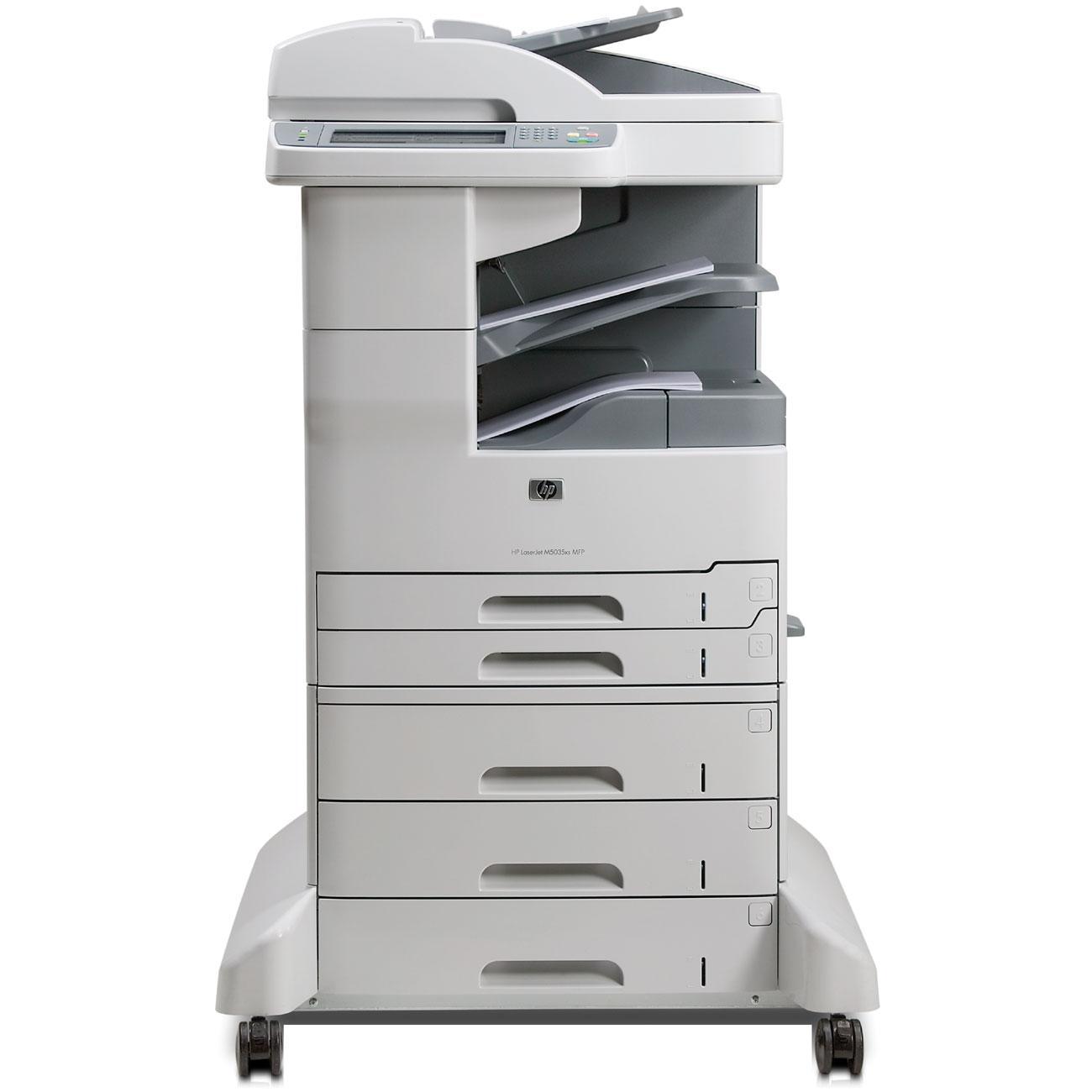



*** ALL TONERS AND SUPPLIES ARE IN STOCK AT DISCOUNTED PRICING , CALL +18882983095..
Printers do not include supplies - toners , drums (Imaging Units) (where applicable) , printer cables , manuals , consumables , trays (where applicable). Power cables are included. Drivers can be downloaded at www.hp.com. Please verify that drivers available are compatible with your software on HP’s site.
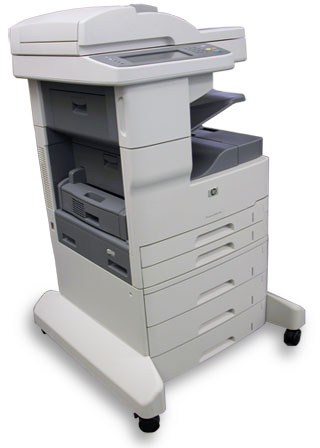
Images are for illustration purposes only and do not necessarily reflect the actual product.Product Details
Specifications
Accessories
Reviews
Product Details
Main Features
• Print and copy speeds of up to 35 pages per minute.
• Smaller footprint enables placement close to workgroups.
• Send-to- e-mail and send-to-network-folder capabilities, including LDAP and address book support.
• 50-sheet reversing automatic document feeder (ADF) that supports wideformat, two-sided copying and scanning of doublesided originals.
• Password-printing capabilities, high-capacity storage of frequently used documents, and proof-and-hold features.
• Reliable and simple networking.
• Flexible paper handling.
• 100-sheet multipurpose tray and two 250-sheet input trays for 600-sheet input capacity
• Color flatbed scanner
• 250-sheet output bin
• 256 MB RAM
• Embedded hard drive
• HP Jetdirect Fast Ethernet embedded print server
• Integrated 3 by 500-sheet input trays 4, 5, and 6 for a 2,100-sheet input capacity
• Analog fax functionality
• Automatic two-sided printing unit
• Automatic 30-page stapler/stacker with a 500-sheet output bin
Specifications
General Specifications
| CPU | |
| Compliance | |
| Copier | |
| Preset Reduce/Enlarge Ratios | 25 to 400% |
| Maximum Copies | 1000 |
| Copy Facility Present | Yes |
|
Electrical |
|
| Electrical Frequency | 50 |
| Electrical Power Consumption Standby | 24 |
|
Environmental |
|
| Operating Temperature | 15 to 32 |
| Operating Humidity | 20 to 80 |
|
Input |
|
| Interfaces/Ports | |
| RJ-45 Ports | 1 x RJ-45 |
| Enhanced Input/Output Slots | 1 x EIO Slot |
| Network Ready | Yes |
| Other Interface(s) | 1 x FIH (Foreign Interface Harness port) |
|
Licensing |
|
| Barcode | 882780574977 |
| Product Family | LaserJet |
|
Memory |
|
| Memory Type | DDR |
| Maximum RAM | 512 |
|
Network |
|
| Paper Handling | |
| Paper Size | A3 - A5 B4 - B5 |
| Paper Handling Input 1 | 100 Sheet Bypass Tray |
| Paper Handling Input 2 | 250 Sheet Paper Tray |
| Paper Handling Input 4 | 500 Sheet Paper Tray |
| Paper Handling Output | 500 Sheet Output Tray |
| Paper Handling Input 5 | 500 Sheet Paper Tray |
| Paper Trays | 6 (6) |
| Paper Weight | (Standard) 60 to 120 • (Bypass Tray) 60 to 199 |
| Paper Handling Input 6 | 500 Sheet Paper Tray |
| Media Supported | Paper (plain, photo, banner), envelopes, labels, cards (index, greeting), transparencies, letter, pre-punched, recycled |
| Automatic Document Feeder | Yes |
| Duplex Unit | Yes |
| Maximum Paper Size | A3 |
| Paper Handling Finisher 1 | 30-sheet stapler/stacker |
|
Physical |
|
| Pack Quantity | 1 |
| Depth | 74.3 |
| Height | 118.3 |
| Width | 74.3 |
|
Printer |
|
| Mono or Color Printer | Mono |
| Speed Monochrome | 35 |
| Print First Page | 10 |
| Printer Type | Laser |
|
Scanner |
|
| Scanner Scaling | Grayscale 256 |
| Scanner Document Size | 29.7 x 42.0cm |
| Scanner Features | Color scanning Margins for scanned items Left: 5 mm. Top: 6 mm. Right: 5 mm. Bottom: 6 mm |
| Scanner Resolution Enhanced | 1200 x 1200 |
|
Storage |
|
| Hard Disk Size | 40 |
|
System |
|
| Software Included | Printing system, WJA applet, HP Easy Printer Care Software |
| Printer Languages | HP PCL 6, HP PCL 5, HP PDF 1.4 |
| Drivers | PCL 6 driver only, PCL 5 driver only, PS driver only |
|
System Requirements |
|
| Operating Systems Supported | Windows 2000, XP Home, XP Professional, XP Professional x64 Edition, Windows Server 2003; Mac OS 10.2 and higher |
| Network Operating Systems Supported | Windows 2000, XP Home, XP Professional, XP Professional x64 Edition, Windows Server 2003; Mac OS 10.2 and higher |
Accessories

Reviews


What is Tray Capacity? Tray Capacity or Paper Capacity is the maximum number of pages that can be stored in the printer before you have to refill it.
Looking to save paper and ink? Make sure to only print the pages you need of your document.
Allow ink to dry completely to avoid smudging. The time will vary based on the ink and paper quality used as well as the temperature and humidity conditions.
MY ACCOUNT
INFO & POLICIES
SHOP EASY
PAYMENT OPTIONS



