



 Shopping Cart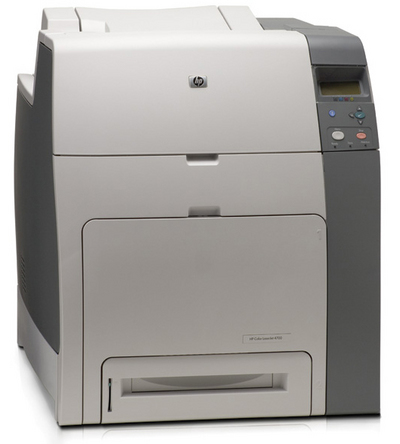



Product Details
Specifications
Accessories
Reviews
Product Details
Main Features
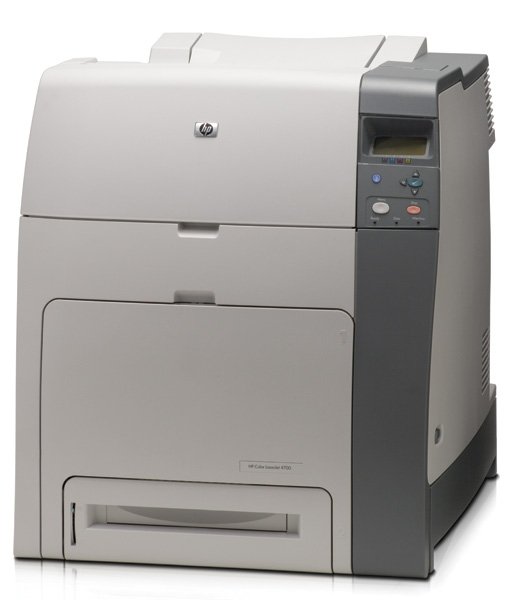
- A4 Color Laser Printer
- 30ppm Color/30ppm Mono Print Speed
- ImageREt 3600 dpi Resolution
- 128MB (base)
- 500 Sheet Input Tray
- PostScript 3 Emulation
- Parallel, USB
All our reconditioned printers are clean, tested and working.
Specifications
General Specifications
| General | |
| Printer Type | Workgroup printer - laser - color |
|
Printer |
|
| Print Speed | Up to 30 ppm - black best - 600x600 dpi - A4 (8.25 in x 11.7 in) Up to 30 ppm - black normal - A4 (8.25 in x 11.7 in) Up to 30 ppm - color best - 600x600 dpi - A4 (8.25 in x 11.7 in) Up to 30 ppm - color normal - A4 (8.25 in x 11.7 in) |
| Built in Devices | Status LCD |
| Connectivity Technology | Wired |
| Interface | Parallel, USB |
| Max Resolution ( B&W ) | 600 dpi |
| Image Enhancement Technology | HP ImageREt 3600 |
| Postscript Support | Standard |
| Language Simulation | PCL 6 |
| Fonts Included | 93 x TrueType |
| Printer Features | Optional Duplex |
|
Ram |
|
| Ram Installed Max | 128 MB / 512 MB (max) |
| Technology / Form Factor | DDR SDRAM |
|
Media Handling |
|
| Media Type | Plain paper |
| Max Media Size (Custom) | 8.5 in x 14 in |
| Media Sizes | C5 (6.38 in x 9 in) |
| Envelope Sizes | International C5 (6.38 in x 9 in) |
| Max Printing Width | 8.1 in |
| Max Printing Length | 13.6 in |
| Media Weight | 60 g/m2 - 220 g/m2 |
| Total Media Capacity | 600 sheets |
| Media Feeder(s) | 1 x autoload - 100 sheets - Legal (8.5 in x 14 in) weight: 60 g/m2 - 220 g/m2 1 x autoload - 500 sheets - Legal (8.5 in x 14 in) weight: 60 g/m2 - 120 g/m2 |
| Max Media Capacity | 2600 sheets |
|
Duty Cycle |
|
| Monthly Duty Cycle (max) | 100000 pages |
|
Expansion/Connectivity |
|
|
Expansion Slot(s) |
2 x EIO 2 x memory - SO DIMM 200-pin |
|
Power |
|
| Frequency Required | 50/60 Hz |
| Power Consumption Operational | 567 Watt |
| Power Consumption Stand by / Sleep | 55 Watt |
|
Software/System Requirements |
|
| Software Included | Drivers & Utilities |
| OS Required | Microsoft Windows XP |
|
Environmental Parameters |
|
| Min Operating Temperature | 50 °F |
| Max Operating Temperature | 86 °F |
| Humidity Range Operating | 10-80% |
|
Dimensions & Weight |
|
| Width | 20.5 in |
| Depth | 23.5 in |
| Height | 22.9 in |
| Weight | 105.6 lbs |
 Download Manufacturer Specifications
Accessories

Reviews


Is your printer smearing immediately after changing a cartridge? Check that the protective tape over the nozzles is completely removed.
Use a lightly dampened cloth to clean the outside of your laser printer. To clean the inside, use a dry, lint-free cloth to make sure that no liquid enters the inner parts of the printer.
If debris is the primary cause of failures, toner is the primary cause of debris. All toner cartridges release a small amount of toner powder into the machine. This is why it's important to clean the machine when you change the cartridge.
MY ACCOUNT
INFO & POLICIES
SHOP EASY
PAYMENT OPTIONS



