



 Shopping Cart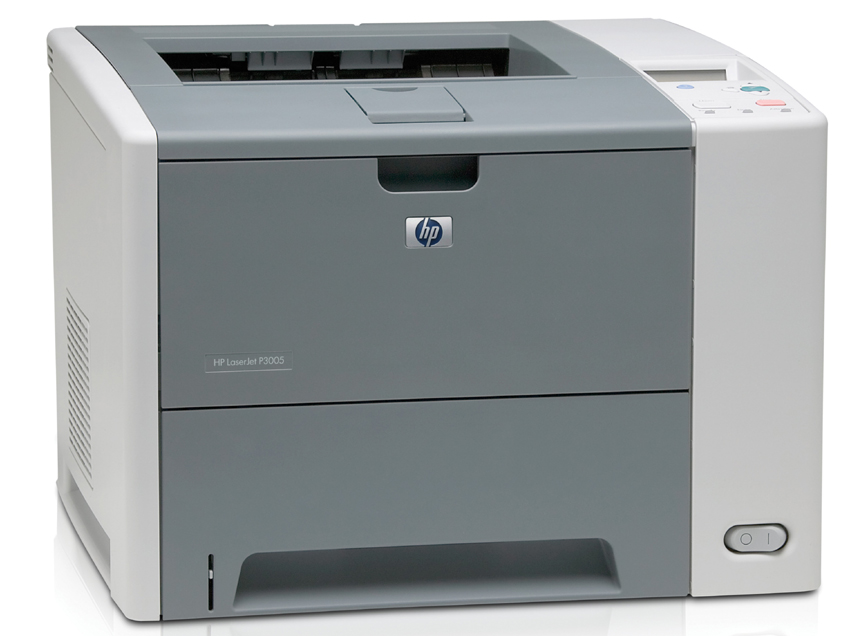



*** ALL TONERS AND SUPPLIES ARE IN STOCK AT DISCOUNTED PRICING , CALL +18882983095.
All reconditioned printers do not include supplies - toners , drums (Imaging Units) (where applicable) , printer cables , manuals , consumables, trays (where applicable). Power cables are included. Drivers can be downloaded from the manufacturers website. Please verify that drivers available are compatible with your software on the manufacturers site.
Product Details
Specifications
Accessories
Reviews
Product Details
Product Features
- Print speed of up to 35 ppm
- 48 MB RAM, expandable to 320 MB
- Hi-Speed USB 2.0 port
- One open EIO slot
- IEEE 1284-B compliant parallel port
- 400 MHz processor
- 100-sheet multipurpose tray
- 500-sheet input tray
- Printer Type: Workgroup printer - Laser - Monochrome
- Max media size: A4 (8.25 in x 11.7 in) Legal (8.5 in x 14 in)
- Connectivity technology: Wired
All our reconditioned printers are clean, tested and working.
Specifications
General Specifications
| Print technology | Monochrome Laser |
| Print speed A4 black | Upto 33 ppm |
| First page out black | Less than 9.5 sec |
| Processor | 400 MHz |
| Memory | 48 MB |
| Print Resolutions | Up to 1200 x 1200 dpi |
| Duty Cycle | Up to 100000 pages per month |
| Control Panel | Graphical display with up to 2 lines of text |
 Download Manufacturer Specifications
Accessories

Reviews


If debris is the primary cause of failures, toner is the primary cause of debris. All toner cartridges release a small amount of toner powder into the machine. This is why it's important to clean the machine when you change the cartridge.
Printing photos? Make sure that they are of print quality - meaning 300dpi. Anything lower than this will appear pixelated and lower than photo quality.
Getting blank pages after you installed a new cartridge? Check that the sticker from the cartridge was properly removed. Alternatively, run the clean print head function to make sure all air bubbles are removed. Do not remove the cartridge once it has been installed.
MY ACCOUNT
INFO & POLICIES
SHOP EASY
PAYMENT OPTIONS



