



 Shopping Cart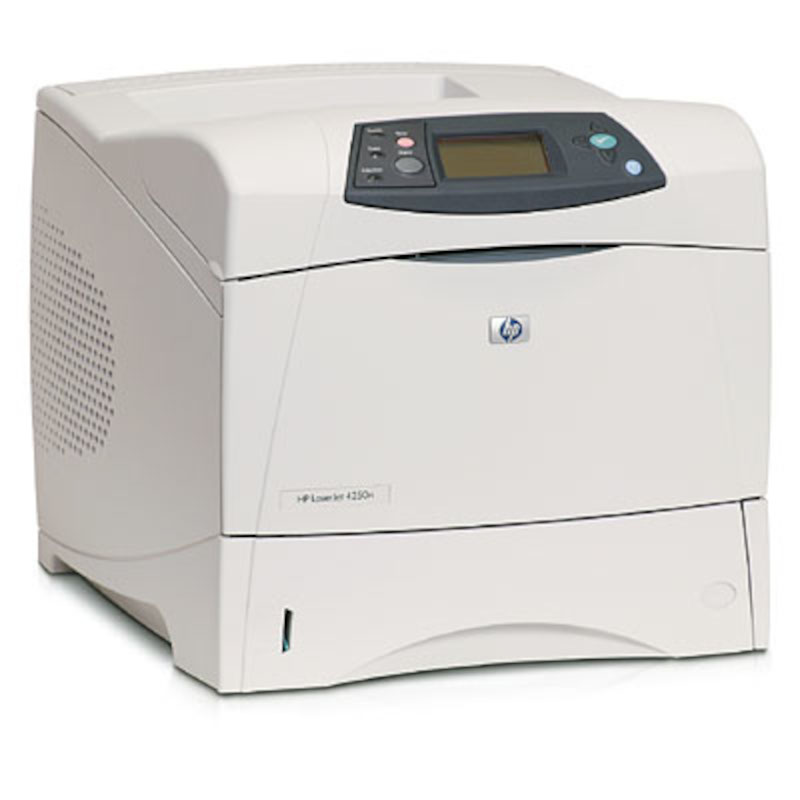

*** ALL TONERS AND SUPPLIES ARE IN STOCK AT DISCOUNTED PRICING , CALL +18882983095.
All reconditioned printers do not include supplies - toners , drums (Imaging Units) (where applicable) , printer cables , manuals , consumables, trays (where applicable). Power cables are included. Drivers can be downloaded from the manufacturers website. Please verify that drivers available are compatible with your software on the manufacturers site.
Product Details
Specifications
Accessories
Reviews
Product Details
Main Features
-
Fast, versatile, 45 ppm workgroup laser printer offers high performance
-
Crisp, clear printing at 1200 dpi at full speed
-
The Hp LaserJet 4250N printer provides office workgroups a simple, worry-free means to get their business documents on paper
Specifications
General Specifications
| Print speed | Up to 45 ppm |
| Print resolution | 1200 dpi |
| Pages Per month | 200,000 |
| Printer memory | 64MB Installed (expandable to 512MB) |
| Processor | 460MHz |
| Paper capacity | 600 sheets |
| Paper handling | 2 input trays |
| Networking | Network ready |
| Connectivity | USB, Parallel, EIO slots |
| Compatibility | Microsoft Windows 98, Me, NT 4.0, 2000, XP; Mac OS 9.x, OS X 10.1.0x or later |
| Model | Q5401A |
 Download Manufacturer Specifications
Accessories

Reviews


When power is applied, you should hear the print mechanism initialize and most printers have at least one light which will be illuminated when it is on.
Paper jam? The best way to remove jammed paper is to gently pull the paper in the direction of the paper path - with power off, of course. Do not pull the paper backwards - you could damage your printer forever by doing so.
Out of a color cartridge? Many printer drivers include an option to print using black only, or equivalent options to override the refusal to print.
MY ACCOUNT
INFO & POLICIES
SHOP EASY
PAYMENT OPTIONS



