



 Shopping Cart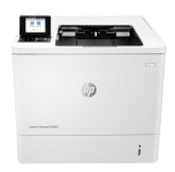

*** ALL TONERS AND SUPPLIES ARE IN STOCK AT DISCOUNTED PRICING , CALL +18882983095.
All reconditioned printers do not include supplies - toners , drums (Imaging Units) (where applicable) , printer cables , manuals , consumables, trays (where applicable). Power cables are included. Drivers can be downloaded from the manufacturers website. Please verify that drivers available are compatible with your software on the manufacturers site.
Images are for illustration purposes only and do not necessarily reflect the actual product.Product Details
Specifications
Accessories
Reviews
Product Details
Main Features
- Black and white prints
- Print Speed: up to 61 pages per minute
- Automatic two-sided printing
- Maximum Resolution: up to 1200 × 1200 dpi
- Input Capacity: 650 Sheets
- Ethernet, USB Connectivity
Specifications
Main Specifications
| Printer Type | Monochrome laser printer |
| Intended Use | Medium to large workgroup |
| Print Speed (A4) | Up to 61 pages per minute |
| First Page Out | Approx. 5.4 seconds |
| Print Resolution | Up to 1200 × 1200 dpi |
| Duplex Printing | Automatic (standard) |
| Processor | 1.2 GHz |
| Memory (RAM) | 512 MB (expandable) |
| Print Languages | PCL 5, PCL 6, PostScript 3, PDF |
| Standard Paper Input | 550-sheet main tray + 100-sheet multipurpose tray |
| Maximum Paper Input | Up to 4,400 sheets (with optional trays) |
| Output Capacity | 500 sheets (standard) |
| Supported Media Types | Plain, heavy, recycled, cardstock, envelopes, labels |
| Supported Paper Sizes | A4, A5, A6, Legal, envelopes |
| Connectivity | Gigabit Ethernet, USB 2.0 device, USB host |
| Display | 2.7″ LCD with keypad |
| Monthly Duty Cycle (Max) | Up to 420,000 pages |
| Recommended Monthly Volume | 5,000 – 40,000 pages |
| Power Consumption (Printing) | Approx. 780 W |
| Power Consumption (Ready) | Approx. 15 W |
| Dimensions (W × D × H) | Approx. 431 × 466 × 380 mm |
Accessories

Reviews




Set your printer for the proper paper type and weight. Fine art papers are heavier than ordinary inkjet or bond papers so set the printer to thicker paper settings.
Are you getting diminished color and print quality? If all your images start to look a bit purple, blue or orange, one of your ink wells may be running low. Replace the whole printer ink cartridge, unless you can refill the individual ink wells.
Media settings on your printer determine how much ink will be used. Thinly coated glossy films require less ink, while plain paper soaks in more.
MY ACCOUNT
INFO & POLICIES
SHOP EASY
PAYMENT OPTIONS



