Contact Us
FAQ |
We will match any price
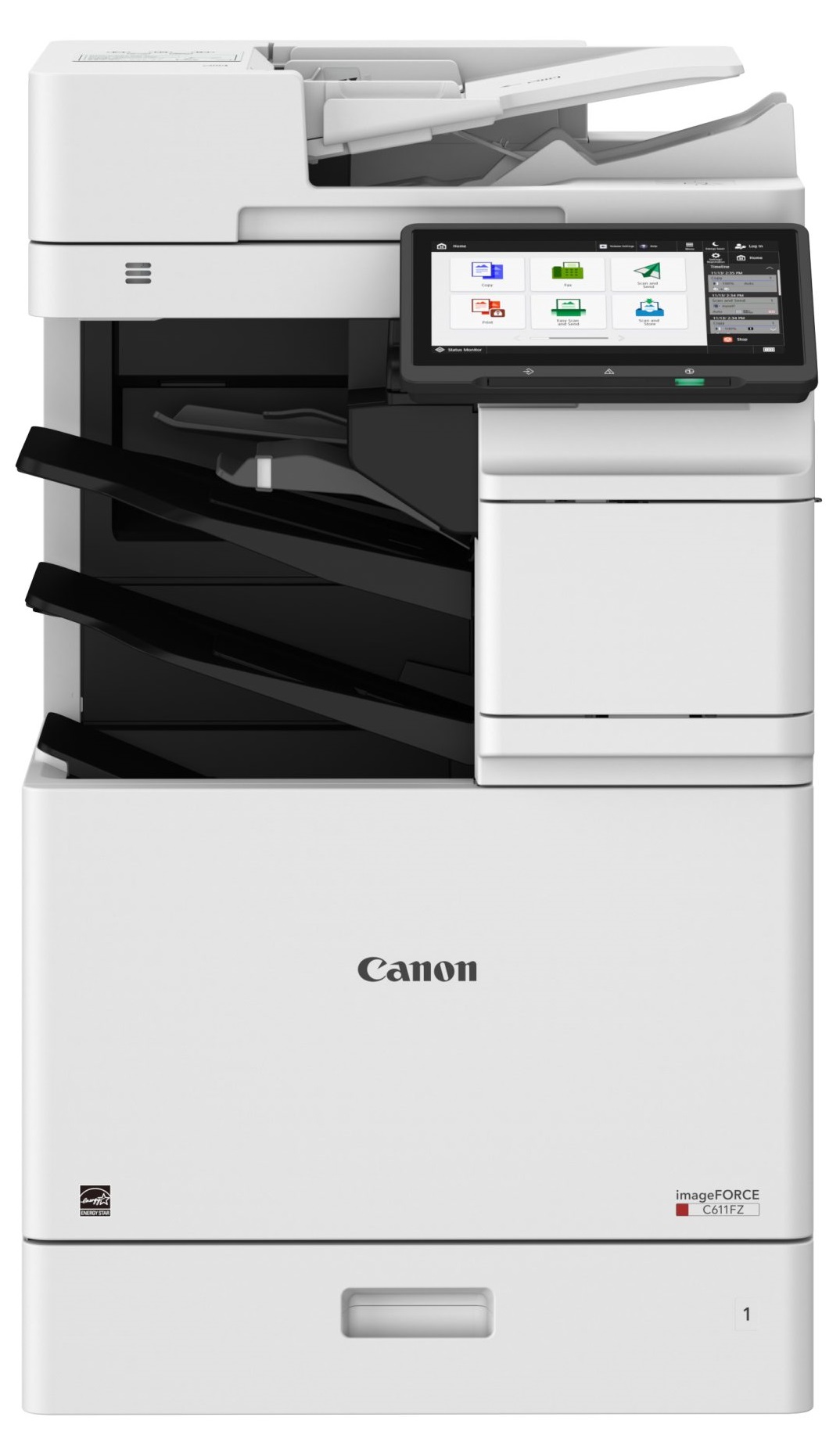
Canon imageFORCE C431F MultiFunction Printer
*Images may show options not included in price. Canon imageFORCE C431F MultiFunction Printer customers choose us for our low prices

Canon imageFORCE C431F MultiFunction Printer

  • Printer
  • Copier
  • Scanner
  • Fax
  • 45
  • Color

Model No.:C431F

Condition:New

Availability: In Stock

Shipping:Ask About Free Shipping!

The Canon ImageFORCE C431F Printer is a high-speed color multifunction printer. Its prints are out at a speed of 45 pages per minute. Print from a range of devices and platforms with mobile and cloud printing support. The Canon ImageFORCE C431F MFP Printer paper capacity has an option to be expanded and hold a maximum of 2300 sheets.

1 1 N/A N/A
Product Image Canon imageFORCE C431F MultiFunction Printer Canon 732-832-7744 310 Park Avenue Lakewood, NJ 08701

$2995.00

FINANCE
Click to apply now!

*** ALL TONERS AND SUPPLIES ARE IN STOCK AT DISCOUNTED PRICING , CALL +18882983095.

Printers do not include supplies - toners , drums (Imaging Units) (where applicable) , printer cables , manuals , consumables , trays (where applicable). Power cables are included. Drivers can be downloaded from the manufacturers website. Please verify that drivers available are compatible with your software on the manufacturers site.

Product Details

Specifications

Accessories

Reviews

Product Details

Main Features

  • Features: Print, copy, scan and an optional fax feature
  • Print Speed: 45 pages per minute
  • Color printouts
  • Max paper capacity: 2,300 sheets
  • Maximum Paper Size: Up to 8.5 inches x 14 inches
  • Touchscreen control panel
  • User authentication and data protection tools for safety precautions
  • Mobile and cloud printing support, allowing users to print from various devices and platforms.
  • Compact design

Specifications

General Specifications

Type Desktop Color Multifunction Printer
Functions Print, Copy, Scan (optionally Fax)
Print Speed 43 sheets/min (A4), 45 sheets/min (LTR)
First Copy Time – Color: ~6.3 sec
– Black & White: ~5.7 sec
Print Resolution Up to 1,200 × 600 dpi (low speed) / 600 × 600 dpi
Scan Resolution 600 × 600 dpi / 300 × 600 dpi
Copy Zoom / Magnification 25% – 400%, in 1% increments; ±1.3% accuracy at 100%
Paper Handling - 1 × Cassette: 550-640 sheets (depending on weight)
- Multi-purpose Tray: 100 sheets
- Envelope: 10 sheets
Paper Weight Supported Cassette: 60–163 g/m²
Multi-purpose tray: 60–216 g/m²
Output Tray / Inner Tray Output: up to 400 sheets; Inner tray or buffer: up to 400 sheets or 65.2 mm stack height
Memory / Storage 4.5 GB RAM; 256 GB SSD
Warm-up Time ~30 sec from power on; ~10 sec from sleep mode
Power Specification - Supply: 110–127 V AC, 60 Hz
- Max Power Consumption: ~1,760 W
- Sleep Mode: 0.8 W
- Off (quick startup): 0.4 W; Off (normal): 0.3 W
Dimensions (W × D × H) 500 × 620 × 645 mm
Weight ~43 kg (for the “F” version)
Operating Conditions 10°C – 30°C; Humidity: 20% – 80% RH
Supported OS / Languages UFR II, PCL6 / PCL5, Adobe PostScript 3
Connectivity Gigabit Ethernet, USB; optional Wi-Fi (802.11 a/b/g/n/ac/ax)
Mobile / Cloud Print AirPrint, Mopria, Universal Print, uniFLOW Online workflows
Security Features TPM 2.0, AES-256 encryption, TLS 1.3, IPSec, secure boot (NIST SP800-193), embedded control software
Scanning (DADF) Built-in 100-sheet DADF, 95 ipm (simplex) / 190 ipm (duplex) at 300 × 300 dpi
Copy Features 43 ppm, up to 999 copies, 25-400% zoom, ID copy, blank page skip, N-up layouts
Paper Size Compatibility A4, A5, A5R, A6, B5, envelopes, custom sizes up to 216 × 355.6 mm
Noise Level 50–53 dB (operating), < 20 dB (sleep)

Accessories

Reviews

  • Preview and proofread your documents on the screen before sending them to print. This will save you a lot of paper and re-printing.

  • Save memory on your PC by choosing the Custom option when you install your printer, and picking just the software you want to install.

  • Not all drivers are pre-installed on all operating systems and as new operating systems are released, you will need to install drivers yourself. Make sure to consult your printer manual.

* Images are for illustration purposes only.