



 Shopping Cart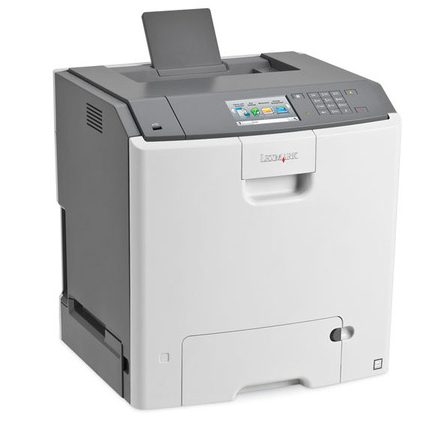



*** ALL TONERS AND SUPPLIES ARE IN STOCK AT DISCOUNTED PRICING , CALL +18882983095.
Printers do not include supplies - toners , drums (Imaging Units) (where applicable) , printer cables , manuals , consumables , trays (where applicable). Power cables are included. Drivers can be downloaded from the manufacturers website. Please verify that drivers available are compatible with your software on the manufacturers site.
Product Details
Specifications
Accessories
Reviews
Product Details
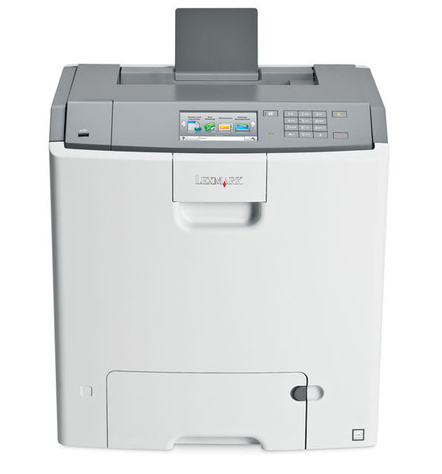
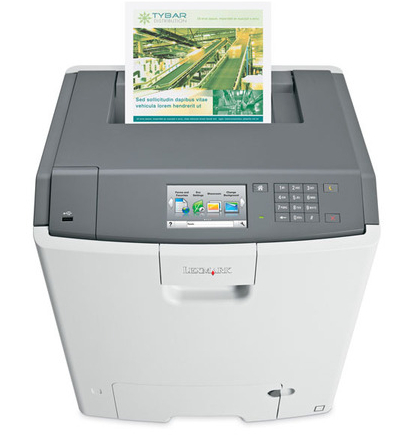
Main Features
- Print Speed: up to 33 pages per minute
- Maximum Resolution: 1200 x 1200 dpi
- 4.3 Inch Color Touchscreen
- Automatic two-sided printing
- USB 2.0, Ethernet Connectivity
Specifications
General Specifications
| Printer Type | Colour Laser Printer |
| Function | Print only |
| Display | 4.3" Colour Touch Screen |
| Print Speed (A4) | Up to 33 ppm |
| Duplex Printing | Automatic (standard) |
| Time to First Page | As fast as 9 seconds |
| Print Resolution | Up to 1200 × 1200 dpi, 4800 Colour Quality |
| Processor | 800 MHz |
| Memory (Standard / Max) | 512 MB / 1536 MB |
| Monthly Duty Cycle (max) | Up to 100,000 pages |
| Recommended Monthly Volume | 2,500 – 10,000 pages |
| Paper Input (Standard) | 650 sheets (550 + 100 MP tray) |
| Paper Input (Max) | Up to 4,300 sheets (with optional trays) |
| Output Capacity | 300 sheets |
| Media Sizes Supported | A6–A4, Letter, Legal, Executive, B5, Envelopes (DL, C5), Custom sizes |
| Connectivity | USB 2.0 (Type A & B), Gigabit Ethernet (10/100/1000 Base-TX RJ-45) |
Accessories

Reviews


Pages per minute (ppm) is the average print speed for black and white pages only. Actual speed may be different based on the amount of graphics on each page.
Use a lightly dampened cloth to clean the outside of your laser printer. To clean the inside, use a dry, lint-free cloth to make sure that no liquid enters the inner parts of the printer.
Most printers have a built-in diagnostics program which can be very useful for troubleshooting problems and test-printing without a computer. They are usually initiated by pressing a button or two while turning on the printer.
MY ACCOUNT
INFO & POLICIES
SHOP EASY
PAYMENT OPTIONS



