



 Shopping Cart




*** ALL TONERS AND SUPPLIES ARE IN STOCK AT DISCOUNTED PRICING , CALL +18882983095.
All reconditioned printers do not include supplies - toners , drums (Imaging Units) (where applicable) , printer cables , manuals , consumables, trays (where applicable). Power cables are included. Drivers can be downloaded from the manufacturers website. Please verify that drivers available are compatible with your software on the manufacturers site.
Product Details
Specifications
Accessories
Reviews
Product Details
Main Features
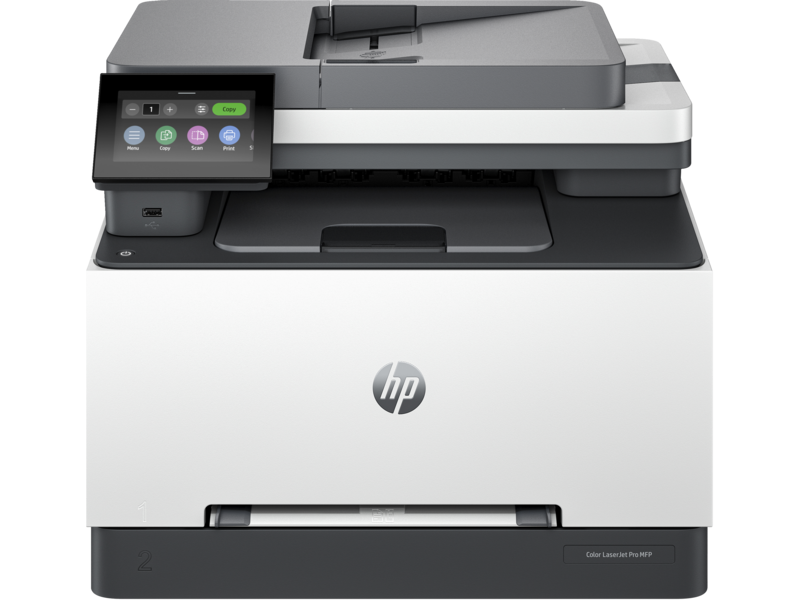
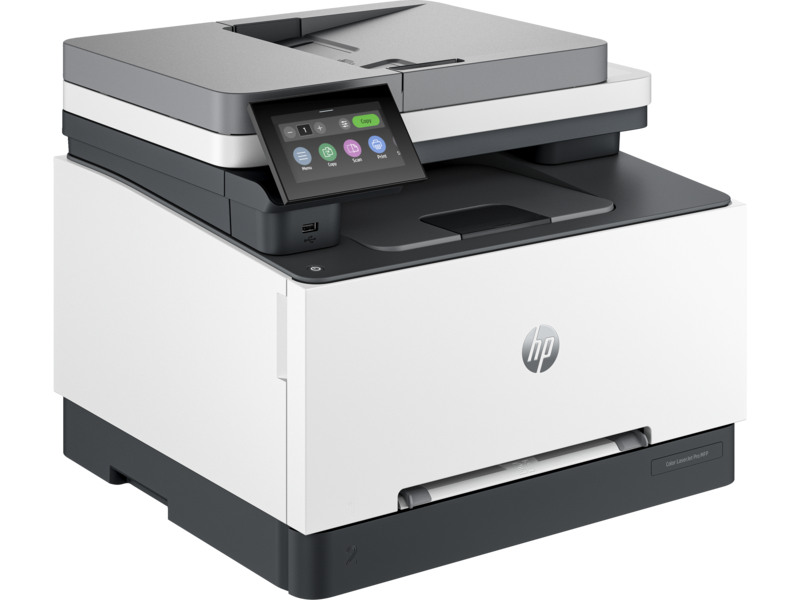
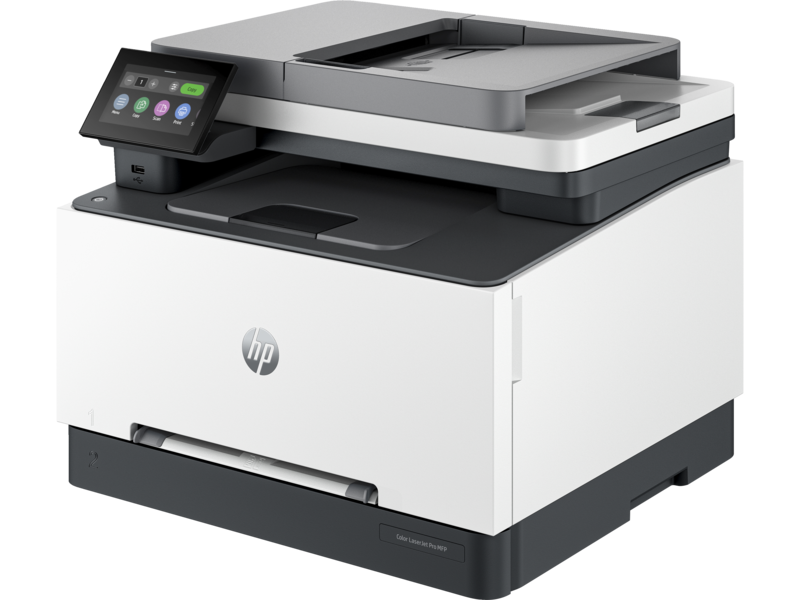
- Print, Copy, Scan, Fax
- Color Printing
- Automatic two-sided printing
- Print Speed: up to 25 pages per minute
- Maximum Resolution: 600 x 600 dpi
- 4.3 inch color touchscreen
- USB, Ethernet Connectivity
Specifications
General Specifications
| Functions |
Print, copy, scan, fax |
|---|---|
| Print Speed Color (ISO) |
Up to 25 ppm 1 |
| First page out black (letter, ready) |
As fast as 10.8 sec 2 ( 2 Measured using ISO/IEC 17629. For more information see https://www.hp.com/go/printerclaims . Exact speed varies depending on the system configuration, software application, driver, and document complexity.) |
| First page out black (A4, ready) |
As fast as 10.9 sec 2 ( 2 Measured using ISO/IEC 17629. For more information see https://www.hp.com/go/printerclaims . Exact speed varies depending on the system configuration, software application, driver, and document complexity.) |
| First page out color (letter, ready) |
As fast as 10.9 sec 2 ( 2 Measured using ISO/IEC 17629. For more information see https://www.hp.com/go/printerclaims . Exact speed varies depending on the system configuration, software application, driver, and document complexity.) |
| First page out color (A4, ready) |
As fast as 11.0 sec 2 ( 2 Measured using ISO/IEC 17629. For more information see https://www.hp.com/go/printerclaims . Exact speed varies depending on the system configuration, software application, driver, and document complexity.) |
| Duplex printing |
Automatic |
| Duty cycle (monthly, letter) |
Up to 45,000 pagesUp to 45,000 pages 3 ( 3 Duty cycle is defined as the maximum number of pages per month of imaged output. This value provides a comparison of product robustness in relation to other HP LaserJet or HP Color LaserJet devices, and enables appropriate deployment of printers and MFPs to satisfy the demands of connected individuals or groups.) |
| Duty cycle (monthly, A4) |
Up to 45,000 pages 3 ( 3 Duty cycle is defined as the maximum number of pages per month of imaged output. This value provides a comparison of product robustness in relation to other HP LaserJet or HP Color LaserJet devices, and enables appropriate deployment of printers and MFPs to satisfy the demands of connected individuals or groups.) |
| Recommended monthly page volume |
150 to 2,500 4 ( 4 HP recommends that the number of pages per month of imaged output be within the stated range for optimum device performance, based on factors including supplies replacement intervals and device life over an extended warranty period.) |
| Print quality black (best) |
Up to 600 x 600 dpi |
| Print quality color (best) |
Up to 600 x 600 dpi |
| Print languages |
HP PCL6, PostScript, HP PCL5, PDF, URF, PWG-Raster, PCLM, JPEG |
| Print technology |
Laser |
| Connectivity, standard |
1 Hi-Speed USB 2.0 (device); 1 Hi-Speed USB 2.0 (host); 1 Wi-Fi 802.11ac (dual band); 2 RJ-11 Fax/Modem port/phone line; Auto-crossover Ethernet; 1 Gigabit Ethernet 10/100TX network |
| Mobile printing capability |
HP Smart App; Apple AirPrint™; Mobile Apps; Mopria™ Certified; Wi-Fi® Direct Printing |
| Network capabilities |
Built-in 10/100Base-TX Ethernet, Gigabit; Auto-crossover Ethernet; Authentication via 802.1X |
| Wireless capability |
Built-in dual-band Wi-Fi; Authentication via WEP, WPA/WPA2, WPA Enterprise; Encryption via AES or TKIP; WPS; Wi-Fi Direct |
| Digital sending standard features |
Scan to Email, Scan to Network Folder, Scan to Sharepoint, Scan to USB, Scan to Computer |
| Display |
4.3" diagonal color TFT-backlit (480 x 272) |
| Processor speed |
1.2 GHz |
| Memory |
512 MB |
| Storage |
0.512GByte (4Gbits) NAND Flash |
| Paper handling input, standard |
250 sheets Main Input Tray, 1 sheet Priority Feed Tray |
| Paper handling output, standard |
100 sheets Output Tray |
| Finished output handling |
Sheet Feed |
| Media types |
Paper (bond, brochure, colored, glossy, heavy, letterhead, light, plain, preprinted, prepunched, recycled, rough), transparencies, labels, envelopes, cardstock |
| Media sizes supported |
A4; A5; A6; B5 (JIS); B6 (JIS); 10 x 15 cm; Oficio 216 x 340 mm; 16K 195 x 270 mm; 16K 184 x 260 mm; 16K 197 x 273 mm; Postcard (JIS); Envelope B5; Envelope C5; Envelope DL; A5-R |
| Media sizes, custom |
76 x 127 mm to 216 x 356 mm |
| File Format Supported |
JPEG; PDF; TIFF; PDF/A |
Accessories

Reviews


Store your laser printer in a properly ventilated area where temperature and humidity do not change frequently. Avoid areas with heavy dust buildup.
Handle inkjet papers like photographic papers - hold them by the edges to avoid oil deposits and fingerprints.
If you are not getting the results you expect, don't give up on your printer until you manually set the driver for the paper that you are using.
MY ACCOUNT
INFO & POLICIES
SHOP EASY
PAYMENT OPTIONS



