



 Shopping Cart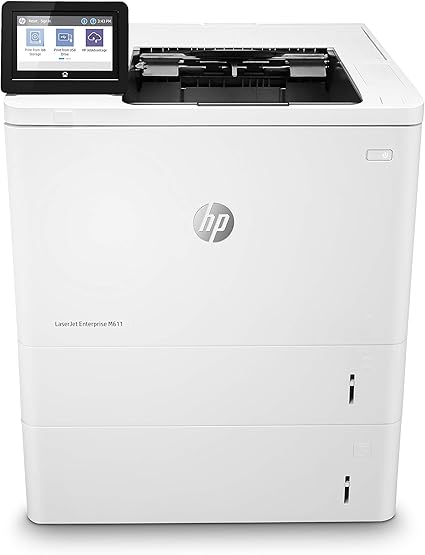

*** ALL TONERS AND SUPPLIES ARE IN STOCK AT DISCOUNTED PRICING , CALL +18882983095.
All reconditioned printers do not include supplies - toners , drums (Imaging Units) (where applicable) , printer cables , manuals , consumables, trays (where applicable). Power cables are included. Drivers can be downloaded from the manufacturers website. Please verify that drivers available are compatible with your software on the manufacturers site.
Product Details
Specifications
Accessories
Reviews
Product Details
Main Features:
- Black and white printer
- Print Speed: up to 65 pages per minute
- Maximum Resolution: 1200 x 1200 dpi
- Two-sided printing
- USB, Ethernet Connectivity
- 100 Sheet Multipurpose Tray
- Two 550 Sheet Input Trays
- Supports up to 3 additional trays
- 4.3 inch color touchscreen
Specifications
General Specifications:
| Functions | |
| Printing Technology | |
| Color Type | |
| Print Resolution | |
| Media Sizes | |
| Wireless | |
| Power Source |
 Download Manufacturer Specifications
Accessories

Reviews


Printer not working? The printer memory could be full and not getting prints or the prints may be stuck in the print queue. Turn-off the printer, wait a few seconds and turn it back on.
Printer not working? Be sure the paper is installed correctly and there is enough of it.
If your print settings are too dark, it could be detrimental to the life of the cartridge in the long run. It’s important that the density control of the machine be properly set to prevent the machine from pulling too much toner into itself.
MY ACCOUNT
INFO & POLICIES
SHOP EASY
PAYMENT OPTIONS



