



 Shopping Cart
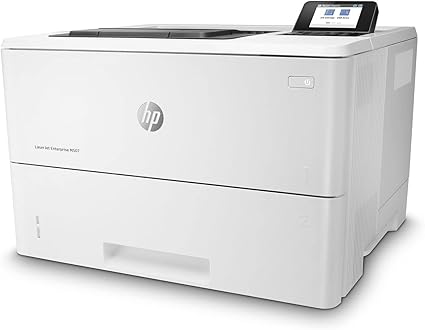
 HP M507DNG LaserJet Enterprise Printer RECONDITIONED

Product Details
Specifications
Accessories
Reviews
Product Details
Main Features:
- Black and white prints
- Print Speed Monochrome: up to 45 pages per minute
- Print Speed Color: up to 55 pages per minute
- Maximum Resolution: 1200 x 1200 dpi
- 650 Sheet Input Tray
- 250 Sheet Output Tray
- 4.3 inch color touchscreen
- USB, Ethernet Connectivity
Specifications
General Specifications:
| Functions | |
| Printing Technology | |
| Color Type | |
| Print Resolution | |
| Media Sizes |
 Download Manufacturer Specifications
Accessories

Reviews


If your print settings are too dark, it could be detrimental to the life of the cartridge in the long run. It’s important that the density control of the machine be properly set to prevent the machine from pulling too much toner into itself.
Set your printer for the proper paper type and weight. Fine art papers are heavier than ordinary inkjet or bond papers so set the printer to thicker paper settings.
Make sure to select the correct paper type for your print job. In general, for more important documents, use thicker paper.
MY ACCOUNT
INFO & POLICIES
SHOP EASY
PAYMENT OPTIONS



* Images are for illustration purposes only.