



 Shopping Cart
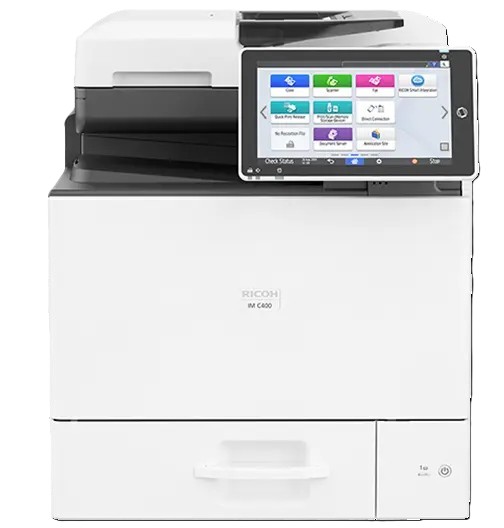
 Ricoh IM C400F Color Laser Multifunction Copier



*** ALL TONERS AND SUPPLIES ARE IN STOCK AT DISCOUNTED PRICING , CALL +18882983095.
Images are for illustration purposes only and do not necessarily reflect the actual product.Product Details
Specifications
Accessories
Reviews
Product Details
Main Features:
- Color Copier
- Print, Copy, Scan, Fax
- Print Speed: up to 45 pages per minute
- Maximum Resolution: 1200 x 1200 dpi
- Paper Capacity: up to 2,300 pages
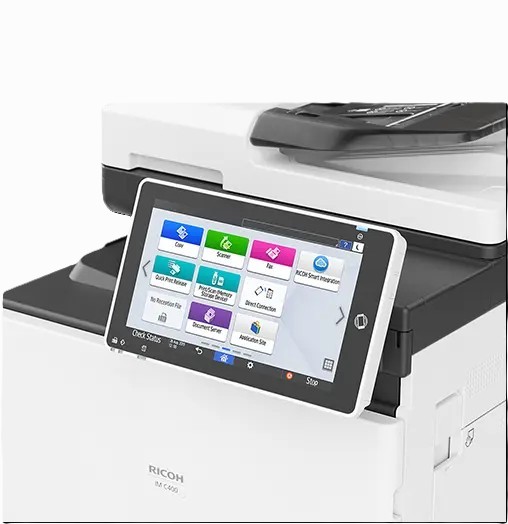
- 10.1 inch touch screen
Specifications
General Specifications:
| Color/Black & White | Color |
|---|---|
| Output Speed Copy/Print | 45 ppm B/W 42 ppm color |
| First Page Out Time | Color: 7.4 seconds Black and White: 6.2 seconds |
| Warm-Up Time | 17 seconds |
| Resolution | 1200 x 1200 dpi |
| System Memory | 2 GB RAM/ 320 GB HDD |
| Maximum Copy Quantity | Up to 999 copies |
| Document Feeder Type | Single Pass Document Feeder (SPDF) |
| Single Pass Document Feeder (SPDF) | 50 sheets |
| Zoom Range | 25% to 400% in 1% increments |
| Supported Paper Sizes | Letter, Legal, HLT, A4, A5, B5 |
| Supported Paper Weights | Trays: 60 - 163 g/m2 Bypass: 60 - 220 g/m2 Duplex: 60 - 163 g/m2 |
| Supported Paper Types | Plain, Recycled, Special, Color, Letterhead, Cardstock, Preprinted, Bond, Coated, Envelope, Label, OHP |
| Standard Paper Capacity | 550 sheets + 100-Sheet Bypass Tray |
| Maximum Paper Capacity | 2,300 sheets |
| Standard Output Capacity | 100 sheets |
| Power Source | 120V - 127V, 60Hz |
| Typical Electricity Consumption (TEC) | 0.54 kWh/week TEC value is measured based on the ENERGY STAR Ver.3.0 test method. |
| Power Consumption | Less than 1,400 W; Sleep Mode: 0.65W |
| Dimensions W x D x H | 19.6" x 22.1" x 23.2" (498 x 561 x 590 mm) |
 Download Manufacturer Specifications
Accessories

Reviews


Will you be making lots of copies? Consider looking out for a large capacity paper tray which should be able to hold approximately 1000 sheets of paper.
You might want to look out for an automatic duplexer on you copier, which will allow you to print double sided without any hassle.
Is your copy image too light? Manually adjust the copy density to a darker setting.
MY ACCOUNT
INFO & POLICIES
SHOP EASY
PAYMENT OPTIONS



* Images are for illustration purposes only.