



 Shopping Cart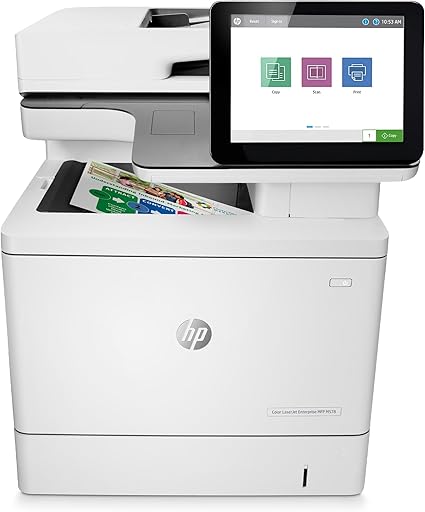



*** ALL TONERS AND SUPPLIES ARE IN STOCK AT DISCOUNTED PRICING , CALL +18882983095.
All reconditioned printers do not include supplies - toners , drums (Imaging Units) (where applicable) , printer cables , manuals , consumables, trays (where applicable). Power cables are included. Drivers can be downloaded from the manufacturers website. Please verify that drivers available are compatible with your software on the manufacturers site.
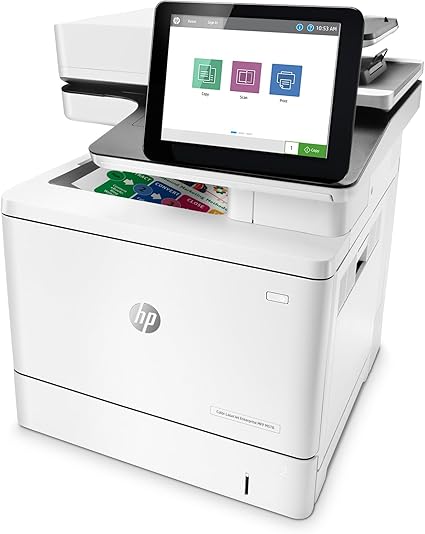
Images are for illustration purposes only and do not necessarily reflect the actual product.Product Details
Specifications
Accessories
Reviews
Product Details
Main Features:
- Color Prints
- Print, Copy, Scan, Fax
- Print Speed: 38 pages per minute
- Maximum Resolution: 600 x 600 dpi
- Two-sided printing
- USB 2.0, Ethernet Connectivity
- Capacity: 500 GB
- Energy Efficient
Specifications
General Specifications:
| Functions |
Print, copy, scan, fax |
|---|---|
| Duplex printing |
Automatic |
| Print technology |
Laser |
| Display |
20.3 cm colour touchscreen |
| Maximum Memory |
3.75 GB
|
| Memory |
1.25 GB (printer), 512 MB (scanner) |
| Capacity |
500 GB |
| Paper handling input, standard |
100 sheet multipurpose tray, 550 sheet input tray 2 |
| Paper handling output, standard |
250 sheet output bin |
| Media types |
Paper (plain, light, bond, recycled, mid-weight, heavy, mid-weight glossy, heavy glossy, extra heavy, extra heavy glossy, cardstock, card glossy), colour transparency, labels, envelope, preprinted, prepunched, coloured, rough, opaque film, user-defined |
| Power consumption |
617 watts (Printing), 40 watts (Ready), 5.4 watts (Sleep), 0.07 watts (Auto-Off/Manual On), 0.58 watts (Auto-Off/Auto-On/Wake on LAN) (Power requirements are based on the country/region where the printer is sold. Do not convert operating voltages. This will damage the printer and void the product warranty. Energy Star Version 3.0 TEC is not comparable to Energy Star Version 2.0 TEC values or Blue Angel TEC values. Blue Angel uses Energy Star Version 2.0 TEC. Energy Star value typically based on measurement of 115V device) |
| Power |
Input voltage: 220 to 240 VAC, 50 Hz (not dual voltage, product varies by part number with # Option code identifier) |
| Security |
HP JetAdvantage Security Manager fleet security compliance and management; HP Access Control; HP JetAdvantage Secure Print; Card readers |
| Dimensions (W x D x H) |
482 x 504 x 583 mm |
| Maximum dimensions (W x D x H) |
820 x 863 x 837 mm |
| Weight |
38.1 kg (With printer cartridges ) |
Accessories
*** ALL TONERS AND SUPPLIES ARE IN STOCK AT DISCOUNTED PRICING , CALL +18882983095
Reviews


What is Tray Capacity? Tray Capacity or Paper Capacity is the maximum number of pages that can be stored in the printer before you have to refill it.
If you are printing on photo paper, make sure you have set the printer to this setting and have not left it on the regular printer setting.
After installing a printer, go to the Windows dialog box and check the settings, so you won't be surprised by what happens the first time you print.
MY ACCOUNT
INFO & POLICIES
SHOP EASY
PAYMENT OPTIONS



