



 Shopping Cart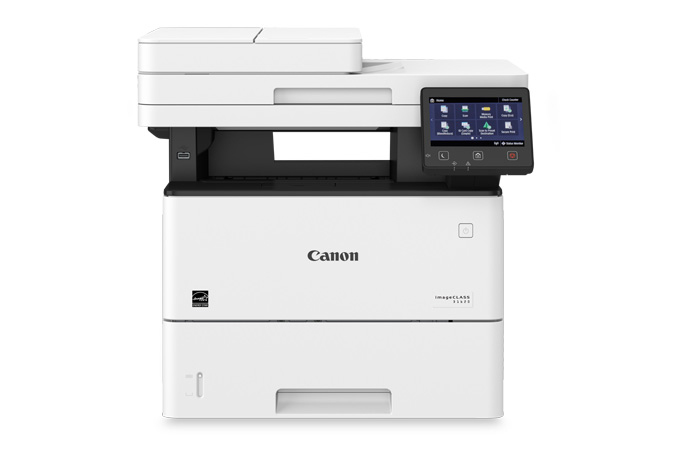



*** ALL TONERS AND SUPPLIES ARE IN STOCK AT DISCOUNTED PRICING , CALL +18882983095..
Printers do not include supplies - toners , drums (Imaging Units) (where applicable) , printer cables , manuals , consumables , trays (where applicable). Power cables are included. Drivers can be downloaded at www.hp.com. Please verify that drivers available are compatible with your software on HP’s site.
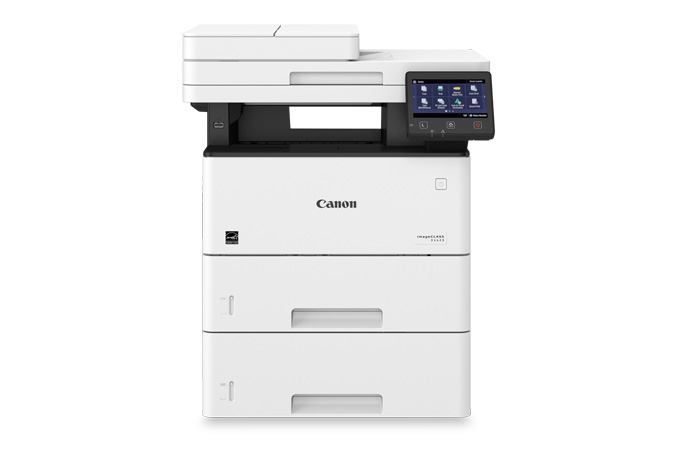
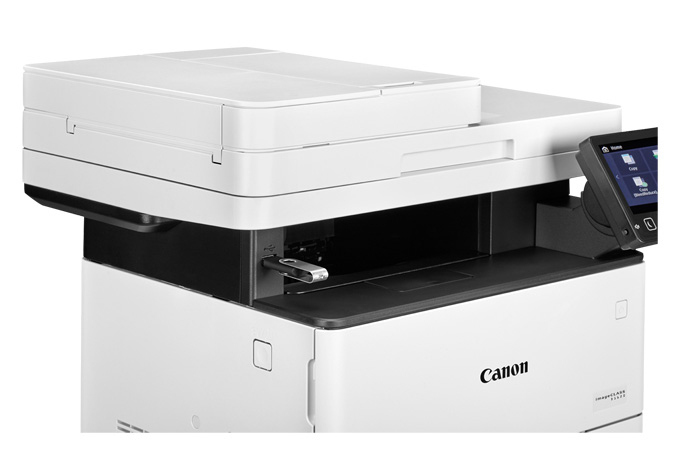
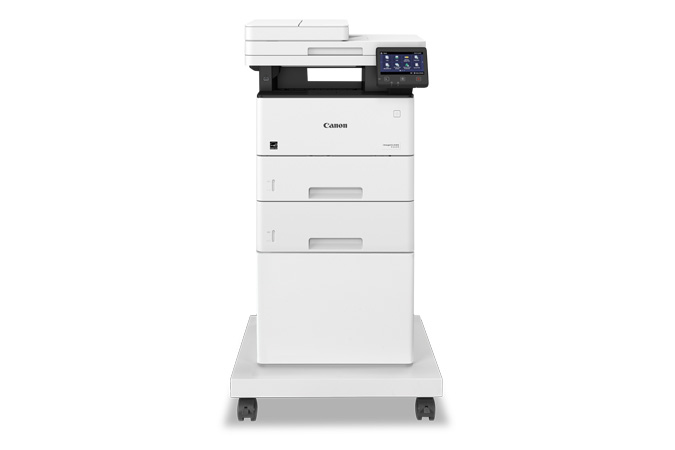
Images are for illustration purposes only and do not necessarily reflect the actual product.Product Details
Specifications
Accessories
Reviews
Product Details
Main Features
- Functions: print, scan and copy
- Black and white prints
- Duplex prints
- Intuitive 5" color touchscreen which simplifies many tasks
- Print speed: 45 pages per minute
- Print resolution: 600 x 600 dpi
- USB 2.0, Ethernet and Wi-Fi connectivity
- Recommended Monthly Page Volume: 2,000 - 7,500 Pages
- Compact design
- Expandable paper capacity
Specifications
General Specifications
| Functions | Print, Scan, Copy |
| Printing Technology | Laser |
| Color Type | Black |
| Print Resolution | Black: 600 x 600 dpi |
| Duplex Printing | Yes |
| Printer Language | Adobe PostScript 3, HP PCL 5, HP PCL 6, UFR II |
| Print Speed (By Time) | 45 ppm (Black) |
| First Print Out Time | 6.2 Seconds (Black) |
| Monthly Duty Cycle | 7500 Pages |
| Media Handling | 2 x Input Tray, Output Tray |
| Media Sizes | Input Tray 1 Minimum: 4.1 x 5.8" / 10.4 x 14.7 cm Maximum: 8.5 x 14" / 21.6 x 35.6 cm Input Tray 2 Minimum: 3 x 5" / 7.6 x 12.7 cm Maximum: 8.5 x 14" / 21.6 x 35.6 cm |
| Media Weight | Input Tray 1: 52 to 120 gsm / 16 to 32 lb Input Tray 2: 52 to 199 gsm / 16 to 53 lb |
| Paper Capacity | Input Tray 1: 550 x Sheet Input Tray 2: 100 x Sheet Output Tray: 150 x Sheet |
| Special Media Support | Envelopes |
| Type | Flatbed Scanner with Automatic Document Feeder (ADF) |
| Maximum Resolution | ADF 600 dpi (Optical) |
| Scan Modes | Color, Grayscale |
| Duplex Scanning | Yes |
| File Formats | JPEG, PDF, TIFF |
| Scan Sizes | ADF Maximum: 8.5 x 14" / 21.6 x 35.6 cm |
| Paper Capacity | ADF: 50 x Sheet |
| Number of Copies | Up to 999 Copies |
| Reduction/Enlargement | 25 to 400% |
| Copy Speed | 45 cpm (Black) |
| Duplex Copying | Yes |
| Copy Resolution | 600 x 600 dpi |
| Inputs/Outputs | RJ45, USB-A |
| Wireless | Wi-Fi |
| Direct Printing | Android, Apple AirPrint, Google Cloud Print, Mopria, USB Port, Wi-Fi Direct |
| OS Compatibility | Android Windows iOS macOS *As of February, 2021: Check with manufacturer for the most up-to-date compatibility |
| Operating Temperature | 50 to 86°F / 10 to 30°C |
| Display Size | 5" |
| Display Type | Touchscreen |
| Power Source | AC Adapter |
| Battery | None |
| AC Input Power | 120 VAC, 60 Hz |
| Power Consumption | 1390 W (Maximum) 17 W (Ready) 0.9 W (Sleep) |
| Certifications | ENERGY STAR, EPEATSilver *as per Manufacturer |
| Dimensions (W x H x D) | 19.5 x 17.8 x 18.3" / 49.5 x 45.2 x 46.5 cm |
| Weight | 41.9 lb / 19 kg |
 Download Manufacturer Specifications
Accessories

Reviews


What is RAM? RAM or Buffer Memory holds the graphic information on the printer while the file is on its way to be printed. The larger the RAM, the faster the printer can print complex graphics.
Paper jam? The best way to remove jammed paper is to gently pull the paper in the direction of the paper path - with power off, of course. Do not pull the paper backwards - you could damage your printer forever by doing so.
Printing photos? Make sure that they are of print quality - meaning 300dpi. Anything lower than this will appear pixelated and lower than photo quality.
MY ACCOUNT
INFO & POLICIES
SHOP EASY
PAYMENT OPTIONS



