



 Shopping Cart
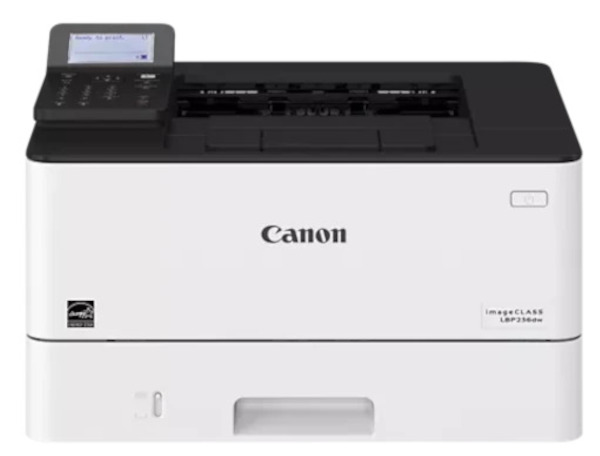
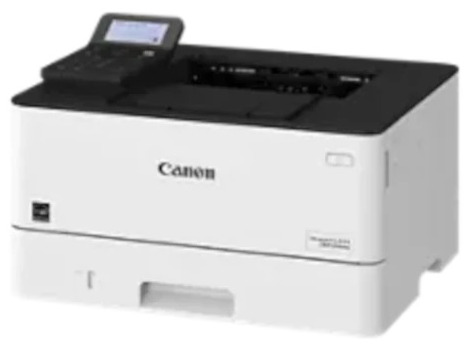
 Canon ImageClass LBP236DW Laser Printer





Product Details
Specifications
Accessories
Reviews
Product Details
Main Features
- Print speed: 40 pages per minute
- First print out at approx 5.3 seconds
- Print resolution: 600 * 600 dpi
- Option of additional paper tray
- Automatic double sided printing
- Print direct from USB drive or from mobile cloud based services
- Maximum paper input capacity: 350 sheets
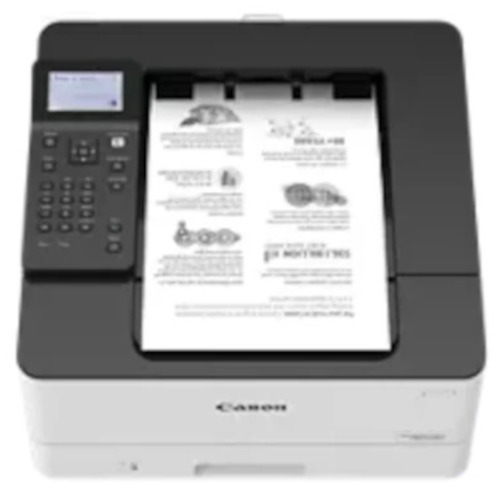
- 5 line LCD control panel
Specifications
General Specifications
| Printer Type | Black and White Laser |
| Print Speed | Up to 40 ppm (Letter); Up to 32 ppm (Legal) 4 |
| First Print Time | Approx. 5.3 Seconds |
| Printer Language | UFR II, PCL®6, PCL®5, Adobe PostScript 3® |
| Print Resolution | 600 x 600 dpi |
| Maximum Print Size | Up to Legal |
| Duplex Print | Yes |
| Print Modes | Secure Print, Page Border, Header/Footer, Page Layout, Two-sided printing, Collating, Booklet Printing, Grouping, Mixed Paper Sizes/Orientations |
| Print Memory | 1 GB |
| Direct Print from USB | Available from USB Memory (JPEG, TIFF, PDF) |
Paper Handling Specifications
| Standard Paper Source(s) | 250-sheet Paper Cassette, 100-sheet Multipurpose Tray |
| Optional Paper Source(s) | 550-sheet Paper Cassette (Cassette Unit-AH1) |
| Paper Output | 65 Sheets |
| Paper Weight | Cassettes: 16 lb. Bond to 32 lb. Bond (60 to 120 g/m2) Multipurpose Tray: 16 lb. Bond to 43 lb. Bond (60 to 163 g/m2) |
| Media Sizes | Cassettes: Letter, Legal, Statement, Executive Custom (Min. 4.1" x 5.8" to Max. 8.5" x 14") Multipurpose Tray: Letter, Legal, Statement, Executive Envelope: COM10, Monarch, C5, DL Custom (Min. 3" x 5" to Max. 8.5" x 14") |
| Media Types | Cassettes: Thin, Plain, Recycled, Thick, Bond Multipurpose Tray: Thin, Plain, Recycled, Thick, Bond, Label, Envelope (10 Envelopes) |
Connectivity and Software Specifications
| Standard Interface(s) | USB 2.0 x1 (Host), USB 2.0 x1 (Device) High-Speed, 10/100/1000Base-T Ethernet (Network), Wi-Fi 802.11b/g/n, Wi-Fi® Direct Connection |
| WiFi Access Mode | WEP 64/128 bit, WPA-PSK (TKIP/AES), WPA2-PSK (AES) |
| WiFi Authentication Methods | WPA2-PSK (AES) |
| Mobile Functions | Apple® AirPrint,® Canon PRINT Business, Mopria™ Print Service |
| OS Compatibility | UFR II/PCL/PS: Windows® 7/Windows 8.1/Windows 10/Windows Server 2008/Windows Server 2008 R2/ Windows Server 2012/Windows Server 2012 R2/Windows Server 2016/Mac OS X v10.9.5 (or later |
Environmental Specifications
| Power Consumption | Maximum: Approx. 1300 W, Standby: Approx. 8.5 W, Sleep Mode: Approx. 0.9 W |
| Typical Energy Consumption | 0.33 kWh |
General Specifications
| Dimensions | Standard (Desktop): 15.8" x 14.7" x 9.9" (401 mm x 373 mm x 250 mm) |
| Unit Weight (without/with cartridge) | Machine Only: Approx. 19.4 lb. (8.8 kg) |
| Package Weight | Approx. 28.7 lb. (13.0 kg) |
| LCD Display | 5-line LCD |
| Security | Authentication: Department ID Authentication , Data: Verify System at Startup, Network: IP/MAC Address Filtering, IPSEC, TLS Encrypted Communication, SNMP V3.0, IEEE 802.1X, IPv6, Document: Secure Print |
 Download Manufacturer Specifications
Accessories

Reviews


It is always better to use original branded ink cartridges to reduce chances of clogging, leaking and bleeding.
All other things being equal, whiter, brighter paper makes text and line graphics crisper and colors more vibrant.
Paper jam? The best way to remove jammed paper is to gently pull the paper in the direction of the paper path - with power off, of course. Do not pull the paper backwards - you could damage your printer forever by doing so.
MY ACCOUNT
INFO & POLICIES
SHOP EASY
PAYMENT OPTIONS



* Images are for illustration purposes only.