



 Shopping Cart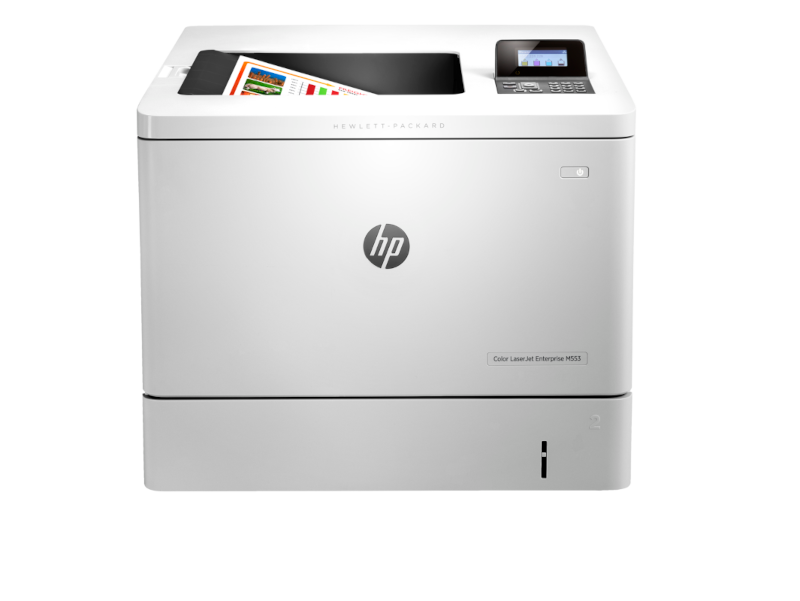

*** ALL TONERS AND SUPPLIES ARE IN STOCK AT DISCOUNTED PRICING , CALL +18882983095.
All reconditioned printers do not include supplies - toners , drums (Imaging Units) (where applicable) , printer cables , manuals , consumables, trays (where applicable). Power cables are included. Drivers can be downloaded from the manufacturers website. Please verify that drivers available are compatible with your software on the manufacturers site.
Product Details
Specifications
Accessories
Reviews
Product Details
Main Features
- Color printer
- Maximum print speed 40pages per minute
- 9 seconds to first print
- Media types: paper, cardstock, color transparency, labels, letterhead, envelope, preprinted, prepunched, colored, rough, opaque film
- USB port
- Ethernet connectivity
- 250 sheet output bin
Specifications
General Specifications
| Color | |
| Duplex Print | Manual |
| Print Speed |
Black (normal, A4): Up to 38 ppm; Black (normal, letter): Up to 40 ppm; |
| First Page Out | Black (A4, ready): As fast as 6 sec; Color (A4, ready): As fast as 7 sec |
| Print Resolution | Black (fine lines): Up to 1200 x 1200 dpi; Colour (fine lines): Up to 1200 x 1200 dpi |
| Print Technology | Laser |
| Standard Connectivity | Hi-Speed USB 2.0 port; built-in Fast Ethernet 10/100/1000Base-TX network port |
| Mobile Print | HP ePrint; Apple AirPrint™; Mopria-certified |
| Network ready | Standard (built-in Gigabit Ethernet) |
| Network Caapabilities |
Via HP Jetdirect Ethernet embedded print server (standard) Supports: 10Base-T, 100Base-Tx, 1000Base-T; 802.3az (EEE) |
| Wireless Capabilities | Optional, enabled with purchase of a hardware accessory |
| Monthly Duty Cycle | Up to 80,000 pages; Recommended monthly page volume: 2,000 to 6,000 pages |
| Paper Input | 100-sheet multipurpose tray, 550-sheet input tray |
| Paper Output | 250-sheet output bin |
| Dimensions (W x D x H) | 458 x 479 x 399 mm (18 x 18.9 x 15.7 in) |
| Weight | 27 kg (59.5 lb) |
 Download Manufacturer Specifications
Accessories
*** ALL TONERS AND SUPPLIES ARE IN STOCK AT DISCOUNTED PRICING , CALL +18882983095
Reviews


Getting blank pages after you installed a new cartridge? Check that the sticker from the cartridge was properly removed. Alternatively, run the clean print head function to make sure all air bubbles are removed. Do not remove the cartridge once it has been installed.
Use a lightly dampened cloth to clean the outside of your laser printer. To clean the inside, use a dry, lint-free cloth to make sure that no liquid enters the inner parts of the printer.
Paper jam? The best way to remove jammed paper is to gently pull the paper in the direction of the paper path - with power off, of course. Do not pull the paper backwards - you could damage your printer forever by doing so.
MY ACCOUNT
INFO & POLICIES
SHOP EASY
PAYMENT OPTIONS



