



 Shopping Cart



*** ALL TONERS AND SUPPLIES ARE IN STOCK AT DISCOUNTED PRICING , CALL +18882983095.
All reconditioned printers do not include supplies - toners , drums (Imaging Units) (where applicable) , printer cables , manuals , consumables, trays (where applicable). Power cables are included. Drivers can be downloaded from the manufacturers website. Please verify that drivers available are compatible with your software on the manufacturers site.
Images are for illustration purposes only and do not necessarily reflect the actual product.Product Details
Specifications
Accessories
Reviews
Product Details
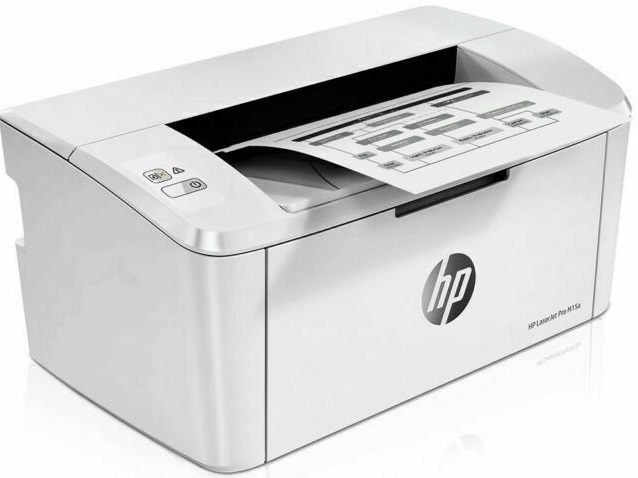
Main Features
- Black and white output
- Print Speed: 19 pages per minute
- Laser printer
- Upto A4 size
- USB port
- Media Capacity: 150 sheets
- Resolution: 600 x 600 dpi
- Compact size
Specifications
General Specifications
Product Key Features
-
Black Print Speed19 ppm
-
Memory8 MB
-
Input TypeMonochrome
-
Supported Scanning SizesA4 (210 x 297 mm), A6 (105 x 148 mm), A5 (148 x 210 mm)
-
FeaturesPortable
-
TechnologyLaser
-
TypeMonochrome Printer
-
ConnectivityCable, USB 2.0, USB 3.0
-
Scanning Resolution600x600 DPI
-
Product LineHP LaserJet Pro
-
Supported Paper SizeA4 (210 x 297 mm), A6 (105 x 148 mm), A5 (148 x 210 mm)
-
Maximum Resolution600 x 600 DPI
-
Output TypeBlack & White
Dimensions
-
Item Height6.3in.
-
Item Width13.6in.
Accessories

Reviews


Media settings on your printer determine how much ink will be used. Thinly coated glossy films require less ink, while plain paper soaks in more.
Paper coatings are designed to control ink absorption and spread, producing brilliant, sharp images with less ink.
If you are not getting the results you expect, don't give up on your printer until you manually set the driver for the paper that you are using.
MY ACCOUNT
INFO & POLICIES
SHOP EASY
PAYMENT OPTIONS



