



 Shopping Cart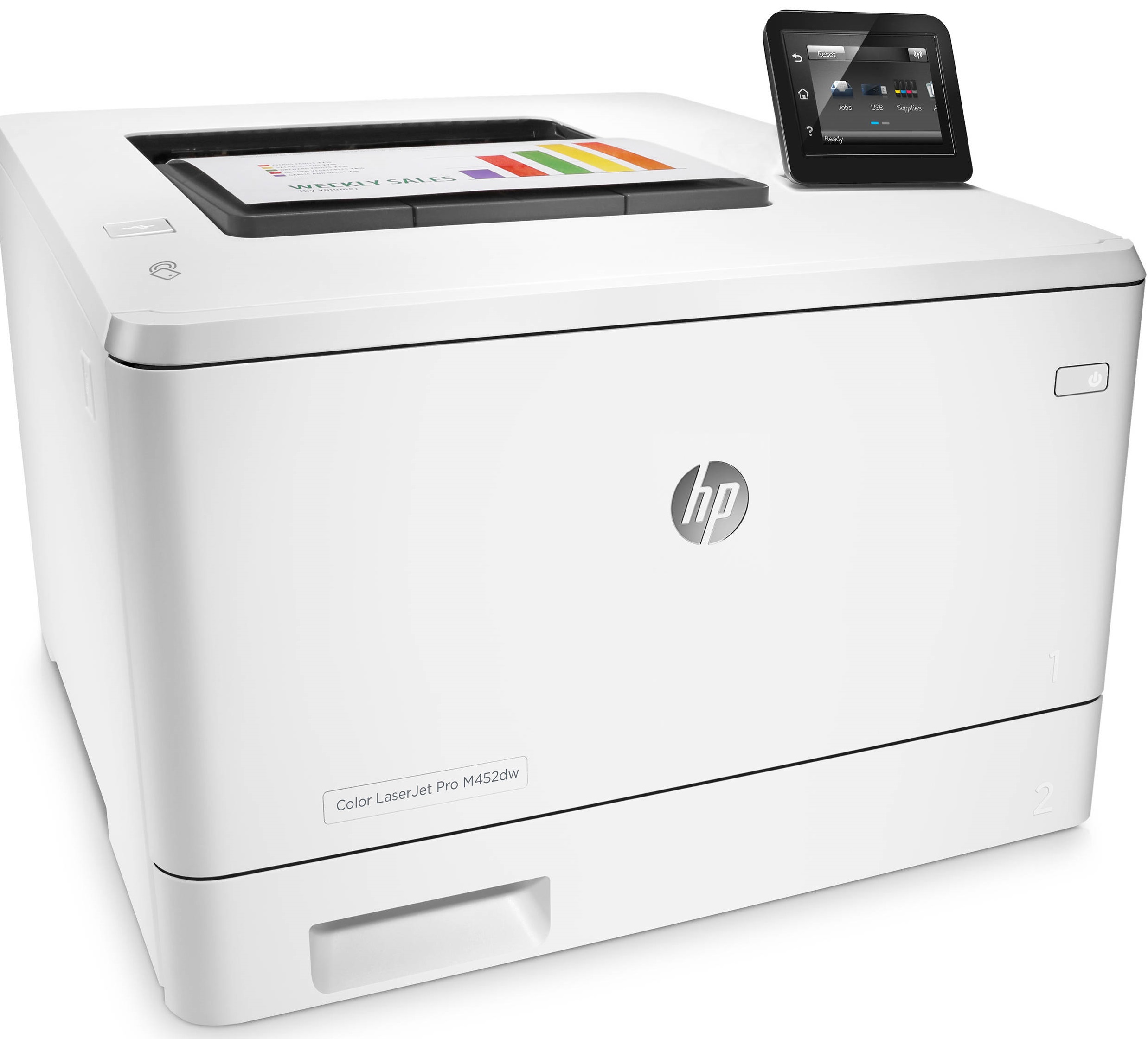



*** ALL TONERS AND SUPPLIES ARE IN STOCK AT DISCOUNTED PRICING , CALL +18882983095.
All reconditioned printers do not include supplies - toners , drums (Imaging Units) (where applicable) , printer cables , manuals , consumables, trays (where applicable). Power cables are included. Drivers can be downloaded from the manufacturers website. Please verify that drivers available are compatible with your software on the manufacturers site.
Product Details
Specifications
Accessories
Reviews
Product Details
Main Features
- Color printouts
- Print Speed: 28 pages per minute
- Print Resolution: 600 x 600 dpi
- First Page Out: 9.5 seconds
- Automatic duplexing
- 50-sheet multipurpose and 250-sheet input tray
- 3 inch color touchscreen
- USB port
- Share the printer over network
Specifications
General Specifications
-
Mobile Device PrintingYes
-
NetworkingWireless
-
No
-
Printer TypePrinter
-
Up to 50,000
-
ISO Color Print Speed28 pages per minute
-
ISO Mono Print Speed28 pages per minute
-
Monochromatic/ColorColor
Connectivity
-
Printer ConnectivityUSB, Ethernet, Wi-Fi, HP ePrint, Apple AirPrint, Google Cloud Print, NFC
-
Minimum System RequirementsPC: 233MHz processer or higher; Windows XP (SP2, 32-bit) or later; 512MB RAM; 400MB hard disk space; CD-ROM drive or Internet connection; Mac: OS X 10.7 or later; 1GB hard disk space; Internet; Internet connection; USB port or network connection
Dimension
-
Product Height13.4 inches
-
Product Width16.2 inches
-
Product Weight41.7 pounds
Feature
-
PortableNo
-
Automatic Document FeederYes
-
Photo PrintingNo
-
Automatic Reduction/EnlargementNo
- Automatic Two-Sided Printing
-
No
Regulatory & Listing
-
Yes
-
SilverPaper Info
-
Automatic Document Feeder Capacity10 sheets
-
Maximum Document Length14 inches
-
Maximum Document Width8.5 inches
-
Paper FeederTray loader
-
Paper Handling50-sheet multipurpose tray, 250-sheet input tray; 150-sheet output bin
-
Supported Paper SizesLetter, legal, executive, Oficio (8.5" x 13"), 3" x 5", 4" x 6", 5" x 8", envelopes (No. 10, Monarch); custom sizes 3.94" x 5.83" - 8.5" x 14"
-
Tray Capacity250
-
Media Weight (Minimum)60 grams per square meter
-
Media Weight (Maximum)176 grams per square meter
Memory
-
Yes
-
Memory Card SlotNo
Performance
-
Approximate Page Yield (Black)2300
-
Approximate Page Yield (Color)2300
-
Printer Resolution (Black)Up to 600 x 600
-
Printer Resolution (Color)Up to 600 x 600
-
Output Tray Capacity150
-
Recommended Monthly Volume750 to 4000
-
9 seconds
General
-
Display Screen Size3.0 inches
-
ColorWhite
-
Color CategoryWhite
-
Display ScreenYes
-
Model NumberCF394A#BGJ
Other
-
Product NameLaserJet Pro m452dw Color Printer
-
BrandHP
-
UPC888793383230
Accessories

Reviews


If debris is the primary cause of failures, toner is the primary cause of debris. All toner cartridges release a small amount of toner powder into the machine. This is why it's important to clean the machine when you change the cartridge.
Is your printer smearing immediately after changing a cartridge? Check that the protective tape over the nozzles is completely removed.
Paper jam? The best way to remove jammed paper is to gently pull the paper in the direction of the paper path - with power off, of course. Do not pull the paper backwards - you could damage your printer forever by doing so.
MY ACCOUNT
INFO & POLICIES
SHOP EASY
PAYMENT OPTIONS



