



 Shopping Cart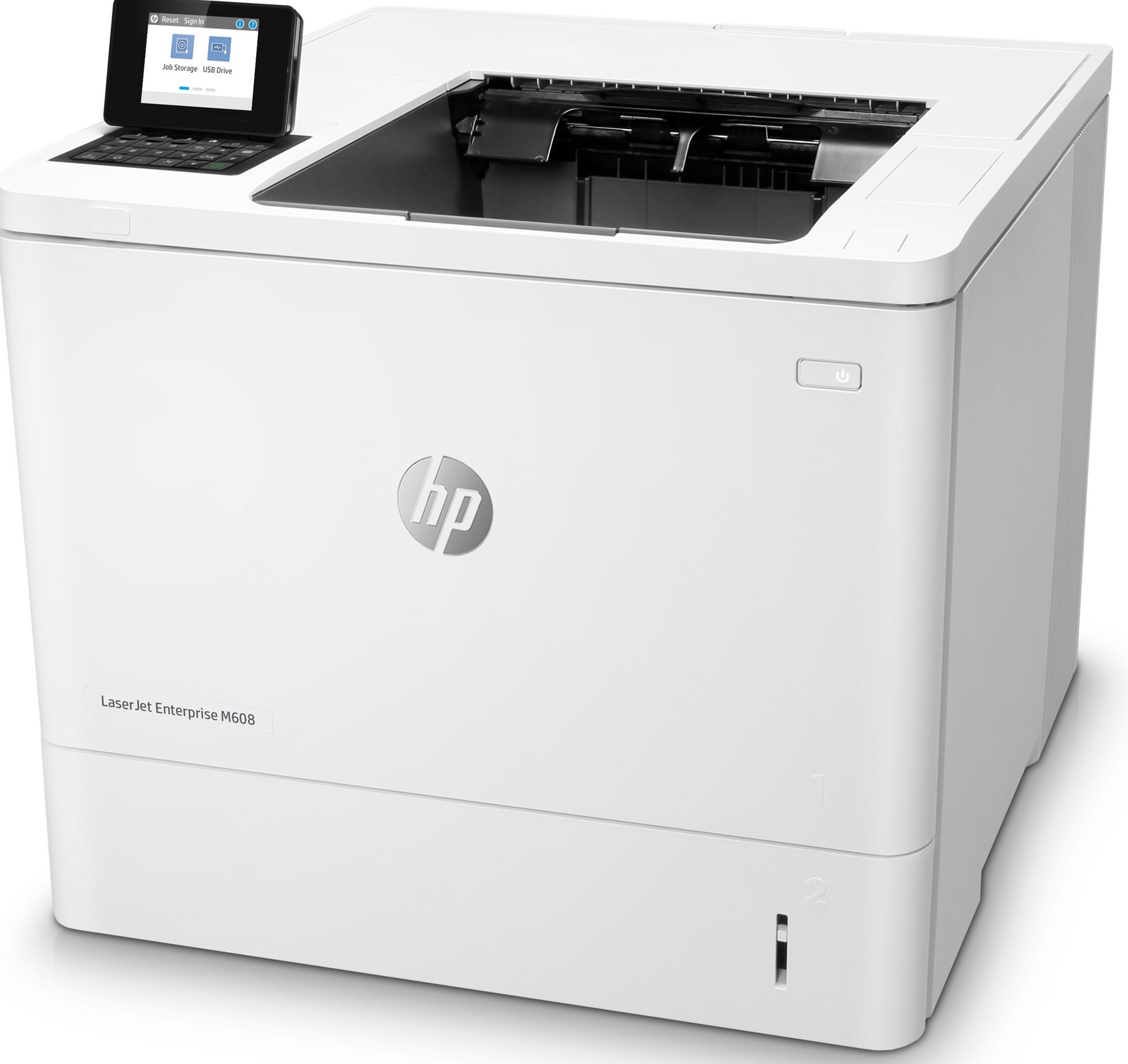

*** ALL TONERS AND SUPPLIES ARE IN STOCK AT DISCOUNTED PRICING , CALL +18882983095.
All reconditioned printers do not include supplies - toners , drums (Imaging Units) (where applicable) , printer cables , manuals , consumables, trays (where applicable). Power cables are included. Drivers can be downloaded from the manufacturers website. Please verify that drivers available are compatible with your software on the manufacturers site.
Images are for illustration purposes only and do not necessarily reflect the actual product.Product Details
Specifications
Accessories
Reviews
Product Details
Main Features
- Single function printer
- Black and white printouts
- Duplex enabled
- Print Speed: 65 pages per minute
- Holds A4 and legal sized media
- Media Types: Paper, mono transparency, labels, letterhead, envelope, heavy envelope and more
- Sleek design
- Optional Wi-Fi
Specifications
General Specifications
|
|
|
| Speed Monochrome | Up to 61ppm Mono Print |
|---|---|
| First Page | Up to 8 Seconds First page |
| Product Group Output | A4 |
| Double Sided Printing | Automatic Double Sided Printing |
| Printer Resolution | 1200 x 1200 dpi Print |
Interfaces |
|
| Interface Type(s) | USB & Network |
| LCD Screen | 6.86cm LCD Display with 24 Key-pad |
| Airprint Compatible | Yes |
System Specification |
|
| Processor | 1.2GHz Processor |
| Memory (Maximum) | 1GB (2GB) RAM |
Compatibility |
|
| Operating Systems Supported | Windows & Mac Compatible |
Media Handling |
|
| Paper Handling Input 1 | 550 Sheet Input Tray |
| Paper Handling Input 2 | 100 Sheet Multipurpose Tray |
| Maximum Paper Weight | 199gsm |
Barcodes & Labels |
|
| Barcode | 0889894068279 |
Duty Cycle |
|
| Monthly Duty Cycle | 275,000 Pages/Month |
| Recommended Max Print Volume | Up to 25,000 Pages/Month |
Physical |
|
| Mono or Colour Printer | Mono |
| Technology | Laser Printer |
| Dimensions | 431mm x 466mm x 380mm - 21.6kg |
| Product Type | A4 Laser Printer |
Software |
|
| Emulations | PCL5/6 & Postscript 3 |
 Download Manufacturer Specifications
Accessories

Reviews


Not all drivers are pre-installed on all operating systems and as new operating systems are released, you will need to install drivers yourself. Make sure to consult your printer manual.
After installing a printer, go to the Windows dialog box and check the settings, so you won't be surprised by what happens the first time you print.
Is your printer feeding in the whole paper stack rather than just one piece at a time? Fan the paper before putting it in the tray to help separate the sheets. Also, store your paper in a cool, dry place as humidity can contribute to this problem.
MY ACCOUNT
INFO & POLICIES
SHOP EASY
PAYMENT OPTIONS



