



 Shopping Cart



*** ALL TONERS AND SUPPLIES ARE IN STOCK AT DISCOUNTED PRICING , CALL +18882983095.
All reconditioned printers do not include supplies - toners , drums (Imaging Units) (where applicable) , printer cables , manuals , consumables, trays (where applicable). Power cables are included. Drivers can be downloaded from the manufacturers website. Please verify that drivers available are compatible with your software on the manufacturers site.
Images are for illustration purposes only and do not necessarily reflect the actual product.Product Details
Specifications
Accessories
Reviews
Product Details
Main Features
- Functions: print, copy, scan
- Print speed: 42 ppm
- Automatic two-sided printing
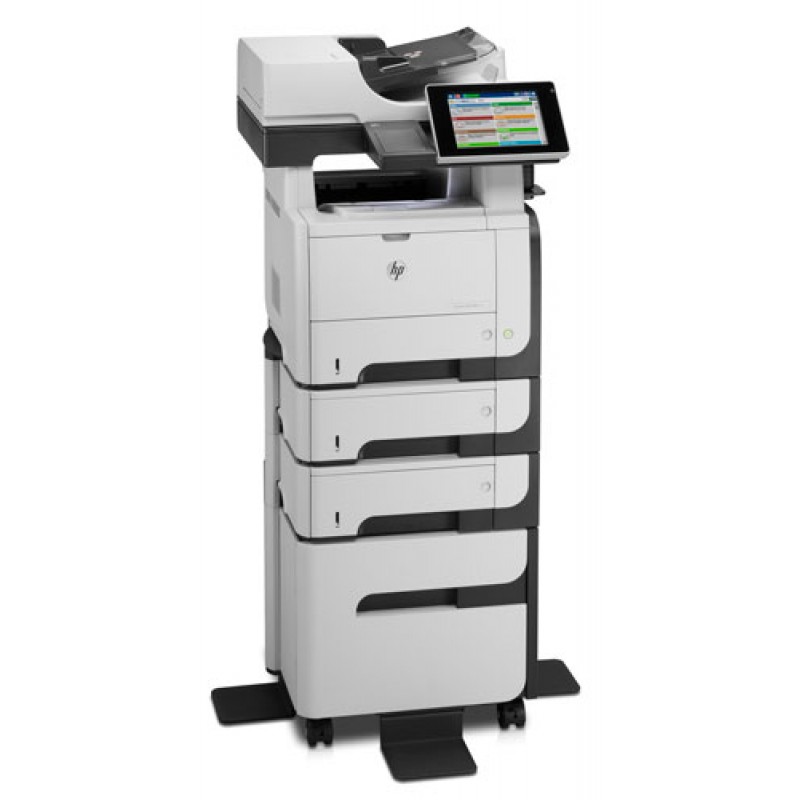
- Up to 1,600 sheet paper capacity
- 50 sheet ADF
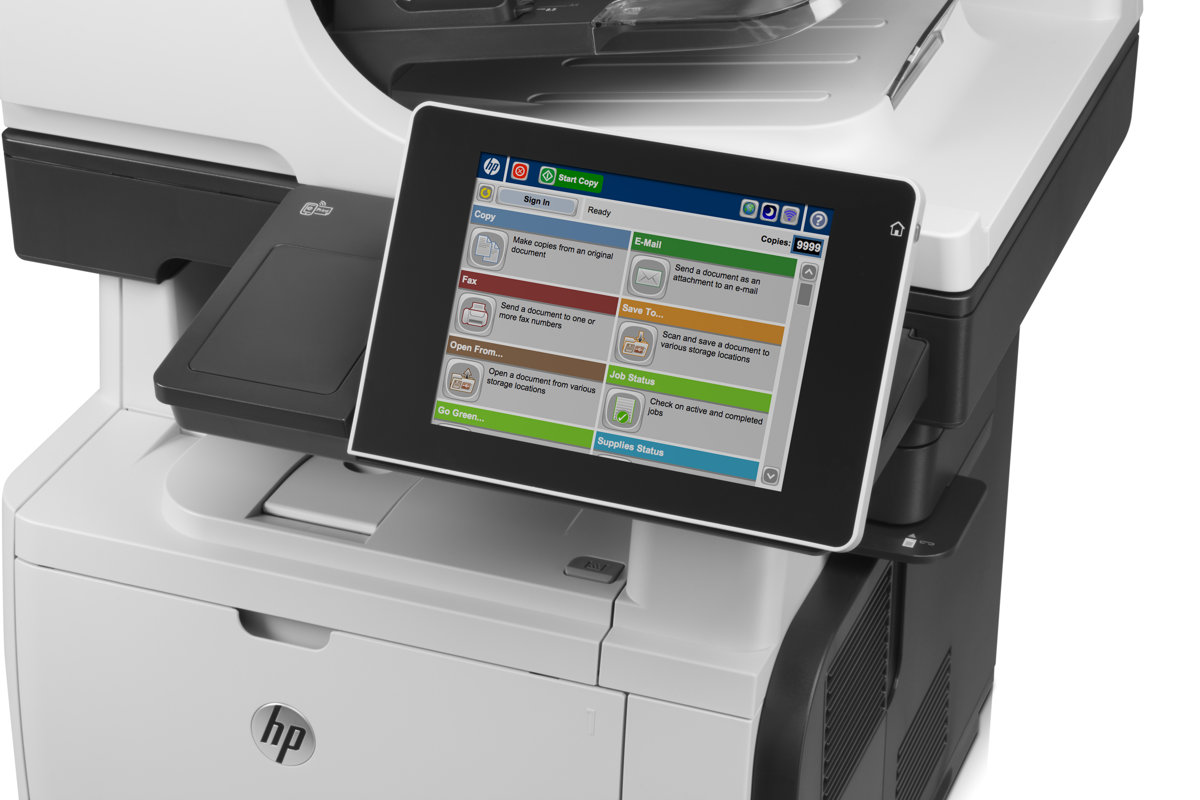
- Adjustable 8 inch HP Easy Select color touchscreen
- Easy-access USB port
- Energy Star Qualified
Specifications
General Specifications
|
Functions |
Print, copy, scan, digital send, easy access USB drive, solid state drive (optional fax, advanced digital send, wireless) |
|
Print Speed |
Black (Letter): Up to 42 ppm |
|
First Page Out |
As fast as 8.5 seconds |
|
Print Resolution |
Black (Best): Up to 1200 x 1200 dpi; Black (Normal): HP FastRes 1200 (1200 dpi quality), 600 x 600 dpi with HP Resolution Enhancement technology |
|
Memory |
Standard/Maximum: 1 GB |
|
Duty Cycle |
Up to 75,000 pages |
|
Processor Speed |
800 MHz |
|
Mobile Print Capability |
HP ePrint, Apple AirPrint™ |
|
Paper Handling Input |
100-sheet multipurpose tray 1, 500-sheet input tray 2, 50-sheet automatic document feeder, Optional 500-sheet tray (add up to 2 trays) |
|
Paper Handling Output |
250-sheet output bin, 100-sheet rear output bin, convenience stapler |
|
Duplex Print |
Automatic |
|
Wireless Capability |
Optional, enabled with purchase of a hardware accessory |
|
Network Capability |
Via HP Jetdirect 10/100/1000 Base-TX Ethernet embedded print server (standard); 802.3az (EEE); IPsec (standard); 802.11b/g/n wireless networking (optional) |
Accessories

Reviews


If you are not getting the results you expect, don't give up on your printer until you manually set the driver for the paper that you are using.
Paper coatings are designed to control ink absorption and spread, producing brilliant, sharp images with less ink.
Printer not working? Be sure the paper is installed correctly and there is enough of it.
MY ACCOUNT
INFO & POLICIES
SHOP EASY
PAYMENT OPTIONS



