



 Shopping Cart
 Ricoh Aficio L4130 Wide Format Printer
*Images may show options not included in price.

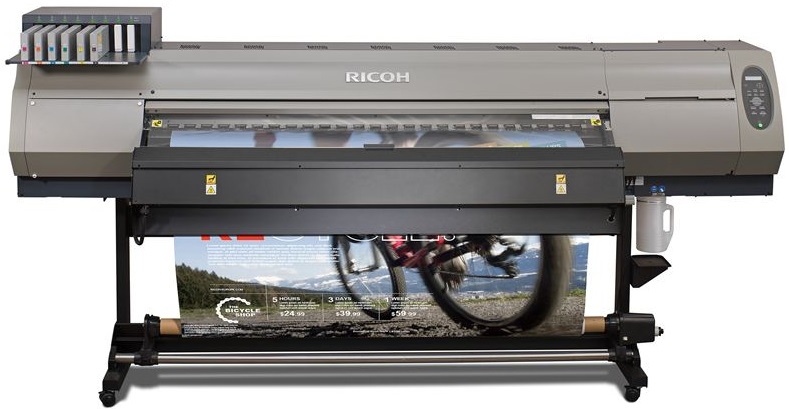
Images are for illustration purposes only and do not necessarily reflect the actual product.
Product Details
Specifications
Accessories
Reviews
Product Details
Main Features
- Color printouts
- 6 color process printing
- Media Width: 63 inches wide
- Eco friendly inks
- Short drying time
- Low energy consumption
- Print outdoor and indoor signage, retail POS and POP, exhibition and event graphics, vehicle wraps and wall coverings
Specifications
General Specifications
| Color | Yes |
|---|---|
| Copy | No |
| Yes | |
| Scan | No |
| Warm-Up Time | not available |
| Dimensions | L4130: 103.5” x 33.7” x 56.4” (2,634 x 854 x 1,435 mm) L4160: 113.2” x 33.7” x 56.4” (2,879 x 854 x 1,435 mm) |
| Weight | L4130: 447 lbs. (203 kg) L4160: 529 lbs. (240 kg) |
| Power Source | 100-120V, 50-60Hz, 200-240V 50-60Hz, 12A or less x 2 lines |
| Scanning Resolution | not available |
| Resolution | 900dpi, 1200dpi |
| Configuration | not available |
| Paper Source | not available |
| First Copy | not available |
| Copy Speed | not available |
| Reduction / Enlargement | not available |
| Multiple Copies | not available |
| Cutting Method | Cut after printed, Print after cut |
| Print Capabilities | Optional |
| Controller Options | not available |
| Network Protocol | not available |
| Scanning Capabilities | Optional |
| Scan Size | not available |
| File Formats | not available |
| Maximum Print Speed | 900x900,VD,12P, Bi, Hi (Standard, L4160, L4130) |
| Maximum Scan Speed | not available |
| Print Controller | not available |
 Download Manufacturer Specifications
Accessories

Reviews


Set your printer for the proper paper type and weight. Fine art papers are heavier than ordinary inkjet or bond papers so set the printer to thicker paper settings.
If your print settings are too dark, it could be detrimental to the life of the cartridge in the long run. It’s important that the density control of the machine be properly set to prevent the machine from pulling too much toner into itself.
Misplaced your printer manual? You can usually find a replacement manual online at the manufacturer's website.
MY ACCOUNT
INFO & POLICIES
SHOP EASY
PAYMENT OPTIONS



* Images are for illustration purposes only.