



 Shopping Cart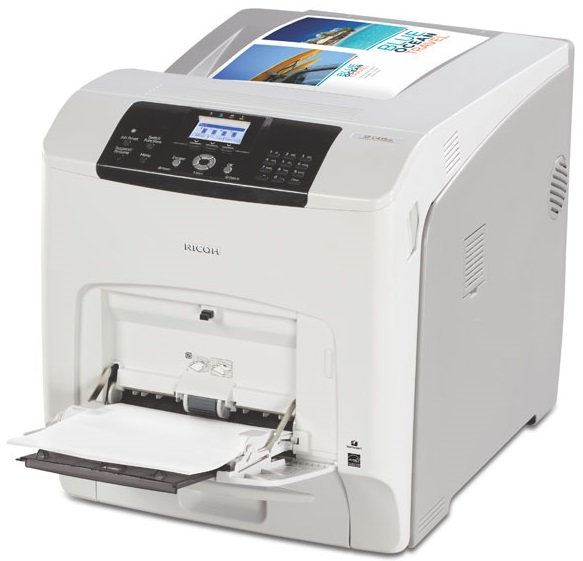


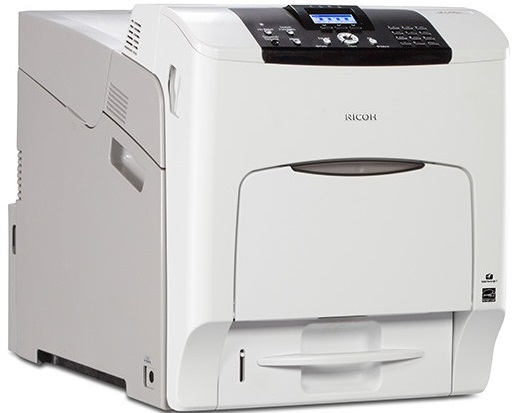

Product Details
Specifications
Accessories
Reviews
Product Details
Main Features
- Color output
- Print Speed: 37 pages per minute
- Max Resolution: 1200 x 1200 dpi
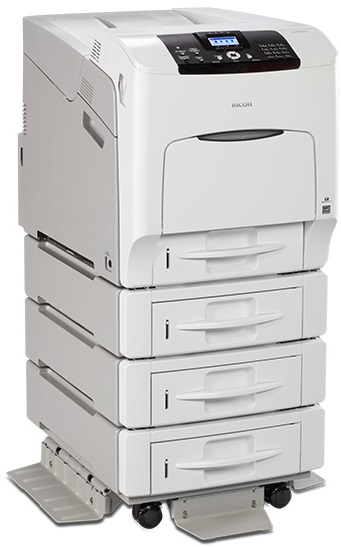
- Max Paper Capacity: 2300 pages
- Print upto sized 11 x 17
- Suitable for a wide rnage of media types
- Print via your smartphone, laptop or tablet
- User authentication
Specifications
General Specifications
| Technology | Laser | |
|---|---|---|
| Print speed (A4) | 35 ppm (B&W, Colour) | |
| Warm up time | 50 seconds or less | |
| First print speed | F/C: | Less than 15 seconds |
| B/W: | Less than 10 seconds | |
| Dimensions (W x D x H) | 444 x 658 x 490 mm | |
| Weight | 57 kg | |
| Power source: | 220 - 240 V, 50/60 Hz | |
| Power consumption | Operating: | 1,650 W or less |
| Sleep mode: | 1 W or less | |
| Duty Cycle | 80,000 pages per month | |
|
CONTROLLER |
||
| Processor | 533 MHz | |
| Printer language | PCL6/5e, PostScript 3, PDF | |
| Optional: | IPDS*, XPS, PictBridge | |
| Memory | 1 GB RAM (Standard / Maximum) | |
| Resolution | 300 x 300 dpi/ 600 x 600 dpi/ 1200 x 1200 dpi | |
| Fonts | PCL5: | 45 fonts + 13 fonts (International Fonts) |
| PCL6: | 45 fonts | |
| PostScript 3: | 136 fonts | |
| IPDS: | 108 fonts (optional) | |
|
CONNECTIVITY |
||
| Network protocol | TCP/IP (IPv4, IPv6) | |
| Supported environments | Windows Vista/7/8/8.1/Server 2003/2008/2008 R2/2012/2012 R2 | |
| CPS/XenApp *PCL | ||
| Mac OS (X10.7 - X10.10) *PS only | ||
| Connection Type |
10/100/1000 base-TX Ethernet (RJ45)
Gigabit Network Interface
USB 2.0 High Speed Type B (for direct computer connection)
Dual 2.0 Host Type A (for external device connection)
Dual SD Card Slots (for expanded functions/device customization) |
|
| Optional Interfaces |
USB Device Server
|
|
|
IEEE 802.11a/b/g/n Wireless LAN
|
||
|
IEEE 1284/ECP Parallel Interface
|
||
|
NIC2 Port
|
||
| PAPER HANDLING | ||
| Paper input capacity | Standard: | 550-sheet paper tray |
| 100-sheet bypass tray | ||
| Maximum: | 2,300 sheets | |
| Paper output capacity | Standard: | 500 sheets |
| Paper size | Paper trays: | A4, A5, B4, B5, B6, Letter size, Legal size |
| Optional trays: | A4, A5, B4, B5, B6, Letter size, Legal size | |
| Bypass tray: | A4, A5, B4, B5, B6, Letter size, Legal size | |
| Paper weight | Paper trays: | 52-220 g/m² |
| Bypass tray: | 52-256 g/m² | |
| Duplex tray: | 56-162 g/m² | |
|
|
||
|
OTHER OPTIONS |
||
| Controller options |
USB Device Server Option
|
|
|
320 GB Hard Disk Drive
|
||
|
IEEE 802.11 Interface Unit
|
||
|
IEEE 1284 Inerface Board
|
||
|
VM Card
|
||
|
XPS Direct Print Option
|
||
|
Font SD Card
|
||
|
PictBridge
|
||
| IPDS Option (108 Fonts) | ||
| Hardware options |
Paper Feed Unit PB1020
|
|
|
500 Sheets Paper Capacity
|
||
| Caster table | ||
 Download Manufacturer Specifications
Accessories

Reviews


Printer not working? Check that the ink and toner are there and properly filled.
All other things being equal, whiter, brighter paper makes text and line graphics crisper and colors more vibrant.
Don't be in a rush with your printer as you can easily damage a printer, or even get hurt, if you do not follow the instructions in the user manual.
MY ACCOUNT
INFO & POLICIES
SHOP EASY
PAYMENT OPTIONS



