



 Shopping Cart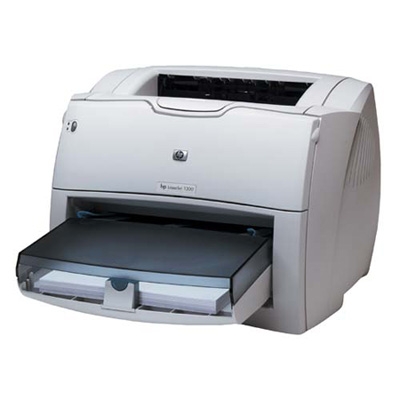

*** ALL TONERS AND SUPPLIES ARE IN STOCK AT DISCOUNTED PRICING , CALL +18882983095.
All reconditioned printers do not include supplies - toners , drums (Imaging Units) (where applicable) , printer cables , manuals , consumables, trays (where applicable). Power cables are included. Drivers can be downloaded from the manufacturers website. Please verify that drivers available are compatible with your software on the manufacturers site.
Product Details
Specifications
Accessories
Reviews
Product Details
Main Features
-
Print fast: at up to 20 pages per minute.
-
Minimize Wait time: First page out in just 8 seconds.
-
Maximize capacity: with the included 2,500-page HP print cartridge.
- Use with your existing office environment: and operating system (Windows, Mac, Linux).
- Enjoy excellent print quality: crisp, clear, 1200 dpi black text.
-
Keep plenty of paper available: in the 250-sheet multipurpose input tray (sold separately).
-
Boost responsiveness and capacity: by adding RAM (up to 80MB, sold separately).
FULLY REFURBISHED WITH 1 YEAR WARRANTY
Specifications
General Specifications
Accessories

Reviews


Not all drivers are pre-installed on all operating systems and as new operating systems are released, you will need to install drivers yourself. Make sure to consult your printer manual.
Allow ink to dry completely to avoid smudging. The time will vary based on the ink and paper quality used as well as the temperature and humidity conditions.
Preview and proofread your documents on the screen before sending them to print. This will save you a lot of paper and re-printing.
MY ACCOUNT
INFO & POLICIES
SHOP EASY
PAYMENT OPTIONS



