



 Shopping Cart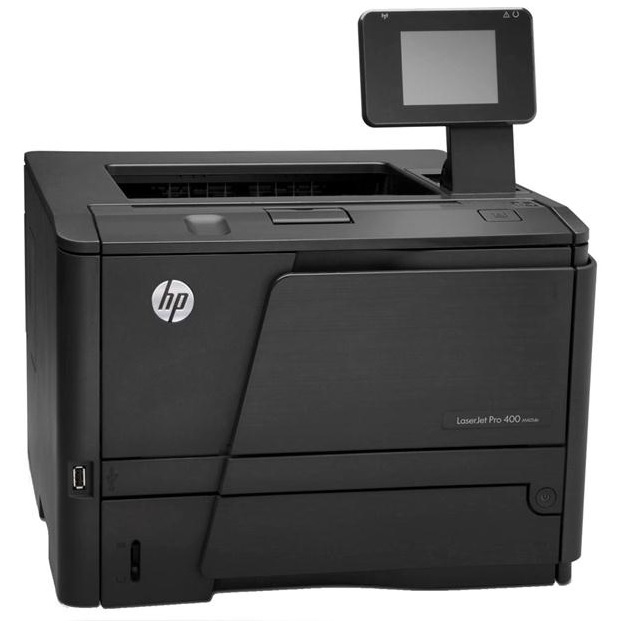

*** ALL TONERS AND SUPPLIES ARE IN STOCK AT DISCOUNTED PRICING , CALL +18882983095.
All reconditioned printers do not include supplies - toners , drums (Imaging Units) (where applicable) , printer cables , manuals , consumables, trays (where applicable). Power cables are included. Drivers can be downloaded from the manufacturers website. Please verify that drivers available are compatible with your software on the manufacturers site.
Images are for illustration purposes only and do not necessarily reflect the actual product.Product Details
Specifications
Accessories
Reviews
Product Details
Overview
Take advantage of fast print speeds on this HP Pro 400 Printer. Optimize your day-to-day workflow. Print on the go with mobile printing options, and share printing resources on a network.
Main Features
- Professional-quality output for a great value
- Web-connected ease of use
- Impressive productivity and mobility
- Reduced environmental impact
FULLY REFURBISHED WITH A 1 YEAR WARRANTY.
Specifications
General Specifications
| Functions | |
| Print speed, black (normal) | Up to 35 ppm |
| Print Speed |
|
| Printer Page Yield |
|
| Resolution (black) | 1200 x 1200 dpi |
| Resolution Technology |
|
| Monthly Duty Cycle |
|
| Recommended Monthly Page Volume |
|
| Print Technology | Laser |
| Display |
|
| Processor Speed |
|
| Replacement Cartridges |
|
| Print Languages |
|
| Automatic Paper Sensor | No |
| Paper Trays, standard | 2 |
| Paper Trays, maximum | 3 |
| HP ePrint Capability | Yes |
| Connectivity, Standard |
|
| Network Ready |
|
| Ports |
|
| Security |
|
| Minimum System Requirements |
|
| Compatible Operating Systems |
|
| Memory |
|
| Printer Management |
|
| Supported Network Protocols |
|
| Paper Handling Input, Standard |
|
| Paper Handling Output, Standard |
|
| Duplex Printing |
|
| Finished Output Handling | Sheetfed |
| Media Sizes Supported |
|
| Media Sizes Supported | A4; A5; A6; B5 (JIS) |
| Media Sizes Custom |
|
| Media Types |
|
| Supported Media Weight |
|
| Media Weights by Paper Path |
|
|
Power |
|
| Input Voltage |
|
| Power Consumption |
|
| Operating Temperature Range |
|
| Operating Humidity Range |
|
Accessories

Reviews


Allow ink to dry completely to avoid smudging. The time will vary based on the ink and paper quality used as well as the temperature and humidity conditions.
Printer not working? Be sure the paper is installed correctly and there is enough of it.
Out of a color cartridge? Many printer drivers include an option to print using black only, or equivalent options to override the refusal to print.
MY ACCOUNT
INFO & POLICIES
SHOP EASY
PAYMENT OPTIONS



