



 Shopping Cart
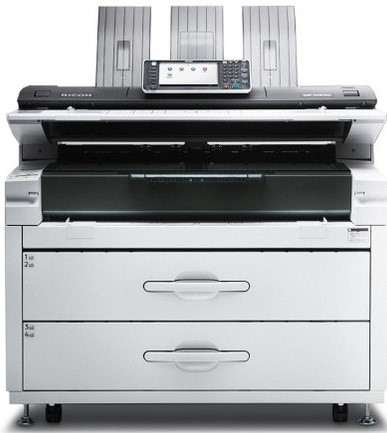
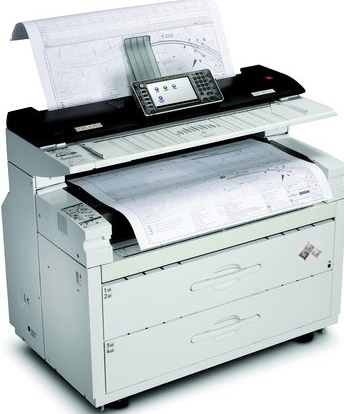
 Ricoh MP W8140SP Wide Format Printer



Product Details
Specifications
Accessories
Reviews
Product Details
Main Features
- Wide format printing
- Black and white printouts
- High quality output
- 14 prints/minute
- First print out: 8.9 seconds
- Scan to email, folder, URL and multimedia USB/SD
- Compact design
- 9 inch LCD touch panel
Specifications
General Specifications
| Technology: | Electro-photographic printing | |
| Fusing: | Heat and pressure | |
| Toner Type: | Magnetic brush dual component dry toner system | |
| Print Speed: | MP W8140SP: 7ppm @A0/E SEF, 14ppm @A1/D LEF | |
| Copy Speed: | MP W8140SP: 170mm/sec 14cpm/ppm @ A1/D LEF | |
| Print Resolution: | RPCS 600dpi PS3/PDF 600/300dpi | |
| RP-GL/GL2 600dpi/400dpi | ||
| RTIFF 600/400/300/200dpi | ||
| Copy Resolution: | 600dpi | |
| Warm-up time: | Less than 120 sec. | |
| Dimensions (WxDxH): | 1,250 x 755 x 1,215mm | |
| Weight: | Less than 295kg | |
| Power Source: | 220V-240V/8A 50/60Hz | |
| Power Consumption: | Printing: less than 3kW | |
SCANNER FEATURE |
||
| Colour Scanner Resolution: | 150/200*/300/400/600 *Default Twain 150-1200dpi | |
| Scan Speed: | BW 42.5-340mm/s | |
| Scan Area: | MP W8140SP: (Metric) 914.4mm x 30,000mm | |
| Min: 210mm x 210mm | ||
MEDIA HANDLING |
||
| Paper Input Capacity: | SEF: A0/A1/A2/A3/A4 | |
| LEF: A1/A2/A3/A4 | ||
| Original width: | 210-914.4mm | |
| Maximum width: | 914mm | |
| Paper Size: | Maximum: 914 x 150,00mm | |
| 2 roll papers Width : 210mm - 914mm | ||
| Max length: 15,000mm | ||
| Paper Weight: | Roll Paper: 51-134g/m2 | |
PRINT CONTROLLER SPECIFICATION |
||
| Configuration: | Embedded (Copier-Printer-Scanner) | |
| CPU: | Calpella (1.06 GHz) | |
| Memory: | 2.5GB | |
| HDD: | 320GB(Shared with Copy/Printer/Scanner applications) | |
| Operating System: | Windows: XP/Vista/7/8/8.1/2003server/2008server/2008R2server/2012server/2012serverR2 | |
| Mac: OS (later than Mac OS8.6) Mac: OS X (later than Mac OS X10.7) | ||
| Citrix Presentation: Server 4.5 | ||
| Network Protocol: | TCP/IP(IPv4, IPv6), IPX/SPX, Auto switching available | |
| Supported Print Language: | PostScript Level3(PDF), RPCS, Emulation: HP-GL, HP-GL/2(HP-RTL), TIFF(CALS) | |
| Font: | European 136 fonts | |
| Network Interface: | Standard: 100/10base-TX, USB2.0 Option: IEEE802.11a/g/n (wireless) | |
| Service Interface: | 2 slots USB 2.0 host | |
OTHER OPTIONS |
||
|
||
 Download Manufacturer Specifications
Accessories

Reviews


If you are printing on photo paper, make sure you have set the printer to this setting and have not left it on the regular printer setting.
Your ink is not going onto the paper properly or you notice uneven coverage? Try aligning the print heads before you bring out the big guns.
After installing a printer, go to the Windows dialog box and check the settings, so you won't be surprised by what happens the first time you print.
MY ACCOUNT
INFO & POLICIES
SHOP EASY
PAYMENT OPTIONS



* Images are for illustration purposes only.