



 Shopping Cart
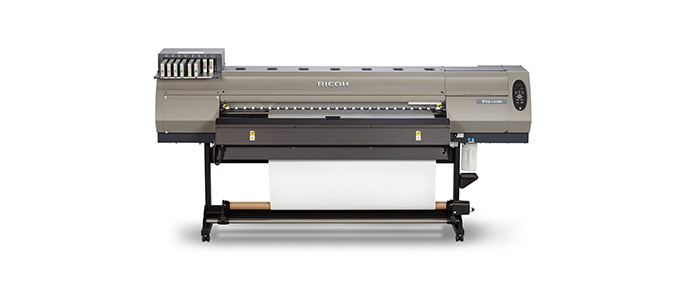
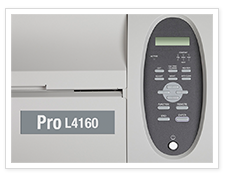
 Ricoh Pro L4160 Wide Format Printer



Product Details
Specifications
Accessories
Reviews
Product Details
Main Features
- New wider color gamut
- Uses durable latex ink
- Enhanced productivity
- Less drying time
- Uses standard 110V outlets
- Eco-friendly
- Low energy power consumption
Specifications
General Specifications
| Color | Yes |
|---|---|
| Copy | No |
| Yes | |
| Scan | No |
| Warm-Up Time | not available |
| Dimensions | L4130: 103.5” x 33.7” x 56.4” (2,634 x 854 x 1,435 mm) L4160: 113.2” x 33.7” x 56.4” (2,879 x 854 x 1,435 mm) |
| Weight | L4130: 447 lbs. (203 kg) L4160: 529 lbs. (240 kg) |
| Power Source | 100-120V, 50-60Hz, 200-240V 50-60Hz, 12A or less x 2 lines |
| Scanning Resolution | not available |
| Resolution | 900dpi, 1200dpi |
| Configuration | not available |
| Paper Source | not available |
| First Copy | not available |
| Copy Speed | not available |
| Reduction / Enlargement | not available |
| Multiple Copies | not available |
| Cutting Method | Cut after printed, Print after cut |
| Print Capabilities | Optional |
| Controller Options | not available |
| Network Protocol | not available |
| Scanning Capabilities | Optional |
| Scan Size | not available |
| File Formats | not available |
| Maximum Print Speed | 900x900,VD,12P, Bi, Hi (Standard, L4160, L4130) |
| Maximum Scan Speed | not available |
| Print Controller | not available |
 Download Manufacturer Specifications
Accessories

Reviews


Printer not working? Check that the ink and toner are there and properly filled.
Is your printer smearing immediately after changing a cartridge? Check that the protective tape over the nozzles is completely removed.
Make sure to keep your printer up to date by downloading drivers and patches from the manufacturer's site. Most manufacturers provide driver updates for their units which include patches that add fonts or fix incompatibilities.
MY ACCOUNT
INFO & POLICIES
SHOP EASY
PAYMENT OPTIONS



* Images are for illustration purposes only.