



 Shopping Cart



Product Details
Specifications
Accessories
Reviews
Product Details
Main Features
- Resolution: 300 dpi
- Max Scan Size: 8.5 x 11.7"
- Min Scan Size: 1 x 1"
- Image adjusting tools
- Share scanned images on social media
- Compact design
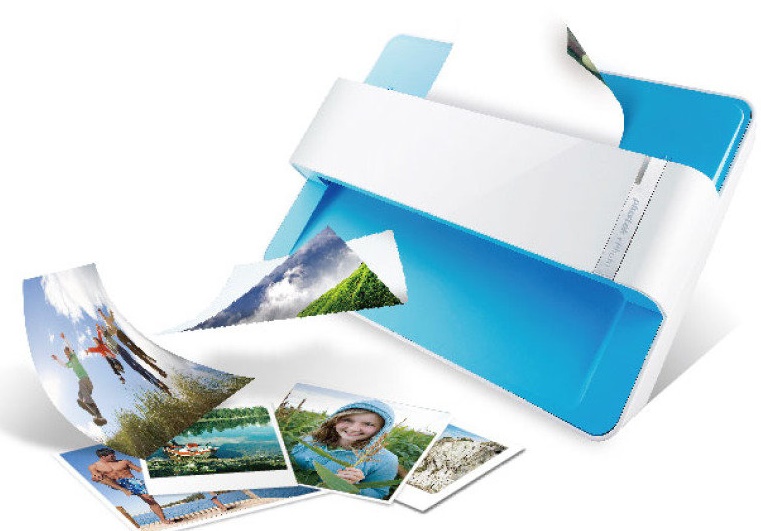
- Special roller system, gentle even on delicate potoes
Specifications
General Specifications
| Light Source | LED |
|---|---|
| Optical Resolution | 600 dpi x 600 dpi |
| Scan Modes | Color: Input 48-bit, Output 24-bit Grayscale: Input 16-bit, Output 8-bit |
| Scanning Speed(1) | 4" x 6" Photo: Approx. 2 sec. Document(A4): Approx. 5 sec. |
| Scanning Area (W x L) | Min.: 1" x 1" Max.: 8.5" x 11.7" |
| Acceptable Paper Weight (Thickness) | Non-embossed: 0.76 mm or less |
| Daily Duty Scan ( Sheets ) | 500 |
| Power Supply | 24 Vdc / 0.75 A |
| Interface | USB 2.0 |
| Net Weight | 1.48 Kg (3.26 Lbs) |
| Dimensions (W x D x H) | 289.9 mm x 160.6 mm x 158mm (11.4" x 6.3" x 6.2") |
| OS | Windows 7 / 8 / 10 Mac OS X 10.8.x/ 10.9.x/ 10.10.x/ 10.11.x |
| System Requirements |
Windows PC Mac |
| Bundled Software | Plustek ePhoto(2) NewSoft Presto! PageManager 9 Win/Mac(3) |
| Note |
|
Accessories
*** ALL TONERS AND SUPPLIES ARE IN STOCK AT DISCOUNTED PRICING , CALL +18882983095
Reviews


A Twain driver will usually give you a lot more control over the scan settings than a WIA driver and better results even with the default settings.
Work out the resolution you should scan your photos at by matching it to the resolution you will be printing in.
In order for your image to come out as sharp as possible, ensure the document is flat against the glass.
MY ACCOUNT
INFO & POLICIES
SHOP EASY
PAYMENT OPTIONS



