



 Shopping Cart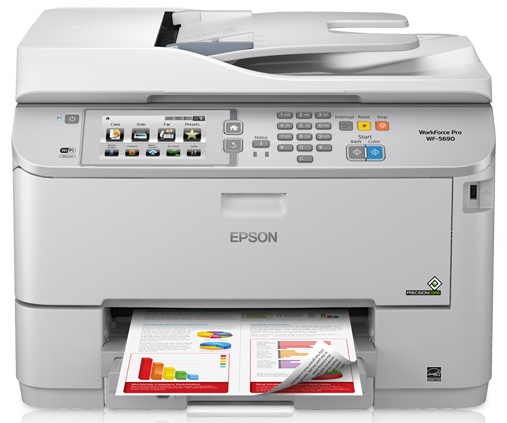



Product Details
Specifications
Accessories
Reviews
Product Details
Main Features
- 4 function device
- Color and black and white output
- Low cost per print
- Low maintenance costs
- Duplex prints, copies, scans and faxes
- Mobile printing
- Wireless ready
Specifications
General Specifications
| Pricing | |
|---|---|
| Part Number | C11CD14201 |
| Interfaces/Ports | |
| USB | Yes |
| Display & Graphics | |
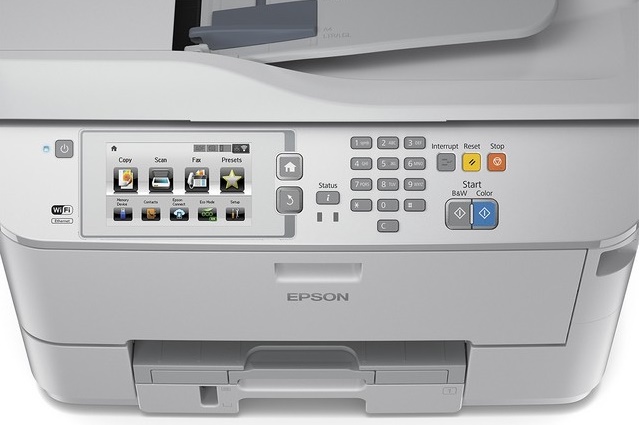
| Screen Size | 4.30 " |
| Touchscreen | Yes |
| General Information | |
| Manufacturer | Epson Corporation |
| UPC Code | 010343910980 |
| Manufacturer Part Number | C11CD14201 |
| Brand Name | Epson |
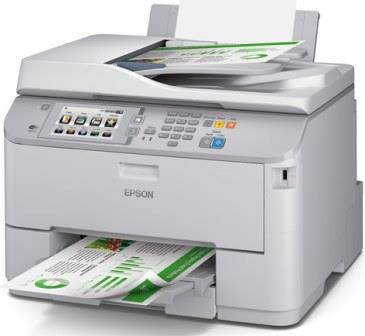
| Product Name | WorkForce Pro WF-5690 Network Multifunction Color Printer with PCL/Adobe PS |
| Marketing Information | A powerful multifunction printer that drives productivity for workgroups Get heavy-duty, low-cost printing with the WorkForce Pro WF-5690 multifunction printer. Powered by Epson's new PrecisionCoreTM printing technology, the WF-5690 delivers Performance Beyond LaserTM, producing professional-quality prints at fast speeds. Save on printing - up to 50 percent lower printing cost vs. color laser. Get reliable, low-maintenance, high-volume color printing with a 45,000-page monthly duty cycle, ultra high-yield cartridges and large paper capacity. Includes auto 2-sided printing, copying, scanning and faxing. Easy workgroup networking and administration with setup and security features for wired and wireless connections. Also includes PCL and PostScript® support and three-year limited warranty. |
| Product Model | WF-5690 |
| Product Type | Inkjet Multifunction Printer |
| Manufacturer Website Address | http://www.epson.com |
| Product Line | WorkForce Pro |
| Network & Communication | |
| Wireless LAN | Yes |
| Wireless LAN Standard | IEEE 802.11b/g/n |
| Ethernet Technology | Gigabit Ethernet |
| Ethernet | Yes |
| Physical Characteristics | |
| Height | 15.1" |
| Width | 18.1" |
| Depth | 25.8" |
| Weight (Approximate) | 504.0 oz |
| Form Factor | Desktop |
| Faxing | |
| Fax Color | Color |
| Fax Memory Capacity | 550 pages |
| Media Handling | |
| Media Size | Legal - 8.50" x 14", Letter - 8.50" x 11", A4 - 8.30" x 11.70", 8" x 10", 5" x 7", 4" x 6", Half-letter, A6 - 4.10" x 5.80", Executive - 10.50" x 7.25", Custom Size, 3.50" x 5", 8.50" x 47.20", Envelope No. 10 |
| Standard Input Media Capacity | 330 sheets |
| Number of Input Trays Supported | 3 |
| Number of Input/Multipurpose Trays Installed | 2 |
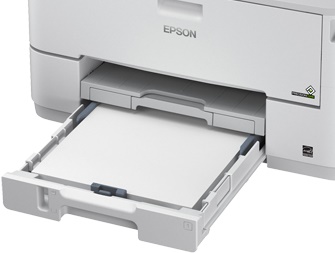
| Media Handling | 1 x Automatic Document Feeder 35 Sheet, 1 x Input Tray 250 Sheet, 1 x Input Tray 80 Sheet |
| Media Type | Plain Paper, Envelope, Special Media, Photo Paper, Bright White Paper, Presentation Paper, Matte Paper, Premium Paper, Glossy Photo Paper, Semi-gloss Photo Paper, Bond Paper, Air Mail Paper |
| Maximum Input Media Capacity | 580 sheets |
| Maximum Print Size | - 8.50" x 47.20" |
| Scanning | |
| Color Depth | 48-bit |
| Interpolated Resolution | 9600 x 9600 dpi |
| Scan Color | Color |
| Scanner Type | Flatbed |
| Optical Resolution | 2400 dpi |
| Hardware Resolution | 1200 x 2400 dpi |
| Power Description | |
| Off-Mode Power Consumption | 300 mW |
| Standby Power Consumption | 8.90 W |
| Operating Power Consumption | 22 W |
| Technical Information | |
| Platform Supported | Mac, PC |
| Maximum Print Resolution | 4800 x 1200 dpi |
| Number of Colors | 4 |
| Wireless Print Technology | Apple AirPrint, Epson iPrint, Wi-Fi Direct, Google Cloud Print |
| ISO Color Print Speed (ppm) | 20 |
| Color Cartridge Type | Individual Color Cartridge |
| Print Color | Color |
| Duplex Printing | Automatic |
| ISO Mono Print Speed (ppm) | 20 |
| Multifunction Devices | Copier/Fax/Printer/Scanner |
| Reliability | |
| Duty Cycle | 45000 pages per month |
| Fonts & Emulation | |
| Language Emulation | PCL 5, PCL 6, Epson ESC/P Raster, PostScript 3 |
| Copier | |
| Copier Type | Flatbed |
| ISO Mono Copy Speed (cpm) | 19 |
| Copy Color | Color |
| Number of Copies | 999 |
| ISO Color Copy Speed (cpm) | 19 |
 Download Manufacturer Specifications
Accessories

Reviews


Handle inkjet papers like photographic papers - hold them by the edges to avoid oil deposits and fingerprints.
After installing a printer, go to the Windows dialog box and check the settings, so you won't be surprised by what happens the first time you print.
Fed up of re-sorting your printouts? For those inkjets that don't have a reverse print feature in the driver, some programs offer printing in reverse order.
MY ACCOUNT
INFO & POLICIES
SHOP EASY
PAYMENT OPTIONS



