



 Shopping Cart
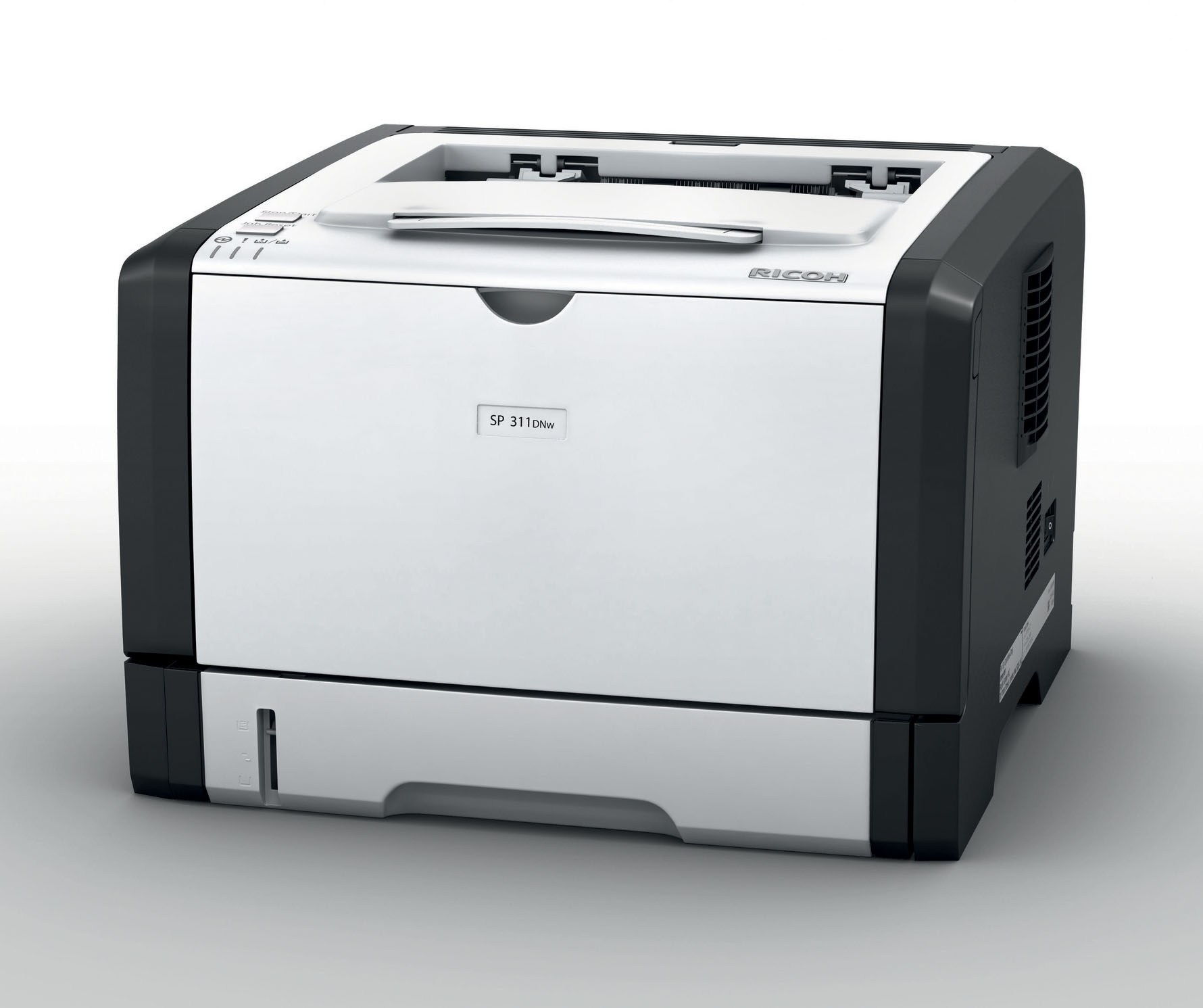
 Ricoh Aficio SP 311DNW Laser Multifunction Printer



Product Details
Specifications
Accessories
Reviews
Product Details
Main Features
• Simple, full-front operation and easy maintenance
• Built-in network card
• PCL support & WiFi
• Built-in network card
• PCL support & WiFi
• Short warm-up time and fast print speed
• Low running costs with energy-saving features
• Low running costs with energy-saving features
Specifications
Specifications
GENERAL |
||
| Warm-up time: | 26 seconds | |
| First output speed: | 8 seconds | |
| Continuous output speed: | 28 pages per minute | |
| Memory: | Standard: | 128 MB |
| Maximum: | 128 MB | |
| Dimensions (W x D x H): | 370 x 382 x 262 mm | |
| Weight: | 12.7 kg | |
| Power source: | 220 - 240 V, 50/60 Hz | |
| Duty cycle: | 20,000 prints per month | |
| Duplex: | Yes | |
COPIER |
||
| Copying process: | Laser beam scanning and electro-photographic printing | |
| Multiple copying: | Up to 99 copies | |
| Resolution: | 600 x 600 dpi | |
| Zoom: | From 25% to 400% in 1% steps | |
PRINTER |
||
| Printer language: | Standard: | PCL5e, PCL6 |
| Print resolution: | 600 x 600 dpi, 1,200 x 600 dpi | |
| Interface: | Standard: | USB 2.0, Ethernet 10 base-T/100 base-TX, Wireless LAN (IEEE 802.11b/g/n) |
| Network protocol: | TCP/IP, IPP | |
| Windows® environments: | Windows® XP, Windows® Vista, Windows® 7, Windows® Server 2003, Windows® Server 2008, Windows® Server 2012 | |
SCANNER |
||
| Scanning speed: | Full color: | Maximum 6 originals per minute |
| B/W: | Maximum 12 originals per minute | |
| Resolution: | 600 dpi | |
| Original size: | A4 | |
| Bundled drivers: | Network TWAIN | |
| Scan to: | E-mail, Folder, FTP | |
FAX |
||
| Circuit: | PSTN, PBX | |
| Compatibility: | ITU-T (CCITT) G3 | |
| Resolution: | 8 x 3.85 line/mm, 200 x 100 dpi | |
| 8 x 7.7 line/mm, 200 x 200 dpi | ||
| Transmission speed: | 3 second(s) | |
| Modem speed: | Maximum: | 33.6 Kbps |
| Scanning speed: | 5 second(s) | |
PAPER HANDLING |
||
| Recommended paper size: | A4, A5, A6, B5, B6 | |
| Paper input capacity: | Maximum: | 300 sheets |
| Paper output capacity: | Maximum: | 125 sheets |
| Paper weight: | Standard paper tray(s): | 52 - 162 g/m² |
| Bypass tray: | 52 - 162 g/m² | |
| Duplex: | 60 - 105 g/m² | |
ECOLOGY |
||
| Power consumption: | Maximum: | 890 W |
| Energy Saver timer: | 50 W | |
 Download Manufacturer Specifications
Accessories

Reviews


After installing a printer, go to the Windows dialog box and check the settings, so you won't be surprised by what happens the first time you print.
Misplaced your printer manual? You can usually find a replacement manual online at the manufacturer's website.
Your printer is not a dumping ground. Don't pile documents or other things on top of it, as they could cause damage. Your printer could overheat and this could result in malfunctioning and even a reduction in the printer's life.
MY ACCOUNT
INFO & POLICIES
SHOP EASY
PAYMENT OPTIONS



* Images are for illustration purposes only.