



 Shopping Cart
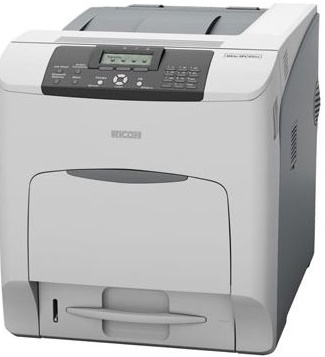
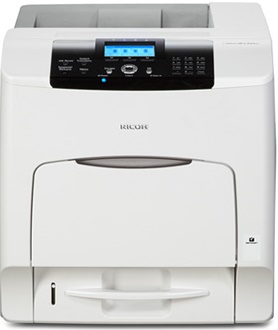
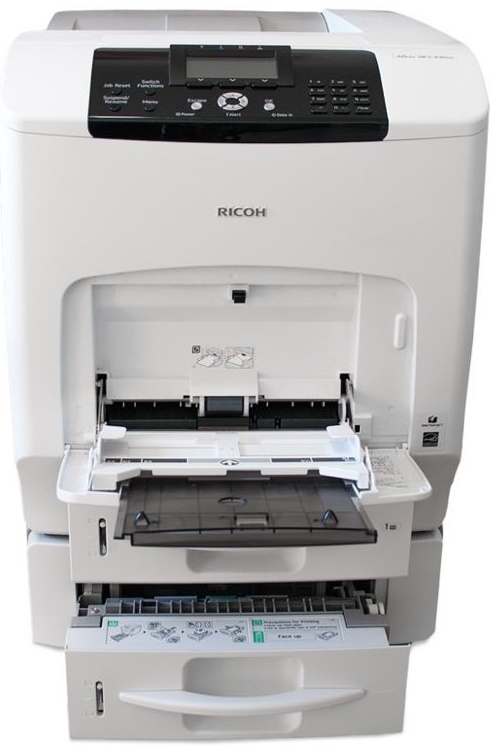
 Ricoh Aficio SP C430DN Color Laser Printer



Product Details
Specifications
Accessories
Reviews
Product Details
Main Features
- Color print outs
- Speed: 35 pages per minute
- Warm Up Time: 50 seconds
- Max Sheet Capacity: 2,300 sheets
- Media Size: Upto 8.5” x 14”
- Optional wireless
- Duplex
Specifications
General Specifications
GENERAL |
||
| Print speed | Full color | 35 prints per minute |
| B/W | 35 prints per minute | |
| Warm-up time | Less than 50 seconds | |
| First print speed | Full color | Less than 15 seconds |
| B/W | Less than 10 seconds | |
| Dimensions (W x D x H) | 444 x 658 x 490 mm | |
| Weight | 57 kg | |
| Power source | 220 - 240 V, 50 - 60 Hz | |
| Power consumption | Maximum | 1,510 W |
| Energy saver mode | Less than 6 W | |
| Duty cycle | 150,000 pages per month | |
CONTROLLER |
||
| Processor | 600MHz | |
| Printer language | Standard | PCL5c, PCL6, PostScript 3, PDF, XPS |
| Option | PictBridge | |
| Resolution | 600 dpi (1-bit)/600 dpi (2-bit)/1,200 dpi | |
| Memory | Standard | 384 MB |
| Maximum | 768 MB | |
| Hard Disk Drive | 80 GB (standard for SP C431DN) | |
| Drivers | PCL5c/PCL6 | Windows® 2000/XP/Vista/Server 2003/2003R2/Server 2008 |
| PostScript 3 | Windows® 2000/XP/Vista/Server 2003/2003R2/Server 2008, Macintosh 8.6 – 9.2.x (OS X Classic), Macintosh X v10.1/10.2/10.3 or later (native mode), UNIX | |
| Fonts | PCL | 45 fonts + 13 fonts (International Fonts) |
| PostScript 3 | 136 fonts | |
CONNECTIVITY |
||
| Network protocol | TCP/IP (IPv4, IPv6), AppleTalk, IPX/SPX | |
| Supported environments | Windows® 2000/XP/Vista/Server 2003/2008 (32 bit, 64 bit) | |
| Novell® NetWare® 6.5 or later | ||
| Macintosh 8.6 or later | ||
| Interface | Standard | Ethernet 10 base-T/100 base-TX |
| USB 2.0 (Type A and amp; B) | ||
| Option | Bi-directional IEEE 1284 | |
| Wireless LAN (IEEE 802.11a/b/g) | ||
| Gigabit Ethernet | ||
| Additional feature | PDF Direct Print | |
PAPER HANDLING |
||
| Paper input capacity | Standard | 1 x 550-sheet paper tray |
| 100-sheet bypass tray | ||
| Maximum | 2,300 sheets | |
| Paper output capacity | Standard | 500 sheets |
| Paper size | Paper trays | A6 - A4 |
| Bypass tray | A6 - A4 | |
| Paper weight | Paper trays | 52-220 g/m² |
| Bypass tray | 52-256 g/m² | |
| Duplex tray | 60-163 g/m² | |
| Media | Plain paper, recycled paper, middle thick paper, thick paper, thin paper, transparencies, letterheads, labels, coated paper, waterproof paper, pre-printed paper, envelopes | |
CONSUMABLES |
||
| Toner |
Black | 21,000 sheets |
| C, M, Y | 24,000 sheets | |
OTHER OPTIONS |
||
| Internal options | Wireless LAN (IEEE 802.11a/b/g) | |
| Camera Direct Print Card | ||
| HDD Encryption | ||
| Data Overwrite Security Unit | ||
| Bi-directional IEEE 1284 | ||
| Gigabit Ethernet | ||
| NetWare | ||
| HDD3 | ||
| 256 MB Memory3 | ||
| 512 MB Memory3 | ||
| VM Card3 | ||
| External options | 550-sheet paper tray (max. 3) | |
| Caster table | ||
| Low cabinet | ||
| High cabinet | ||
 Download Manufacturer Specifications
Accessories

Reviews


If you are printing on photo paper, make sure you have set the printer to this setting and have not left it on the regular printer setting.
Is your printer feeding in the whole paper stack rather than just one piece at a time? Fan the paper before putting it in the tray to help separate the sheets. Also, store your paper in a cool, dry place as humidity can contribute to this problem.
If your print settings are too dark, it could be detrimental to the life of the cartridge in the long run. It’s important that the density control of the machine be properly set to prevent the machine from pulling too much toner into itself.
MY ACCOUNT
INFO & POLICIES
SHOP EASY
PAYMENT OPTIONS



* Images are for illustration purposes only.