



 Shopping Cart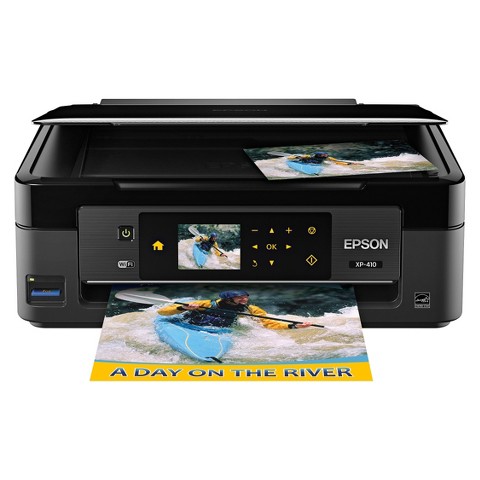



Product Details
Specifications
Accessories
Reviews
Product Details
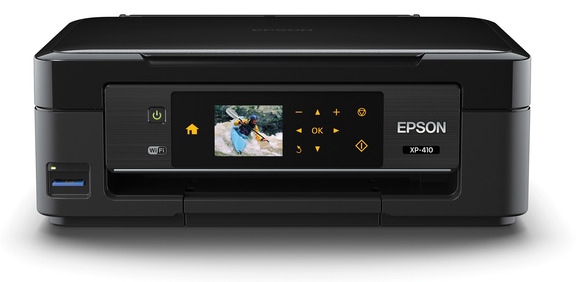
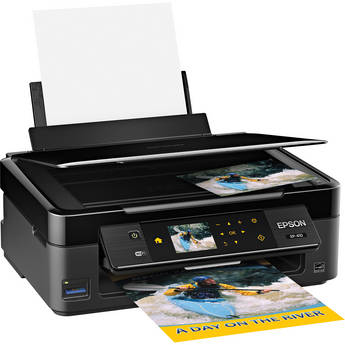
Main Features
- Energy Star Certified
- Mobile Device Printing
- Display Screen of 2.5 inches
- Wireless Networking
- Automatic Document Feeder Capacity of 100 sheets
- Internal Memory
- Print Speed of up to 8.7 pages per minute
- Double-Sided Printing
- Tray Capacity of up to 100 Sheets
Specifications
Printing Technology: 4-color (CMYK) drop-on-demand MicroPiezo® inkjet technology
Minimum Ink Droplet Size: 3 picoliters
Maximum Print Resolution: 5760 x 1440 optimized dpi
ISO Print Speed:
- Black: 8.7 ISO ppm
- Color: 4.5 ISO ppm
Copy
Copy Quality:
- Color
- Black / White
- Draft
- Normal
Copy Quantity: 1 – 99 (PC-free)
Maximum Copy Size: 8.5" x 11"
Scan
Scanner Type: Color flatbed
Photoelectric Device: Color CIS line sensor
Optical Resolution: 1200 dpi
Hardware Resolution: 2400 dpi
Maximum Resolution: 10,200 x 14,040 dpi interpolated
Scanner Bit Depth: 48-bit color / 24-bit output
Paper Handling
PC-Free Paper Support:
- Plain (Letter)
- Photo (letter, 4" x 6", 5" x 7", letter, A4)
Paper Sizes: 4" x 6", 5" x 7", 8" x 10", 8.5" x 11", 8.5" x 14", A4, half letter, user definable, 16:9 wide
Maximum Paper Size: 8.5" x 44"
Borderless Sizes: Photo: 4" x 6", 5" x 7", 8" x 10", Letter, A4, 16:9 wide
Paper Types:
- Plain paper
- Epson® Bright White Paper
- Presentation Paper Matte
- Premium Presentation Paper Matte
- Premium Presentation Paper Matte Double-sided
- Ultra Premium Presentation Paper Matte
- Brochure & Flyer Paper Matte Double-sided
- Photo Paper Glossy
- Premium Photo Paper Glossy
- Premium Photo Paper Semi-gloss
- Ultra Premium Photo Paper Glossy
- Iron-on Cool Peel Transfer Paper
- Photo Quality Self-adhesive Sheets
Envelope Types: No. 10
Input Paper Capacity: 100 sheets plain paper
Ink
Ink Type: DURABrite Ultra pigment ink (smudge, fade, and water resistant)
Ink Palette: Cyan, Magenta, Yellow and Black
Ink Cartridge Configuration: 4 individual ink cartridges
Fade Resistance / Print Longevity: Up to 118 years
Replacement Ink Cartridges:
- Standard-capacity Black (T200120)
- Standard-capacity Cyan (T200220)
- Standard-capacity Magenta (T200320)
- Standard-capacity Yellow (T200420)
- Standard-capacity Multi-pack color (T200520)
- High-Capacity Black (T200XL120)
- High-Capacity Cyan (T200XL220)
- High-Capacity Magenta (T200XL320)
- High-Capacity Yellow (T200XL420)
Accessories
*** ALL TONERS AND SUPPLIES ARE IN STOCK AT DISCOUNTED PRICING , CALL +18882983095
Reviews


Is your printer feeding in the whole paper stack rather than just one piece at a time? Fan the paper before putting it in the tray to help separate the sheets. Also, store your paper in a cool, dry place as humidity can contribute to this problem.
Using heavy or stiff paper? Feed the paper one sheet at a time or try placing a sheet of plain copier or bond paper behind a heavy sheet.
Your ink is not going onto the paper properly or you notice uneven coverage? Try aligning the print heads before you bring out the big guns.
MY ACCOUNT
INFO & POLICIES
SHOP EASY
PAYMENT OPTIONS



