



 Shopping Cart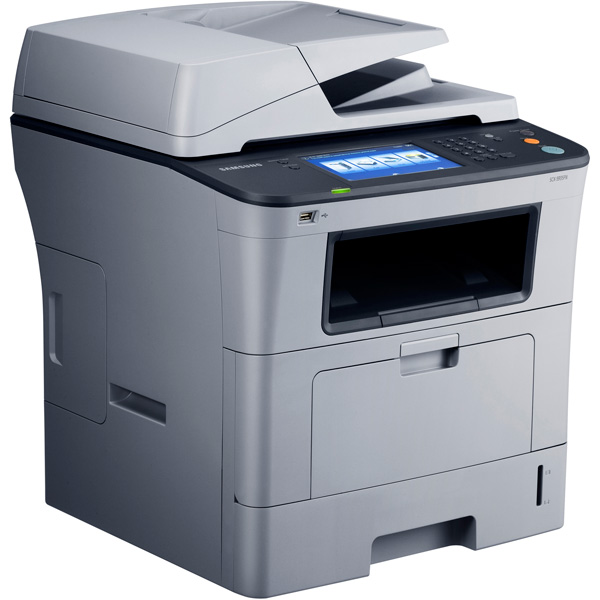



*** ALL TONERS AND SUPPLIES ARE IN STOCK AT DISCOUNTED PRICING , CALL +18882983095..
Printers do not include supplies - toners , drums (Imaging Units) (where applicable) , printer cables , manuals , consumables , trays (where applicable). Power cables are included. Drivers can be downloaded at www.hp.com. Please verify that drivers available are compatible with your software on HP’s site.
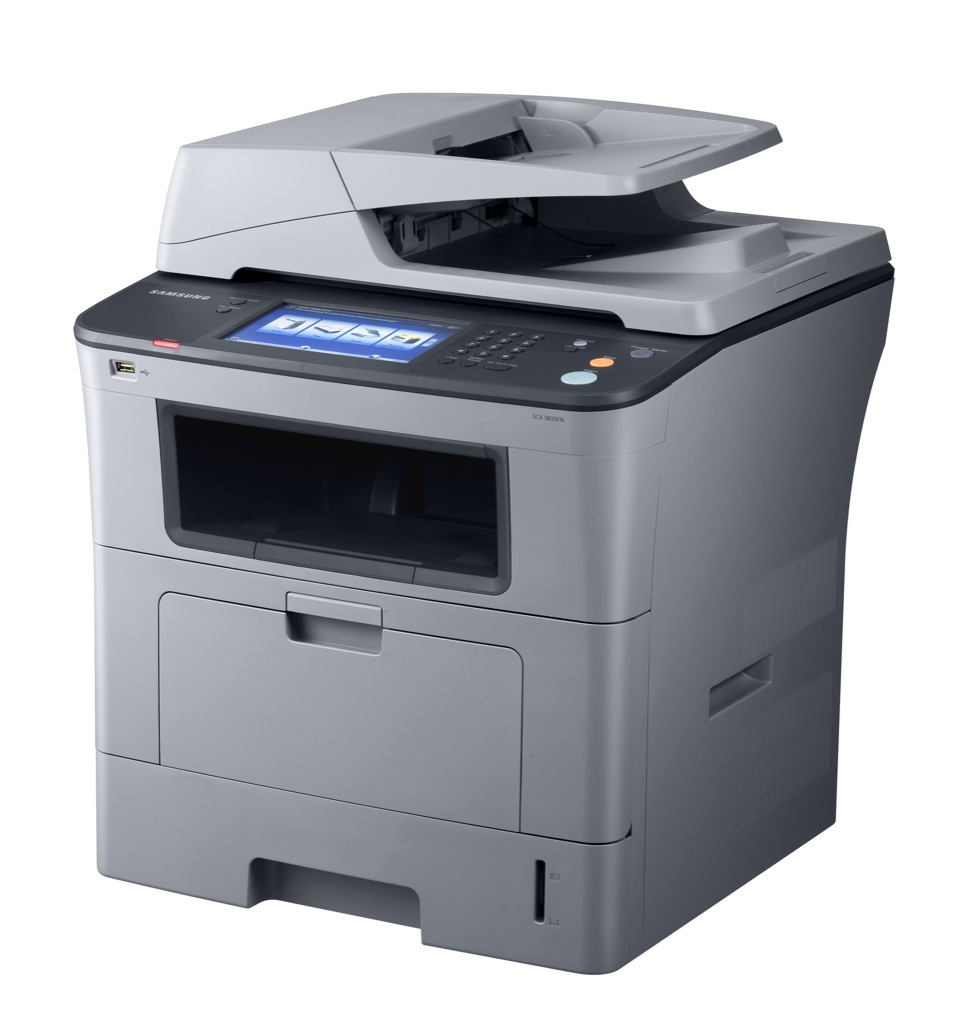
Images are for illustration purposes only and do not necessarily reflect the actual product.Product Details
Specifications
Accessories
Reviews
Product Details
Main Features
- One-touch Control - Simplify tasks with a 7-inch color LCD touch screen that does away with unattractive physical buttons and adds to surrounding decor. Information is displayed clearly and concisely, with most menu options accessible directly from the LCD. Intuitive navigation minimizes operation time. Every second saved counts towards increasing productivity.
- Streamlined Interface - Breeze through the many functions with a simple - to-use interface. General help can be obtained through the handy "User Tips" feature. To further reduce guesswork, you can also instantly pull up a display of the complete menu flow and organization.
- The Beauty of Convenience - Change the way you look at printers, and how you work, with the outstanding features of the SCX-5935FN. A Direct USB port turns it into a self-functioning PC to save time and effort, letting you print and scan directly with a USB device. The SCX-5935FN is a veritable scanner, with an innovative white LED scanner that scans documents faster and in a higher quality compared to other conventional models.
- Highest Maximum Monthly Duty - With an average of 2,500 to 5,000 prints a month, know you stand to get the most out of your multifunction printer. Even in the most demanding and challenging business environments, the SCX-5935FN leads in productivity? Capable of delivering a maximum of 80,000 sheets.
- Samsung MobilePrint Application - Samsung MobilePrint is a free application which enables you to print photos, documents and web pages directly from your Android smartphone and tablet. The application also enables scanning documents to your mobile device directly.
- Worry-free Operations - The multi-talented SCX-5935FN will change the way you work. You get high performance that will boost productivity and streamline workflow. Intuitive troubleshooting solutions and simplicity help reduce maintenance time so you can spend more time on the job and not fixing paper jams.
- Enhanced For Greater Support - The SCX-5935FN is not your average printer. Equipped with a built-in 80 GB HDD, it boasts nearly twice the capacity of the nearest competitor. Right out of the box, you get a suite of bigger capabilities! Plus support for a wider range of applications, to meet the needs of highly sensitive business environments. Secure printing being one feature that maintains strict confidentiality.
- Low Cost Per Print - More economical to operate than other models in the market, the SCX-5935FN adds more value to your set-up. Think of the compounded savings you stand to make, with each printout costing you less than ever. The assurance of reliability also minimizes cost-wastage typically incurred with paper jams and other malfunctions.
- High Volume Paper Handling - Depending on your needs, the SCX-5935FN can be fitted with multiple trays with different paper types and sizes to hold up to 1,050 sheets at a time. Print in bulk without the need to constantly replenish the paper supply? Especially with the capability to print on both sides of a sheet at the touch of a button.
- Expandable RAM - Boost the printer’s performance with up to 512 MB memory to tackle all those image-heavy documents. Every printout is delivered quickly and smoothly without any bottlenecks to disrupt workflow.
- Enhanced Emulation - Built-in emulation technology ensures utmost compatibility with any computer or software, so the multifunction printer can process every document fast and easy. No matter the job or requirement, from basic prints to professional-looking documents, you’re guaranteed the printout and quality you need.
- Workgroup Solutions - Enjoy the flexibility to do more with the SCX-5935FN. A multifunction whiz, it accepts information through scanning, email, fax or folders. The data can then be manipulated through full OCR processing, metadata, 3rd party applications or user-customized software. Share the finalized information via fax, print, email, FTP and applications like MS SharePoint, or send it to a PC folder through the workgroup LAN.
- Minimal Noise Interference -The SCX-5935FN helps create a better, more peaceful working environment by printing at a silent 52 dB (quieter than a competing model in the same class) so your mind stays on the job. Less stress, more productivity? Simply the best balance for your business.
Specifications
| Overview | |
| Function | Print, scan, copy, fax |
| Speed (Mono) | Up to 33 ppm in A4 (35 ppm in letter) |
| First Print Out Time | Less than 8.5 s (from Ready mode) |
| Resolution | Up to 1200 x 1200 dpi effective output |
| Duplex | Built-in |
| Emulation | PCL5e, PCL6, PS3, PDF 1.4, TIFF |
| Copy | |
| First Copy Out Time | Platen: less than 9.5 s (from Ready mode) DADF: less than 11.5 s (from Ready mode) |
| Multi Copy | 1 ~ 999 pages |
| Zoom Rate | 25 ~ 400% (platen) 25 ~ 200% (ADF) |
| Duplex Copy | Built-in |
| Copy Features | ID copy, 2-up, 4-up, poster copy, clone copy, collation copy, auto-fit, book copy, margin shift, covers, transparencies, booklet, erase edge, book centre erase, page numbering, time & date stamp, ID stamp, erase background |
| Scan | |
| Compatibility | TWAIN standard, WIA standard |
| Method | Color CCD |
| Resolution (Optical) | Up to 600 x 600 dpi |
| Resolution (Enhanced) | Up to 4800 x 4800 dpi |
| Scan To | PC, email, USB memory, FTP, SMB |
| Fax | |
| Compatibility | ITU-T G3 |
| Modem Speed | 33.6 Kbps |
| Resolution | Standard: 203 x 98 dpi Fine / photo: 203 x 196 dpi Super fine: 300 x 300 dpi Color: up to 200 x 200 dpi |
| Memory | HDD backup (receive: approx. 2000 pages, send: approx. 500 pages) |
| Auto Dial | Speed dial: 200 locations |
| Fax Feature | On hook dial, auto redial, last number redial, auto reduction, multi-send, delayed send, fax forwarding (email / fax), broadcasting up to 209 locations |
| Paper Handling | |
| Input Capacity and Types | 500-sheet cassette tray, 50-sheet multi-purpose tray |
| Output Capacity and Types | 250-sheet face down |
| Media Size | 76.2 x 127 mm (3" x 5") ~ 216 x 356 mm (8.5" x 14") |
| Media Type | Blain, thin, thick, recycled, cotton, transparency, label, cardstock, bond, envelope, archive, pre-printed, colored |
| Capacity | 50-sheet |
| ADF Dcoument Size | Width: 142 ~ 216 mm (5.6" ~ 8.5") Length: 148 ~ 356 mm (5.8" ~ 14") |
| General Features | |
| LCD | 7" WVGA (800 x 480) color touch screen |
| Memory/Storage | 256 MB (max. 512 MB) / 80 GB HDD |
| OS Compatibility | Windows 2000 / 2003 / 2008 Server / XP / Vista, various Linux OS, Mac OS X 10.3 ~ 10.5, Windows Terminal Services, Citrix Presentation Server (NOT Ready Logo, only Compatibility), SAP (NOT Ready Logo, only Compatibility), Windows Terminal Services |
| Interface | Hi-Speed USB 2.0, Ethernet 10 / 100 BaseTX |
| Noise Level | Less than 52 dBA (printing) Less than 54 dBA (copying) Less than 39 dBA (standby) |
| Duty Cycle, Monthly | 80000 pages |
| Dimension (WxDxH) | 465 x 500 x 547 mm |
| Weight | 23.1 kg |
| Consumables | |
| Yield | Standard: average cartridge yield 4000 standard pages High yield: average cartridge yield 10000 standard pages (Ships with 4000 pages Starter Toner Cartridge) |
| Type | Single cartridge |
| Model Code | MLT-D206S, MLT-D206L |
Accessories

Reviews



Preview and proofread your documents on the screen before sending them to print. This will save you a lot of paper and re-printing.
If you are not getting the results you expect, don't give up on your printer until you manually set the driver for the paper that you are using.
Paper jam? The best way to remove jammed paper is to gently pull the paper in the direction of the paper path - with power off, of course. Do not pull the paper backwards - you could damage your printer forever by doing so.
MY ACCOUNT
INFO & POLICIES
SHOP EASY
PAYMENT OPTIONS



