



 Shopping Cart
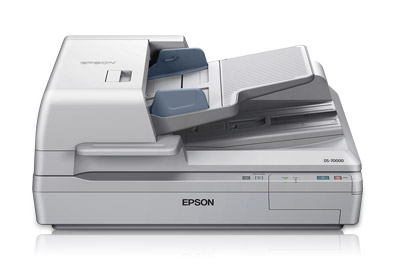
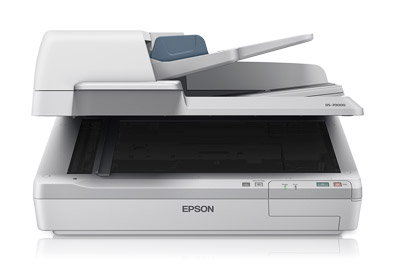
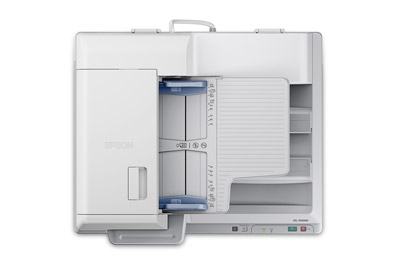
 Epson Workforce DS-70000 Color Document Scanner



Product Details
Specifications
Accessories
Reviews
Product Details
Main Features
- Scans two sided documents in one scan
- Media Size: From 297 x 2540mm down to 68 x 119mm via the Automatic Document Feeder (ADF) or 297mm x 431mm on the scanner bed
- Resolution: Upto 600 dpi
- Crisp, sharp text
- Speed: 70 ppm
- 200 Automatic Document Feeder
- Automatic Duplex Scannning
- Ultrasonic double-feed detector – automatically stops the scanning process if two pages are stuck together
- Optional networking module and included Document Capture Pro software to scan to any PC on the local network
- Scan directly to popular cloud services
- Save scans as PDF files
- Simple setup
Specifications
General Specifications
| Scan Specifications | |
| Scanner Type | Flatbed color image scanner |
| Optical Sensor | 600 dpi color CCD 4 line sensor (RGB & Black) |
| Optical Resolution | 600 dpi |
| Color Bit Depth | 16-bit per pixel internal / 8-bit external |
| Maximum Scan Area | Flatbed 11.7" x 17", ADF 11.7" x 100" |
| Light Source | ReadyScan® LED |
| Scanning Speed | 200 dpi
|
|
Automatic Document Feeder |
|
| Type | Sheet fed 1-pass duplex scanning; Hinge: Free stop, 15 mm max lift Paper Supply: Face up load, face down eject |
| Capacity | 200 pages (75 g/m2) |
| Document Sizes | A4, Letter, Legal, B5, A5; Max. Size: 11.7" x 100" (ADF), 11.7" x 17" flatbed; Min. Size: 2.7" x 4.7"" (ADF) |
| Paper Weight | 35 g/m2 — 128 g/m2 less than 4" x 6": 60 g/m2 – 190 g/m2 |
|
Features |
|
| Software |
|
|
Connectivity |
|
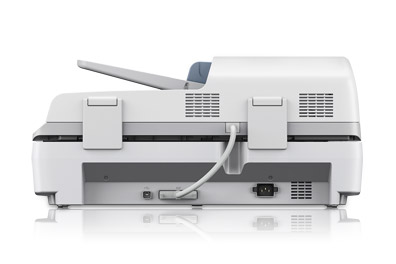
| Scanner Interface | Hi-Speed 2.0 |
| Operating Systems |
|
|
General |
|
| Reliability |
|
| Operating Temperature | 41° to 95° F (5° to 35° C) |
| Operating Humidity | Operating
|
| Rated Voltage | AC 100V – 120V or 220V – 240V |
| Frequency | 50 – 60 Hz |
| Power Consumption |
|
| Dimensions | 25.2" x 18.5" x 11.3" (W x D x H) |
| Weight | 59.2 lb |
 Download Manufacturer Specifications
Accessories

Reviews


Make sure the scanning glass is clean and has no dust on it before you start scanning.
Most MFPs are designed for scanning documents and so are best to avoid if you're looking for photo scanning. The few exceptions can be recognized if they feature scanning options that are clearly meant for photos, such as a color restore feature.
Handheld scanners require the user to manually scan the image by dragging the unit over the original document.
MY ACCOUNT
INFO & POLICIES
SHOP EASY
PAYMENT OPTIONS



* Images are for illustration purposes only.