



 Shopping Cart
 Epson Workforce DS-7500 Color Document Scanner
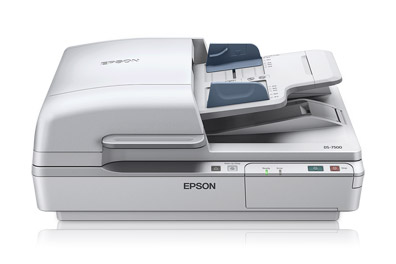


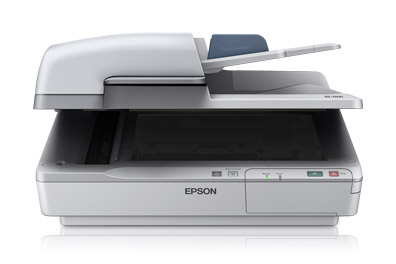
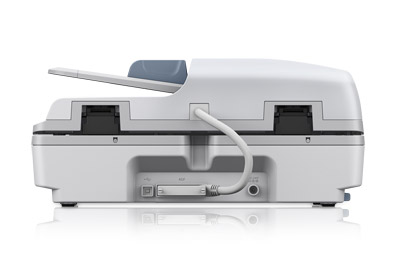
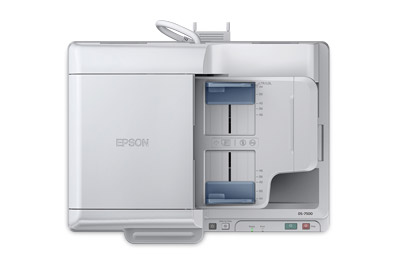

Images are for illustration purposes only and do not necessarily reflect the actual product.
Product Details
Specifications
Accessories
Reviews
Product Details
Main Features
- Scan two sided in a single scan
- Media size: 4" x 6" and up to 8.5" x 40" via the automatic document feeder or 8.5" x 11.7" via the flatbed scanner bed
- 4 line CCD
- Vivid color, crisp, sharp text
- Speed: 40 ppm
- 100 sheet automatic document feeder
- Auto duplex scanning
- Double feed detector
- Optional networking module
- Scan to SharePoint®, Evernote®, Google Docs and more
- Save scanned documents as PDF, PDF-A or jpeg files, and more
- Software: Includes Epson® Scan, Document Capture Pro and ABBYY® FineReader® Sprint OCR
- One-touch scanning
Specifications
General Specifications
| Scan Specifications | |
| Scanner Type | Flatbed color image scanner with ADF |
| Optical Sensor | 1200 dpi 4 line color line sensor (RGB & Black) |
| Optical Resolution |
|
| Hardware Resolution |
|
| Color Bit Depth | 48-bits per pixel internal / 24-bit external |
| Grayscale Bit Depth | 16-bits per pixel internal / 8-bit external |
| Maximum Scan Area |
|
| Light Source | Ready Scan LED |
| Scanning Speed1 | 200 dpi
|
|
Automatic Document Feeder |
|
| Type | Sheet fed 1-pass , duplex scanning |
| Capacity | 100 pages (80 g/m2) |
| Document Sizes |
|
| Paper Weight | Thickness 50 – 128 g/m2 |
|
Features |
|
| Software |
|
|
Connectivity |
|
| Scanner Interface |
|
| Operating Systems |
|
|
General |
|
| Reliability |
|
| Operating Temperature | 41° to 95° F (5° to 35° C) |
| Operating Humidity | Operating
|
| Rated Voltage | AC 100 – 120V or 220 – 240V |
| Frequency | 50 – 60 Hz |
| Power Consumption |
|
| Dimensions | 19.4" x 14.1" x 8.5" (W x D x H) |
| Weight | 22.5 lb |
| Notes | 1 Scan speed based on letter-size paper; 300 dpi from when page scan begins. 2 With Document Capture Pro installed on the connected PC (Windows only). |
Accessories

Reviews


If you get a ‘Scanner Access failed’ or a ‘Scanner not found’ message on your scanner, check that the SCSI cable is well connected from the card to the scanner.
A Twain driver will usually give you a lot more control over the scan settings than a WIA driver and better results even with the default settings.
Almost anything that speeds up scanning photos (other than buying a faster scanner) lowers the scan quality, so decide the level of quality you want, and then accept the amount of work that comes with it.
MY ACCOUNT
INFO & POLICIES
SHOP EASY
PAYMENT OPTIONS



* Images are for illustration purposes only.