



 Shopping Cart
 HP 4 Plus Laserjet Printer RECONDITIONED
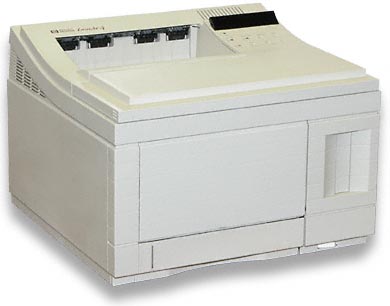


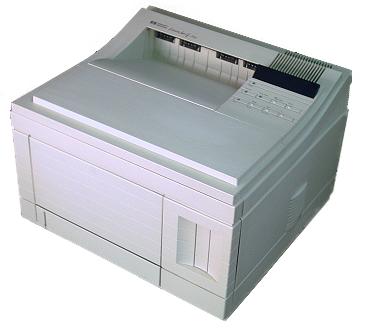

Images are for illustration purposes only and do not necessarily reflect the actual product.
Product Details
Specifications
Accessories
Reviews
Product Details
Main Features:
- Speed 12 ppm
- Resolution 600 x 600 dpi
- Memory (Std./Max.) 2 MB / 66MB
- Monthly Duty Cycle 20,000 pages
- Expansion Slots four
- Max. paper size (W x L) 8.5" x 14"
- Max. print area (W x L) 8" x 13.5"
- Input capacity Dual Input: Comes with 250 Sheet Cassette (Letter Size) and 100 Sheet Multi-Purpose Cassette. (Optional Feeders Available)
- Max. paper capacity 850 sheets with optional 500 sheet adjustable drawer
- Output tray capacity 250 sheets
- Envelope feed capacity 10 standard, 75 envelope feeder optional
- Manual Feed slot yes
- Typefaces 45 scalable fonts (10 TrueType and 35 Intellifont)
- Auto interface switching yes
- Resolution enhancement yes
- Energy star compliant yes
- Dimensions (HxWxD) 11.7" x 16.4" x 15.9"
- Weight 37 lb.
- Power requirements 100-240 V, 1.25 A
- Toner toner cartridge part no 92298A
All our reconditioned printers are clean, tested and working.
Specifications
General Specifications
| Manufacturer | HP |
|---|---|
| Manufacturers model no | HP LaserJet 4Plus |
| Manufacturers part no. | C2037A |
| PrinterTechs part no. | LJ4Plus-R |
| Black & White or Color | Black and White |
| Printer Class | Medium to heavy duty, workgroup printer |
| Printer Resolution | 600 |
| Speed | 12 ppm |
| Paper Trays | 1 250-sheet paper tray, 1 100-sheet manual feed tray |
| Memory | 2 MB standard / 34 MB max |
| Duplexer (2-sided printing) | No Duplexer |
| Built-in Networking | No |
| 11x17 Capable Printer | No 11x17 |
| EIO / MIO slots | 1 MIO slot |
| Dimensions | 11.7" x 16.3" x 15.8" |
| Toner Part No. | 92298A, or 92298X (toner sold separately, not included with purchase) |
Accessories

Reviews


Pages per minute (ppm) is the average print speed for black and white pages only. Actual speed may be different based on the amount of graphics on each page.
Save memory on your PC by choosing the Custom option when you install your printer, and picking just the software you want to install.
Most printers have a built-in diagnostics program which can be very useful for troubleshooting problems and test-printing without a computer. They are usually initiated by pressing a button or two while turning on the printer.
MY ACCOUNT
INFO & POLICIES
SHOP EASY
PAYMENT OPTIONS



* Images are for illustration purposes only.