



 Shopping Cart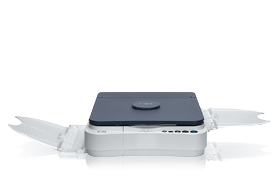

*** ALL TONERS AND SUPPLIES ARE IN STOCK AT DISCOUNTED PRICING , CALL +18882983095..
Printers do not include supplies - toners , drums (Imaging Units) (where applicable) , printer cables , manuals , consumables , trays (where applicable). Power cables are included. Drivers can be downloaded at www.hp.com. Please verify that drivers available are compatible with your software on HP’s site.
Product Details
Specifications
Accessories
Reviews
Product Details
Main Features
- Compact desktop copying
- Single Cartridge System
- Up to letter-size copying
- 4 copies-per-minute
- 50-sheet paper tray
- Auto shut-off saves energy
- Instant warm-up/no waiting
- Automatic exposure
Specifications
General Specifications
Coper Specification
Type
Mono Copy Speed Up To
Warm Up Time
First Copy Time
Paper Feeding
4.1 x 5.9 - 8.5 x 11
Paper Weight
Copy Features
auto shut-off;carrying handle
General Specifications
Noise
Power Source
Power Consumption Approx
Weight
 Download Manufacturer Specifications
Accessories

Reviews


Is your copy image too light? Manually adjust the copy density to a darker setting.
The best way to store paper for copying is in its wrapper. This will prevent it absorbing moisture from the air which would make it damp.
Copiers can take up a large amount of office space. Make sure you measure the room you intend to use the copier in and check it will fit properly.
MY ACCOUNT
INFO & POLICIES
SHOP EASY
PAYMENT OPTIONS



