HP P1005 LaserJet Printer RECONDITIONED
*** ALL TONERS AND SUPPLIES ARE IN STOCK AT DISCOUNTED PRICING , CALL +18882983095.
All reconditioned printers do not include supplies - toners , drums (Imaging Units) (where applicable) , printer cables , manuals , consumables, trays (where applicable). Power cables are included. Drivers can be downloaded
from the manufacturers website. Please verify that drivers available are compatible with your software on the manufacturers site.
Product Details
Specifications
Accessories
Reviews
Product Details
Main Features
- Black & White
- 15 PPM
- 400 x 600 DPI
- 100-sheet output bin
- One-door access to the easy-to-install print cartridge
- Ultra-compact design fits almost anywhere
- Power button
- 150-sheet adjustable main tray for standard paper
- Hi-Speed USB 2.0 port
- 2 MB of memory and a 266 MHz processor
Specifications
General Specifications
| General |
|
| Printer Type |
Workgroup printer - laser - monochrome |
|
Printer
|
|
| Print Speed |
Up to 15 ppm - B/W |
| Connectivity Technology |
Wired |
| Interface |
USB |
| Max Resolution (B+W) |
1200 dpi |
| Image Enhancement Technology |
HP FastRes 1200 |
| First Print Out Time B/W |
8.5 sec |
|
Processor
|
|
| Processor |
266 MHz |
|
Ram
|
|
| Ram Installed (max) |
2 MB |
|
Media Handling
|
|
| Media Type |
Transparencies |
| Min Media Size (Custom) |
3 in x 5 in |
| Max Media Size (Custom) |
8.5 in x 14 in |
| Media Sizes |
Legal (8.5 in x 14 in) |
| Total Media Capacity |
150 sheets |
| Output Trays Capacity |
100 sheets |
|
Duty Cycle
|
|
| Monthly Duty Cycle (Max) |
5000 pages |
|
Miscellaneous
|
|
| Microsoft Certifications |
Certified for Windows Vista |
|
Power
|
|
| Frequency Required |
60 Hz |
| Power Consumption Operational |
315 Watt |
| Power Consumption Stand by / Sleep |
3 Watt |
|
Software/System Requirements |
|
| Software Included |
Drivers & Utilities |
| OS Required |
Microsoft Windows Server 2003 |
|
Environmental Standards
|
|
| ENERGY STAR |
Yes |
|
Environmental Parameters
|
|
| Min Operating Temperature |
50 °F |
| Max Operating Temperature |
90.5 °F |
| Humidity Range Operating |
10 - 80% |
|
Dimensions & Weight
|
|
| Width |
13.7 in |
| Depth |
8.8 in |
| Height |
7.6 in |
| Weight |
10.4 lbs |
Accessories
Reviews
Your printer is not a dumping ground. Don't pile documents or other things on top of it, as they could cause damage. Your printer could overheat and this could result in malfunctioning and even a reduction in the printer's life.
Set your printer for the proper paper type and weight. Fine art papers are heavier than ordinary inkjet or bond papers so set the printer to thicker paper settings.
Paper jam? The best way to remove jammed paper is to gently pull the paper in the direction of the paper path - with power off, of course. Do not pull the paper backwards - you could damage your printer forever by doing so.
PAYMENT OPTIONS


* Images are for illustration purposes only.




 Shopping Cart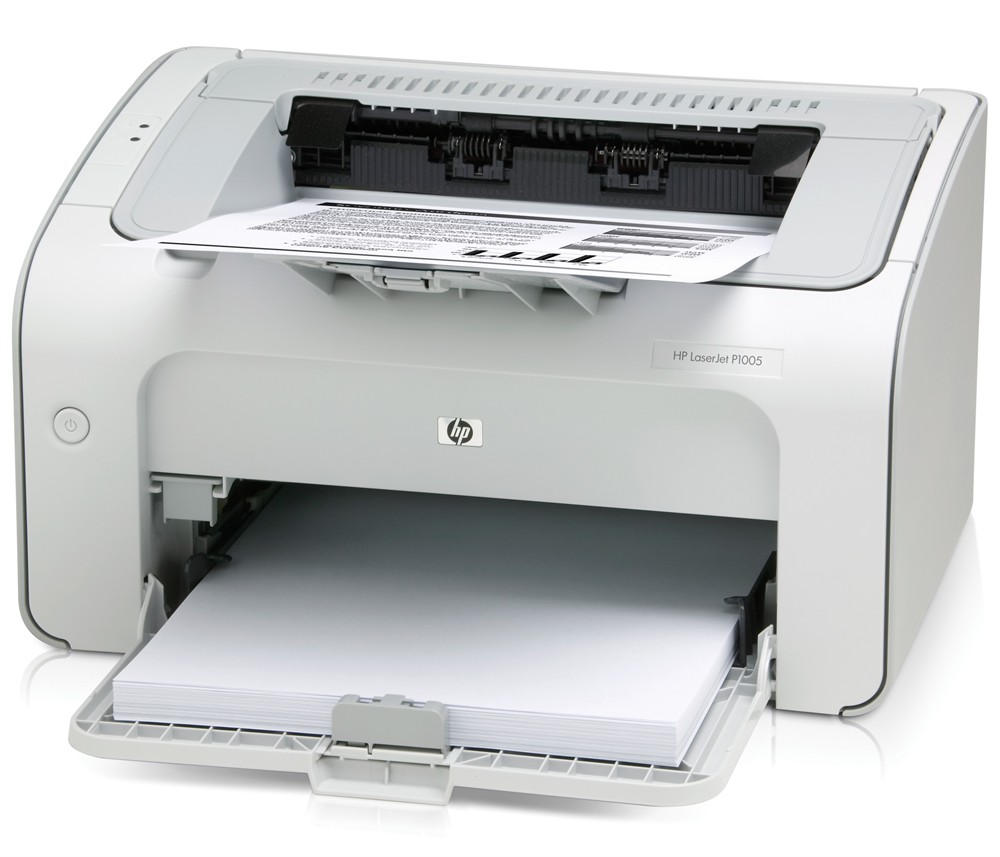

 Download Manufacturer Specifications


