



 Shopping Cart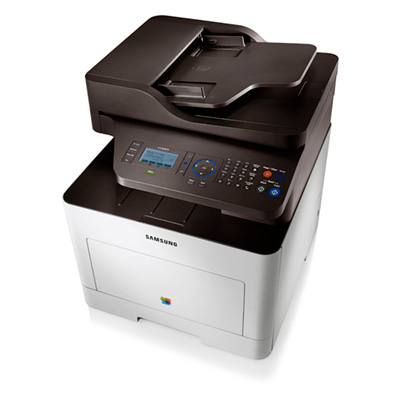


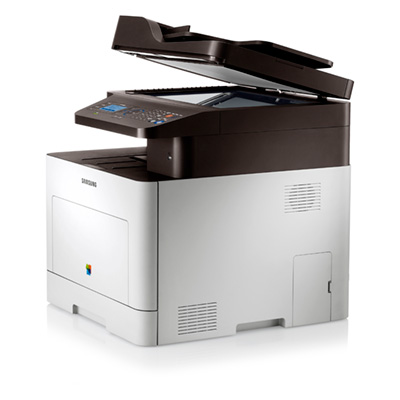
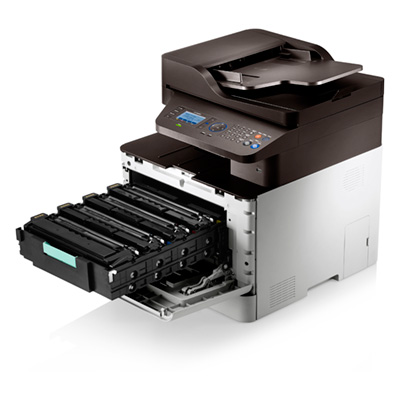
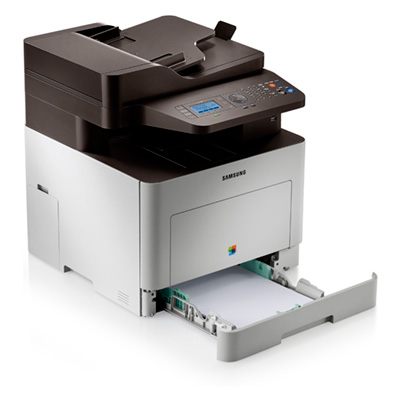
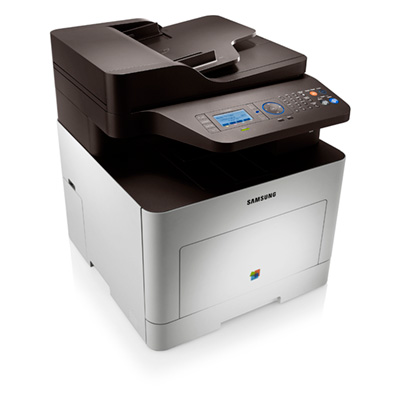
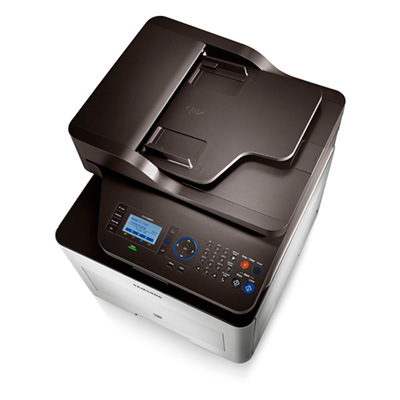


*** ALL TONERS AND SUPPLIES ARE IN STOCK AT DISCOUNTED PRICING , CALL +18882983095..
Printers do not include supplies - toners , drums (Imaging Units) (where applicable) , printer cables , manuals , consumables , trays (where applicable). Power cables are included. Drivers can be downloaded at www.hp.com. Please verify that drivers available are compatible with your software on HP’s site.
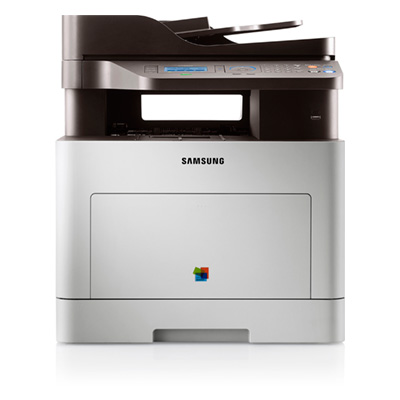
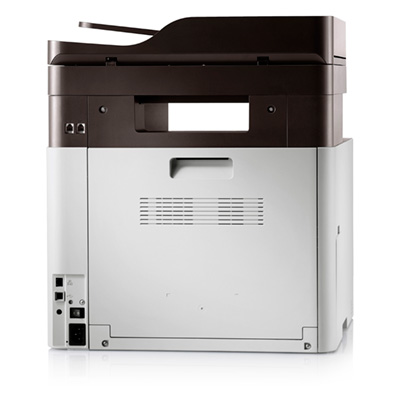
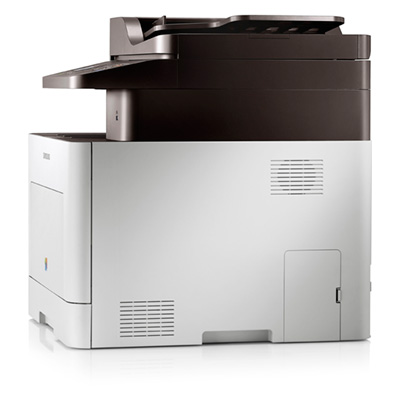
Images are for illustration purposes only and do not necessarily reflect the actual product.Product Details
Specifications
Accessories
Reviews
Product Details
Main Features
-
Print Speed (Black): Up to 25 ppm
-
Print Speed (Color): Up to 25 ppm
-
Print Resolution (dpi): Up to 9600 x 600 dpi
-
First Print Out Time (Black): <17 seconds
- First Print Out Time (Color): <17 seconds
-
Emulation: PCL5C/6, PostScript 3, PDF V1.7, SPL-C (Samsung Print Language)
-
Duplex Printing: Automatic
-
Paper Input Capacity (Standard): 250 sheets
-
Paper Input Capacity (Multi-purpose/bypass): 50 sheet
- Maximum Input Capacity: 820 sheets with optional second cassette
- Output Capacity: 100 sheets
-
Media Sizes: 3" - 5" ~ 8.5" - 14"
-
Media Type: Plain, Thin, Thick, Cardstock, Thicker, Hole Punched, Transparency, Pre-Printed, Letterhead, Recycled, Archive, Bond, Label, Envelope, Cotton, Colored, Glossy
- ADF Capacity: 50 sheets
- Copy Speed (Black): Up to 25 cpm
-
Copy Speed (Color): Up to 25 cpm
- First Copy Out Time (Black): <17 seconds
- First Copy Out Time (Color): <17 seconds
-
Copy Resolution: Up to 1200 x 1200 dpi
-
Duplex Copy: No
- Copy Special Features: ID Copy, N-Up, Poster, Clone, Book Copy
- Scan Speed: Up to 20 ipm
-
Method: Color CIS
-
Compatibility: TWAIN, WIA
-
Resolution (Optical): 1200 x 1200 dpi
-
Resolution (Enhanced): Up to 4800 x 4800 dpi
-
Scan To: USB, Email, SMB, FTP, PC, Flash Disk Drive
- Bit Depth: Grayscale: 24-bit, Color: 32-bit
- Modem Speed (kbps): 33.6 Kbps
-
Compatibility: ITU-T G3, ECM
- Fax Memory: 6 MB
- Special Features: Fax to PC, Speed Dial, Auto Redial, On Hook Dial, Last Number Redial, Delayed Fax, Fax Forward to Fax/PC, Junk Fax Barrier, Auto Reduction
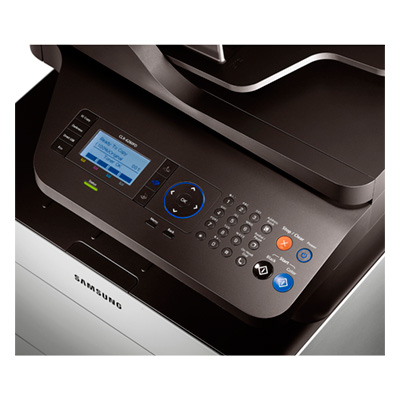
- LCD: 4-line LCD
-
Processor: 533 MHz Dual CPU
- Memory: 512 MB (Up to 1 GB)
- Wireless: No
-
Interface: Hi-Speed USB 2.0, Gigabit Ethernet, Direct USB
- Noise Level: <52 dBA while printing
- Max Monthly Duty Cycle: 60,000 pages per month
-
OS Compatibility: Windows (32/64 bit) XP/2003/Vista/2008/7/2008 R2, Mac OS X 10.4~10.7, Various Linux, Various Unix, CiTRIX Server
-
ENERGY STAR Rated
- Power Consumption (W): 450 W (Printing), 16 W (Standby), 1 W (Sleep), 1.55 kWH (TEC)
-
Product Dimensions (W x D x H, in): 16.5" x 17.8" x 18.8"
-
Shipping Dimensions (W x D x H, in): 23.4" x 22.3" x 24.5"
-
Product Weight (lb): 54.7 lb.
- Shipping Weight (lbs): 63.3 lb.
Specifications
General Specifications
| Print Speed (ppm) | 25 ppm |
| Printer Connectivity | Network Ready; Gigabit Ethernet and Hi-Speed USB 2.0 connectivity |
| Print Resolution (dpi) | 9600 x 600 dpi |
| Printer Monthly Duty Cycle | 60,000 pages |
| Scan Resolution (maximum) | 1200 x 1200 dpi |
| Copy Speed (cpm) | 25 cpm |
| Printer Fax Speed | 33.6 Kbps |
| Fax Memory (MB, pages) | 6MB |
| (ADF)- Auto Document Feeder | 50 sheets |
| Printer Memory | 512MB, expandable up to 1GB |
| Paper Input Capacity | 250 sheets |
| Printer Output Capacity | 100 sheets |
| Media Types Supported | Plain, Thin, Thick, Cardstock, Thicker, Hole Punched, Transparency, Pre-Printed, Letterhead, Recycled, Archive, Bond, Label, Envelope, Cotton, Colored, Glossy |
| First Page Out (seconds) | As fast as 17 seconds |
| Printer System Requirements | Windows (32/64 bit) XP/2003/Vista/2008/7/2008 R2, Mac OS X 10.4~10.7, Various Linux, Various Unix, CiTRIX Server |
| Printer Display (type/size) | 4-line LCD |
| Printer Dimensions | 18.8" H x 16.5" W x 17.8" D |
| Printer Weight | 54.7 lbs. |
| Wireless Ready (Yes or No) | Yes |
| Network Ready (Yes or No) | Yes |
| Print Technology | Laser |
| Type of Printer | All-in-One |
| Shop by Use | Medium Office (5-10 users) |
| Output Type | Color |
| Type of Printer Connectivity | Network Ready & USB |
| Type of Duplexing (2-sided printing) | Automatic |
| Maximum Paper Size | 8.5" x 14" |
 Download Manufacturer Specifications
Accessories

Reviews


Your ink is not going onto the paper properly or you notice uneven coverage? Try aligning the print heads before you bring out the big guns.
Is your printer smearing immediately after changing a cartridge? Check that the protective tape over the nozzles is completely removed.
Use a lightly dampened cloth to clean the outside of your laser printer. To clean the inside, use a dry, lint-free cloth to make sure that no liquid enters the inner parts of the printer.
MY ACCOUNT
INFO & POLICIES
SHOP EASY
PAYMENT OPTIONS



