



 Shopping Cart
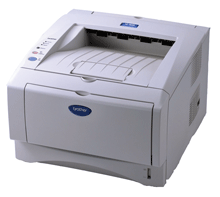
 Brother HL-5150D Graphic Laser Printer With Built-In Duplex Reconditioned

Product Details
Specifications
Accessories
Reviews
Product Details
Main Features:
- Up to 21ppm print speed
- HQ1200 resolution (up to 2400x600dpi)
- 16MB of memory standard, upgradeable to 144MB
- PCL6, BR-Script3, IBM Proprinter, Epson FX emulations
- Automatic duplexing for two-sided printing
- 300-sheet input capacity
- 250-sheet paper tray
- 50-sheet fold-down multi-purpose tray
- Optional 250-sheet lower paper tray - USB 2.0 and Parallel interfaces standard
- Windows and Mac compatible
- Optional external Ethernet or wireless interfaces
Specifications
Accessories

Reviews



Printer not working? The printer memory could be full and not getting prints or the prints may be stuck in the print queue. Turn-off the printer, wait a few seconds and turn it back on.
Make sure to select the correct paper type for your print job. In general, for more important documents, use thicker paper.
Most printers will beep once or twice during or after initialization. If it beeps more than that or beeps constantly, it is telling you that something is wrong. Most printers beep when out of paper or out of ink.
MY ACCOUNT
INFO & POLICIES
SHOP EASY
PAYMENT OPTIONS



* Images are for illustration purposes only.