



 Shopping Cart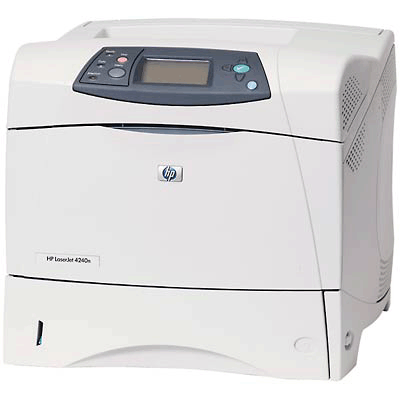

*** ALL TONERS AND SUPPLIES ARE IN STOCK AT DISCOUNTED PRICING , CALL +18882983095.
All reconditioned printers do not include supplies - toners , drums (Imaging Units) (where applicable) , printer cables , manuals , consumables, trays (where applicable). Power cables are included. Drivers can be downloaded from the manufacturers website. Please verify that drivers available are compatible with your software on the manufacturers site.
Images are for illustration purposes only and do not necessarily reflect the actual product.Product Details
Specifications
Accessories
Reviews
Product Details
Main Features
- Speed: Upto 43 ppm
- Resolution: 1200 x 1200 dpi
- Media Sizes: A4, A5, Letter, Legal, Executive, B5
- Monthly Volume: Up to 200000 pages
- Maximum Paper Trays: 5
All our reconditioned printers are clean, tested and working.
Specifications
General Specifications
| Standard printer languages | HP PCL 6, HP PCL 5e, HP Postscript Level 3 Emulation, PDF 1.3 | ||||||||||||||||||||||||||||||
| Print quality black (best) | Up to 1200 x 1200 dpi | ||||||||||||||||||||||||||||||
| Print quality black (draft) | Up to 600 x 600 dpi | ||||||||||||||||||||||||||||||
| Print quality black (normal) | Up to 1200 x 1200 dpi | ||||||||||||||||||||||||||||||
| Print speed black (best, A4) | Up to 43 ppm | ||||||||||||||||||||||||||||||
| Print speed black (draft, A4) | Up to 43 ppm | ||||||||||||||||||||||||||||||
| Print speed footnote | Exact speed varies depending on the system configuration, software program, and document complexity. | ||||||||||||||||||||||||||||||
| Print speed black (normal, A4) | Up to 43 ppm | ||||||||||||||||||||||||||||||
| Typefaces | 80 HP Font set (plus Greek, Hebrew, Cyrillic, Arabic) | ||||||||||||||||||||||||||||||
| Print technology | Monochrome Laser | ||||||||||||||||||||||||||||||
| First page out black (A4) | < 8 sec | ||||||||||||||||||||||||||||||
| Printer management |
HP Web Jetadmin, HP LaserJet Utility, HP Embedded Web Server, HP LaserJet Toolbox
|
Accessories

Reviews


Getting blank pages after you installed a new cartridge? Check that the sticker from the cartridge was properly removed. Alternatively, run the clean print head function to make sure all air bubbles are removed. Do not remove the cartridge once it has been installed.
Store your laser printer in a properly ventilated area where temperature and humidity do not change frequently. Avoid areas with heavy dust buildup.
Are you getting diminished color and print quality? If all your images start to look a bit purple, blue or orange, one of your ink wells may be running low. Replace the whole printer ink cartridge, unless you can refill the individual ink wells.
MY ACCOUNT
INFO & POLICIES
SHOP EASY
PAYMENT OPTIONS



