



 Shopping Cart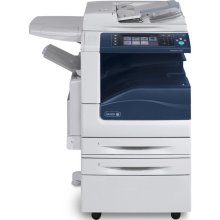

*** ALL TONERS AND SUPPLIES ARE IN STOCK AT DISCOUNTED PRICING , CALL +18882983095..
Printers do not include supplies - toners , drums (Imaging Units) (where applicable) , printer cables , manuals , consumables , trays (where applicable). Power cables are included. Drivers can be downloaded at www.hp.com. Please verify that drivers available are compatible with your software on HP’s site.
Images are for illustration purposes only and do not necessarily reflect the actual product.Product Details
Specifications
Accessories
Reviews
Product Details
- 30 Color/Mono ppm
- 520 Sht Tray
- 100 Sht Bypass
- Job Based Acct
- Server Fax
- Data Security
- Full Network Scan
- Left side Tray
- Std Output Tray
- Ifax
Specifications
Accessories

Reviews



Look out for a copier with an Energy Saving mode which will hibernate into a “sleep” mode when not being used, in order to save electricity.
Do not store paper which you will use in a copier or printer in a damp or moist atmosphere – such as a basement, or near a window or sink.
"Consumables" are the supplies which a copier needs to function, such as, paper, toner, ink and developer.
MY ACCOUNT
INFO & POLICIES
SHOP EASY
PAYMENT OPTIONS



